How To Re-index the Database
If you notice that it takes longer than usual to open an account in Liberty, you can re-index your database. This will rebuild the index using the data stored in the database. This is especially useful if the index of your database has become bloated, meaning it contains many empty or nearly-empty entries.
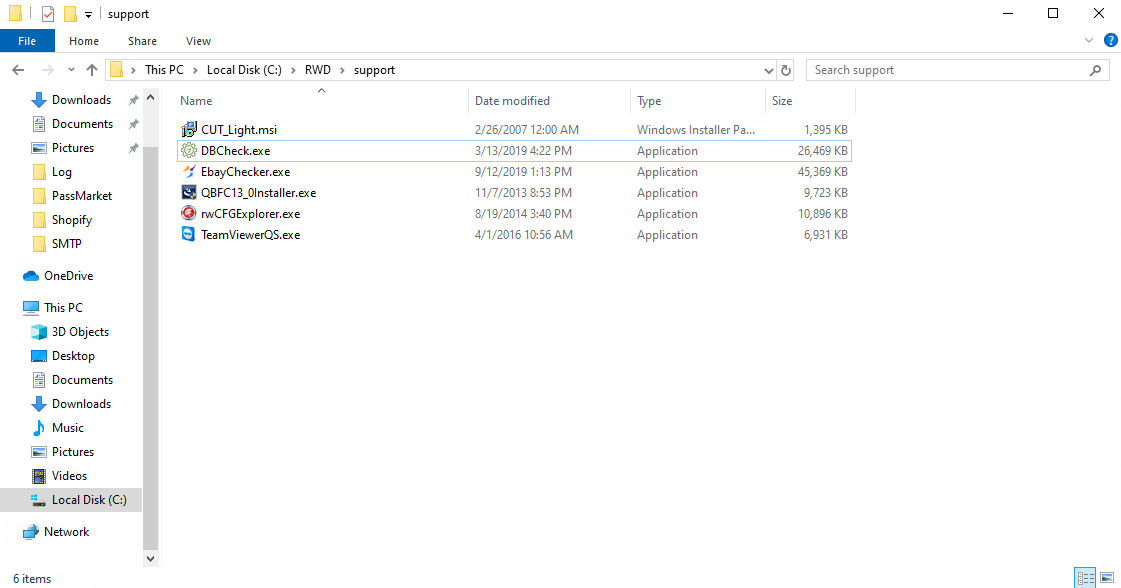
- Go to C:\rwd\support\ and open DBCheck.exe. You must be an admin to open this program.
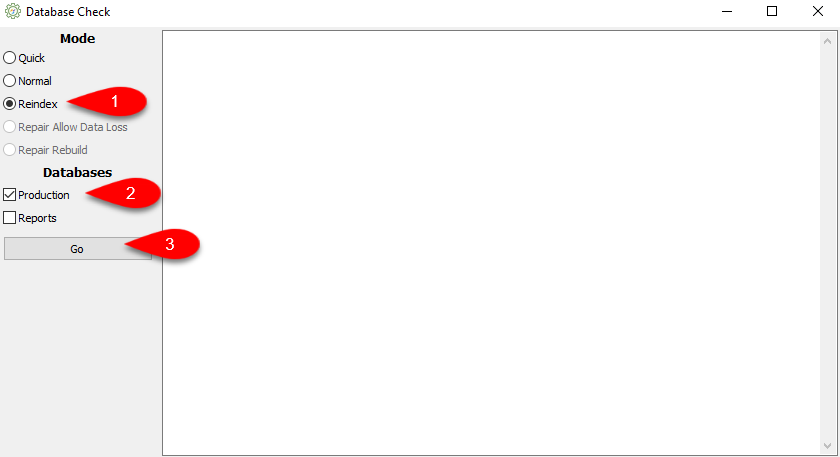
- Select the radio button for Reindex then checkmark production and click the Go button.


Next Section Navigation Link
Click the following link to see a list of articles for the next section:
Update Enhancements
Related Topics
How To Re-index the Database Accessing Liberty Help From Anywhere In Liberty Add Notes to an Account Add Multiple Addresses and Phone numbers Apply Group Deductions Bulk Change Default Price Code Using the Client Import and Export Utility Creating New and Maintaining Existing Accounts Customize the Account Detail Window Deactivating an Account