Picking Items In The PickList Tab
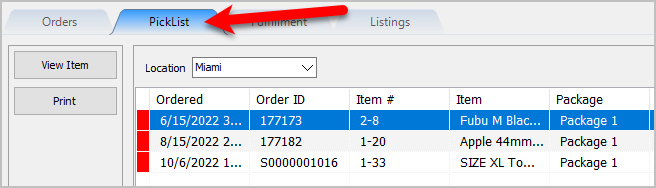
- Open the Listing Manager and navigate to the PickList tab.
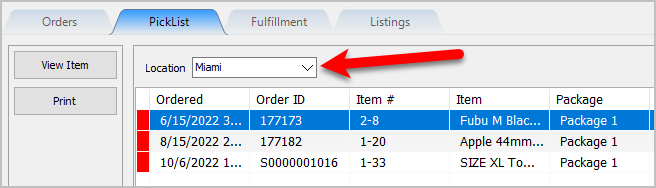
- Select the Location of the orders you want to work with from the Location drop-down
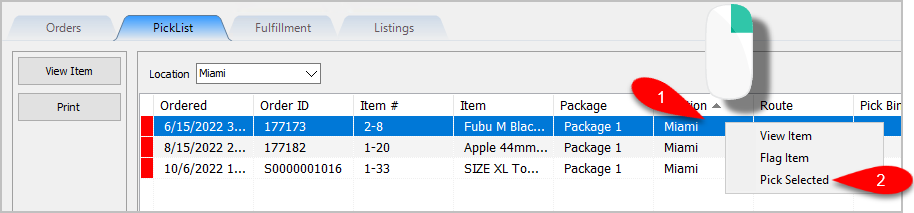
- You can view items that need to be picked from the PickList Tab. When you have grabbed the item off the floor, you can right-click on the item and then click Pick Selected.
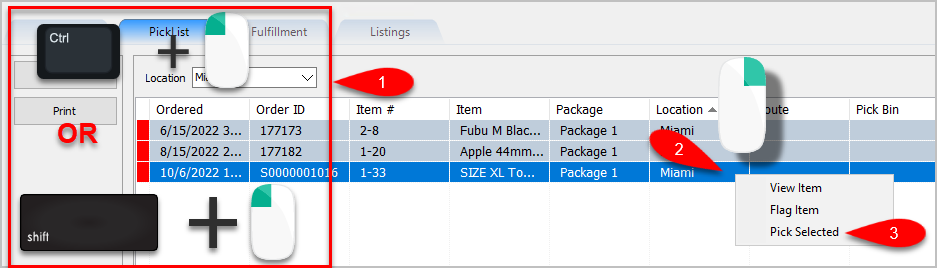
- You can also multi-select items to be picked by using either CTRL + Left Click or if the items are close together Shift + Left Click, then right-click on the last item you selected and click Pick Selected.
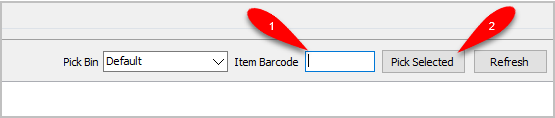
- You can also scan the Item Barcode off of the items you pull to quickly confirm you have the right item and to mark the item as Picked.
- Back on the Orders tab, you will notice the item color indicator is no longer yellow. This indicates that the order has been picked.
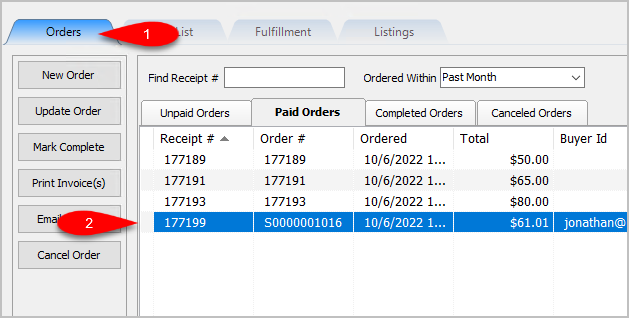


Note: Items do not have to be picked to be able complete their corresponding order. The only order you cannot complete is an order that has unsellable items. These orders have a red indicator next to them on the Orders Tab.
Next Article In Section
Click the following link to move to the next article in this section:
Viewing Item Details Within The PickList Tab
Related Topics
Picking Items In The PickList Tab PickList Tab Overview Printing the PickList From The PickList Tab Viewing Item Details Within The PickList Tab Flagging Items From The PickList Tab Creating Pick bins For Sorting Picked Items Picking Items Into A Pick Bin Adding An eBay Description Adding Images To An eBay Listing Definitions of Ebay Description Processor Buttons Deleting Images From An eBay Listing