Refunding An Order Through Shopify
You can refund an order through Shopify and have the Listing Manager refresh its’ copy of the order to show what happened.
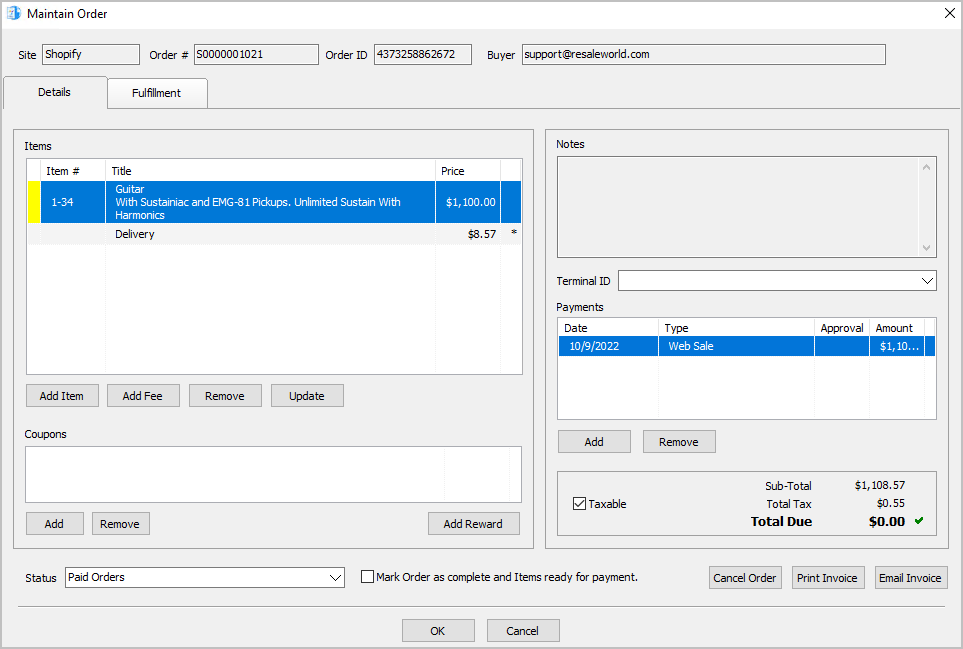
- Here is what the order looks like in the Listing Manager Orders Tab before it is refunded through Shopify.
Note: Once an order has been completed from within the Liberty Listing Manager, it will no longer update/refresh with changes made from Shopify, unless you are on 6.1a and above.
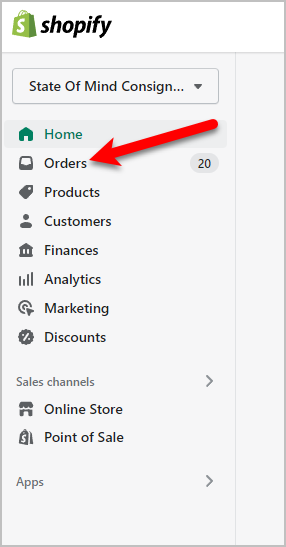
- Navigate to your Shopify admin page and Sign-In.

- Click on your Orders menu link to the left.
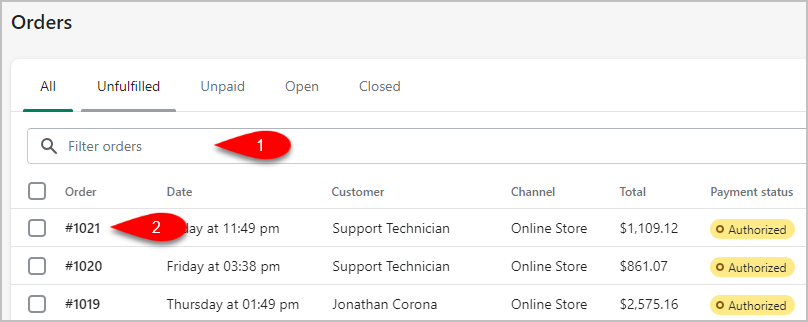
- Search for the order you want to Refund and then click the Order Number.
- Click the Refund link.

- We must now choose what we want to Refund on Shopify.
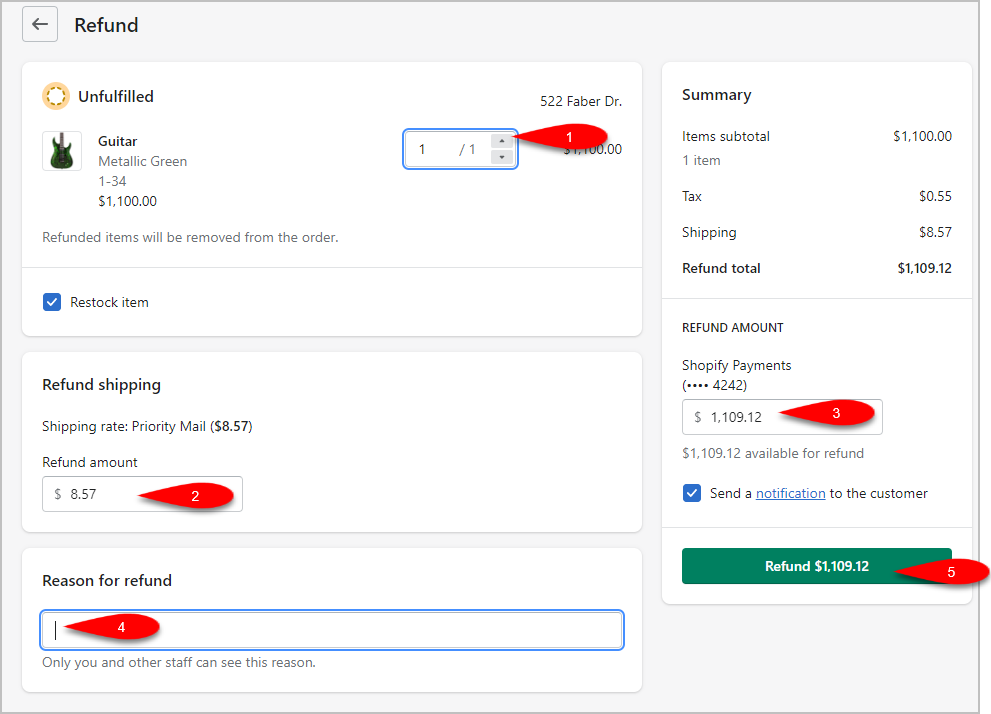
- Increase the quantity on the items you want to refund.
- Specify an amount you want to refund for shipping. If you are not refunding the shipping, then type 0.00
- Type in the Refund Amount that is going back to the customer.
- Specify a Reason For Refund if you would like.
- Click on the Refund button.
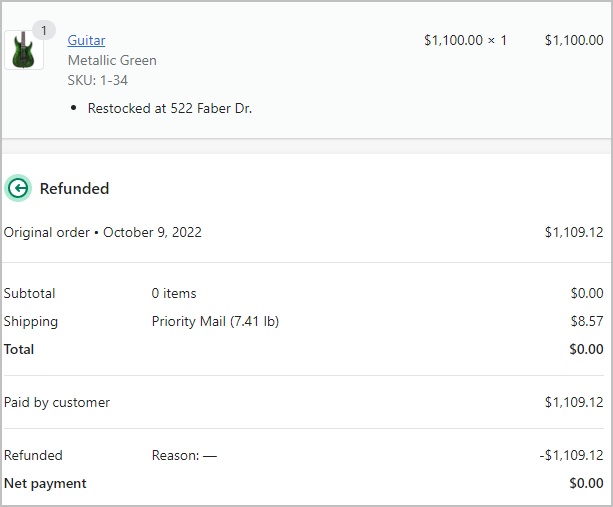
- The status of the order will read as Refunded if you refunded the entire order or Partially Refunded if you refunded just some items in the order.

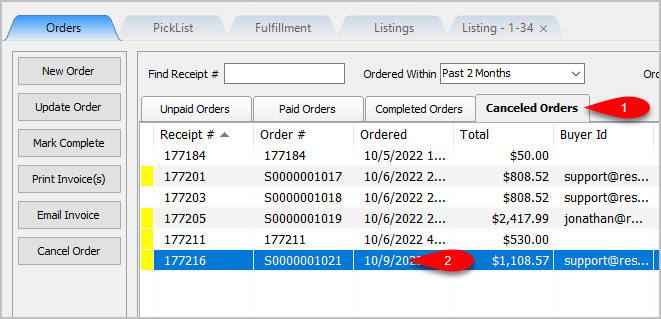
- The Liberty Event Service will automatically refresh the order and it will move to the Canceled Orders tab.


Next Article In Section
Click the following link to move to the next article in this section:
How To Refund An Order Specific To The Listing Manager
