Mark Multiple Orders as Complete Simultaneously
The following article details the process of marking two main methods of marking multiple web orders as complete in Liberty REACT
It is important to mark web orders as complete in order to properly track your consignor obligations.
CTRL + Left Click Method to Multi-Select Web Orders That Are Not Next To Each Other
- Open the Listing Manager.

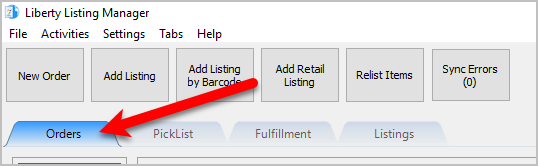
- Click on the Orders tab.
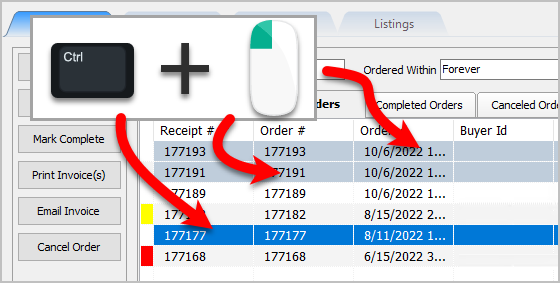
- Press and hold your CTRL key while clicking on the orders you want to complete.
You will see the multi-selected orders highlighted in a light blue as you click on them.
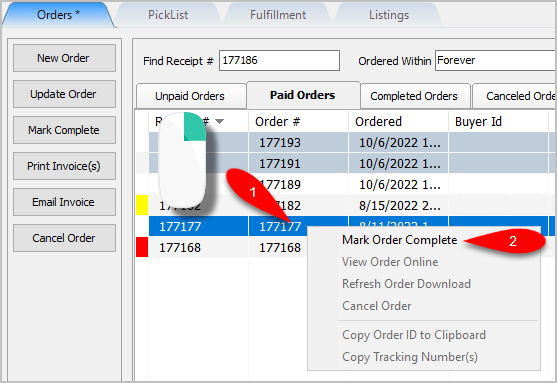
- Now you can right click on the last order you selected and click Mark Order Complete.
This will mark all the orders you multi-selected as Complete.
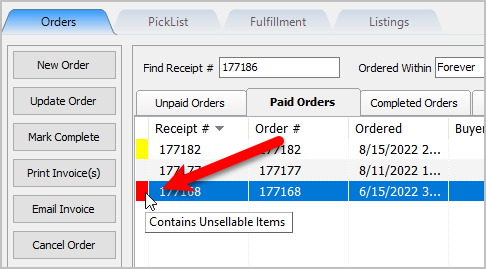
Note: The orders you are trying to complete may be in one of the other tabs. Typically, stores will wait until the customer has the item before marking the order as complete, but this is at the store’s discretion. - It is important to note that orders with a red indication on the left contain unsellable items. These are orders that came down from Shopify whose items cannot be fulfilled either because they are out of stock or the item was created directly on Shopify and not through Liberty. You cannot complete and order while it is in this state and must edit the order and either remove, fix or replace the unsellable item.
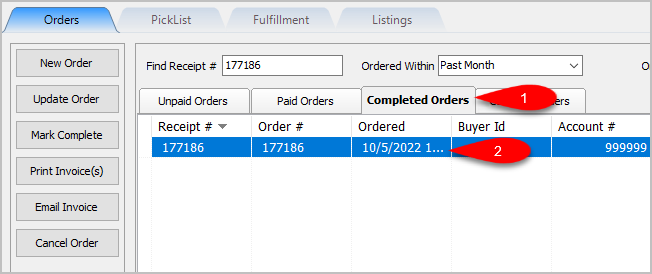
- The orders we marked as completed can now be viewed in the Completed Orders tab.
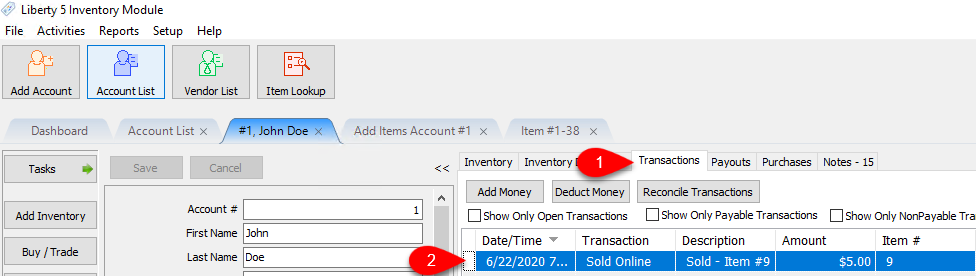
- To view the payable amount to the consignor for the order, go to the Inventory Module. Open the Account associated with the order, and click on the Transactions tab.
If the page was already open, click on the Refresh button.
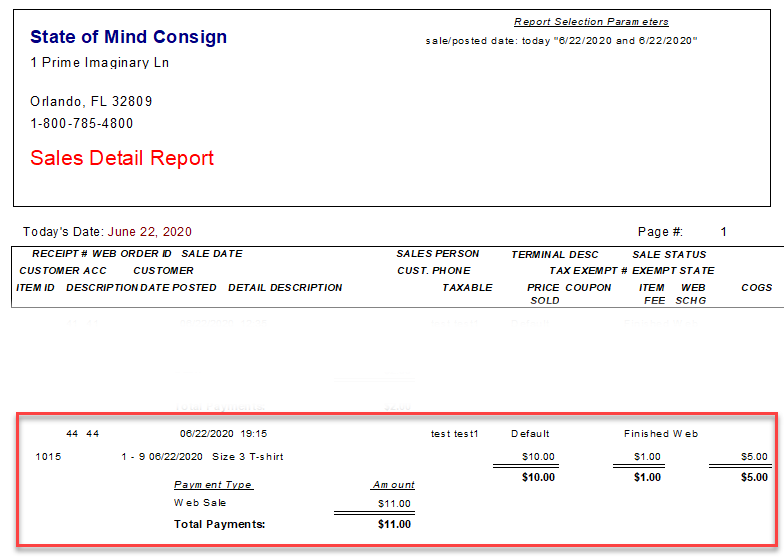
- Sales reports also include this order. Payments made on an order are tracked the day that the order takes place on your Recommerce platform. The consignment split is not made payable to the consignor until the order is marked as complete.


SHIFT + Left Click To Multi-Select Orders That Are All Next To Each Other
- Open the Listing Manager.

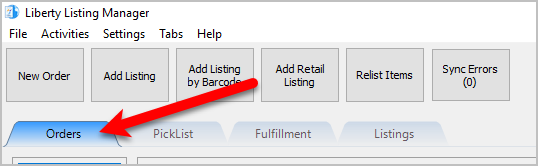
- Click on the Orders tab.
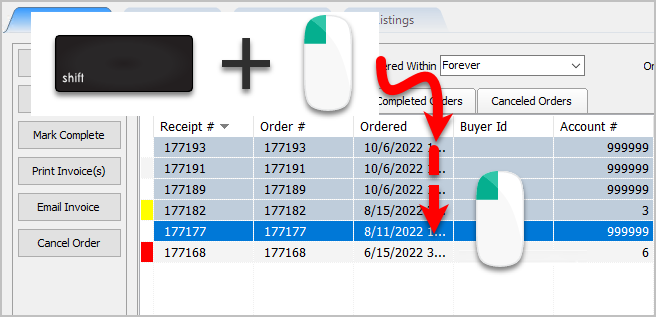
- Press and hold your Shift key while clicking on the order you want to complete. Continue to press and hold the Shift key and then click on the last order within the range you want to complete
You will see the multi-selected orders highlighted in a light blue between the first and last clicked order.
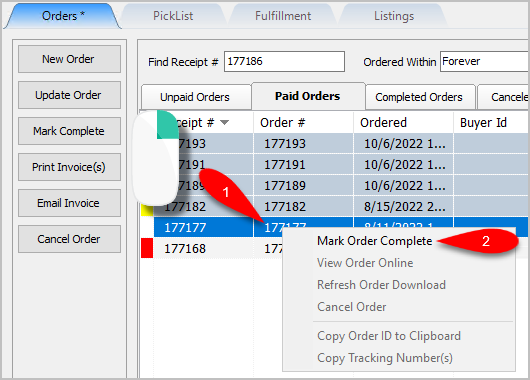
- Now you can right click on the last order you selected and click Mark Order Complete.
This will mark all the orders you multi-selected as Complete.
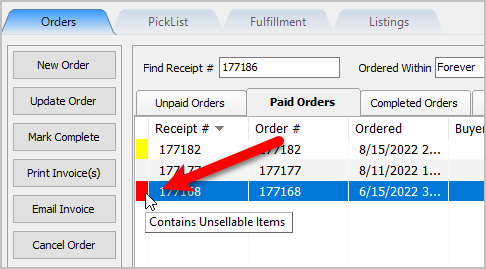
Note: The orders you are trying to complete may be in one of the other tabs. Typically, stores will wait until the customer has the item before marking the order as complete, but this is at the store’s discretion. - It is important to note that orders with a red indication on the left contain unsellable items. These are orders that came down from Shopify whose items cannot be fulfilled either because they are out of stock or the item was created directly on Shopify and not through Liberty. You cannot complete and order while it is in this state and must edit the order and either remove, fix or replace the unsellable item.
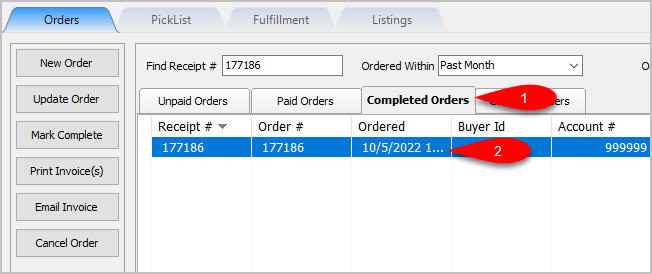
- The orders we marked as completed can now be viewed in the Completed Orders tab.


Next Article In Section
Click the following link to move to the next article in this section:
Refunding An Order Through Shopify
Related Topics
Mark Multiple Orders as Complete Simultaneously View Pending Orders Maintaining An Order Overview Adding An Item To An Order Adding A Fee To An Order Removing An Item Or Fee From An Order Adding A Coupon To An Order Removing A Coupon From An Order Adding A Payment To An Order Removing A Payment From An Order