Changing The Marketplace/Site Of A Manual Order
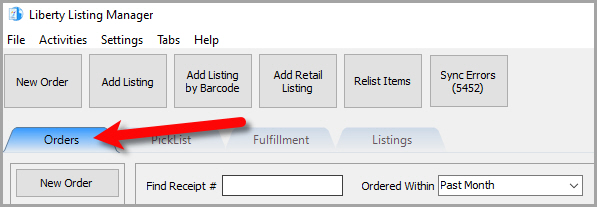
- Open the Listing Manager and click on the Orders tab.
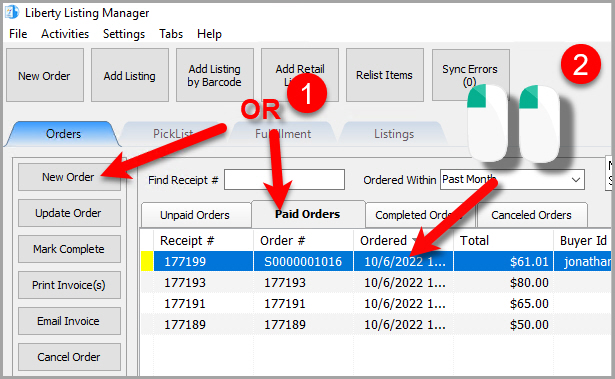
- Add a new order or edit an existing order by double clicking on one from the Orders tab to see the Maintain Order screen for an order.
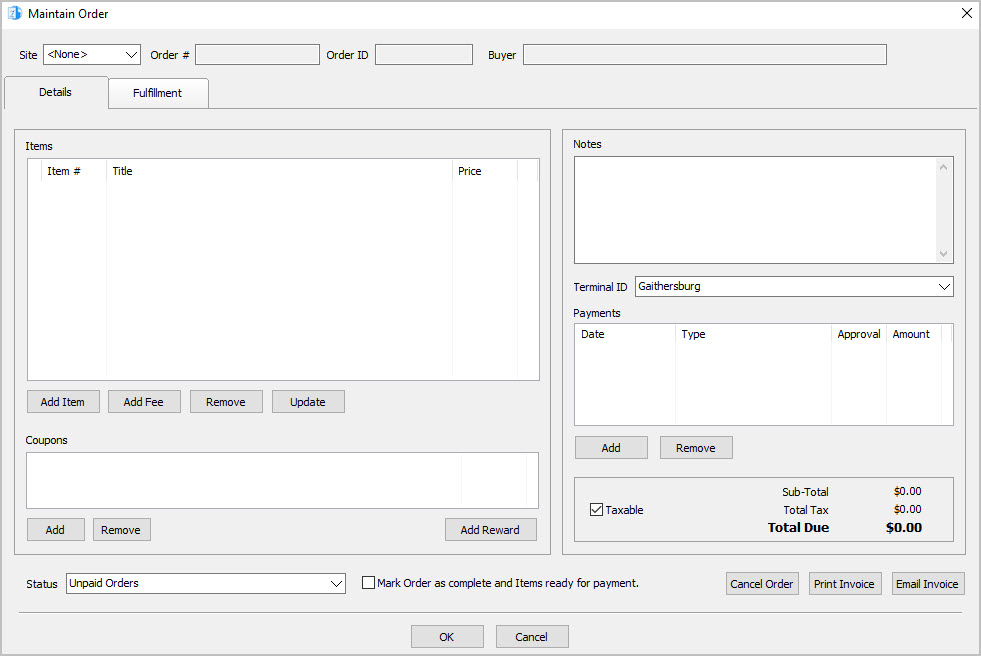
- The Maintain Order screen will appear.
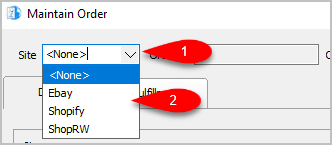
- For a manual order, you can change what Marketplace the order was from by dropping down the Site drop down menu and selecting the Marketplace.


Next Article In Section
Click the following link to move to the next article in this section:
Change Order Status
Related Topics
Changing The Marketplace/Site Of A Manual Order Maintaining An Order Overview View Pending Orders Adding An Item To An Order Adding A Fee To An Order Removing An Item Or Fee From An Order Updating Unsellable Items On An Order Adding A Coupon To An Order Removing A Coupon From An Order Adding A Payment To An Order