End Listings In Mass
There may be a situation where you need to end multiple listings at one time.
To do this, you would use the End Listings feature.
- Open the Listing Manager and then click Activities and then click End Listings.
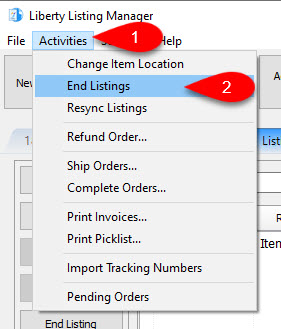
- Now you will need to use the filters to narrow down the listings that you want to end.
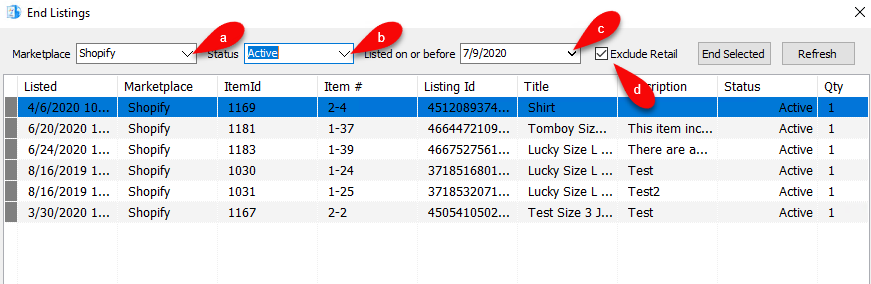
- Marketplace: Select the Marketplace you want to remove listings from. Leaving this open will allow you to remove from all marketplaces.
- Status: Allows you to select from listings that are either Active, Not Ready or Ready.
- Listed on or before: Lets you narrow the listings you want to remove on or before a certain date.
- Exclude Retail: Checkmarking this option allows you to remove retail items from the view so you don’t accidentally remove those listings.
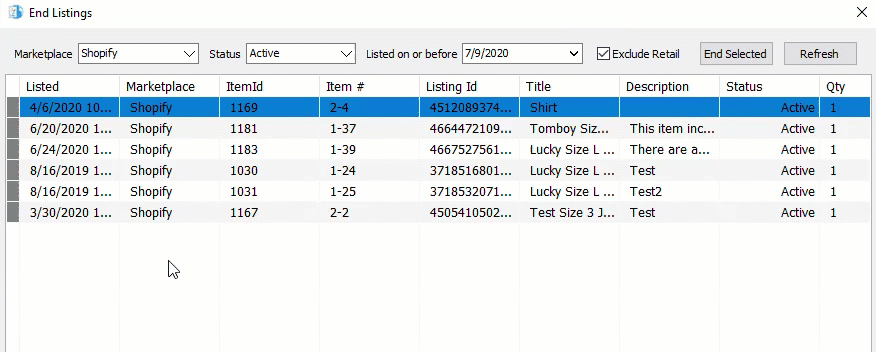
- You can then select multiple listings by lassoing/dragging your selection box around the listings you want to remove. You can also hold the Ctrl key and click on the individual listings to multi-select the listings that you want to remove. Finally, you can use a simultaneous combination of the Shift and the Ctrl key to select batches of listings.
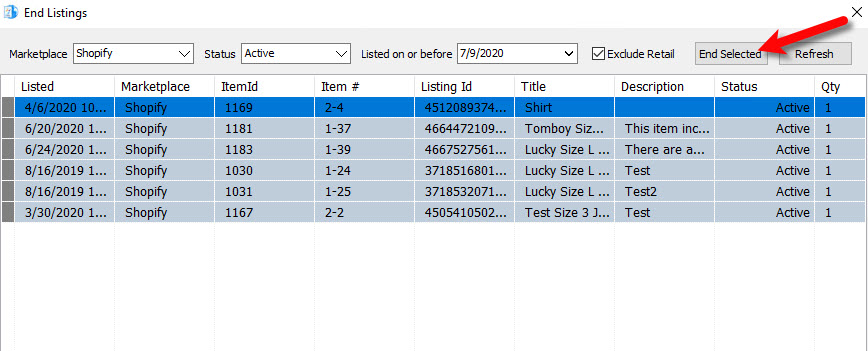
- Click the End Selected button when you have selected all the listings you want to remove.
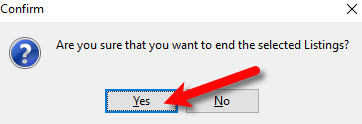
- Click the Yes button to remove the selected listings.


Note: Listings that have been removed with this method will be set to a Removed status. Once the listings are actually pulled down from your selected marketplace, the items will then be set to a Completed status.
Next Article In Section
Click the following link to move to the next article in this section:
Resync Listings