Add Listing by Barcode
It is possible to add listings by scanning the barcodes of items that you have in front of you.
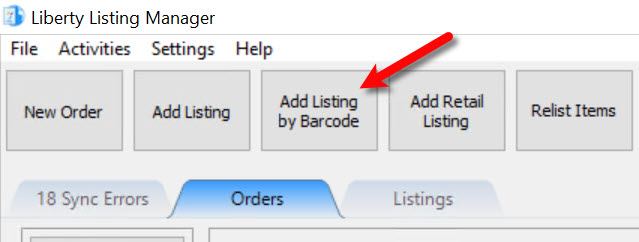
- Click the the Add Listing by Barcode option at the top of your Listing Manager.
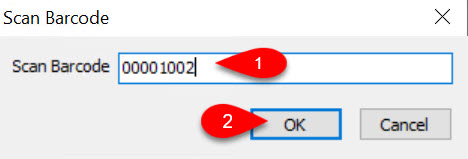
- You may now scan your item.
Alternatively, you can hand type the item id of the item, if you know it and click the OK button.
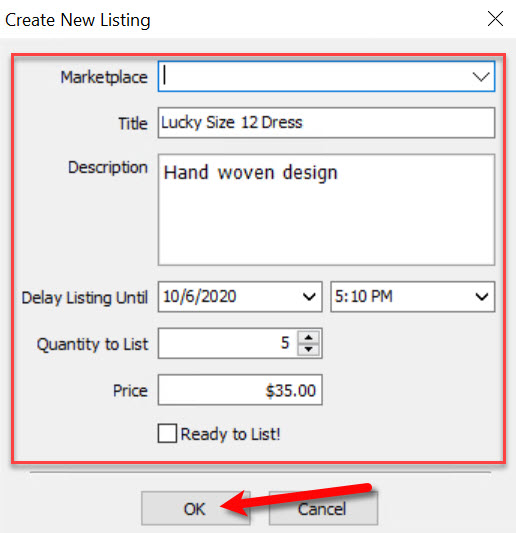
- Now you can simply continue adding the listing like you would normally.


Next Article In Section
Click the following link to move to the next article in this section:
Find Listing By Barcode