How To Relist eBay Items
In order to re-list an eBay item, it must be completed first.
Re-Listing items allows you to keep the same HTML Description along with eBay Business Policies and Item Specifics.
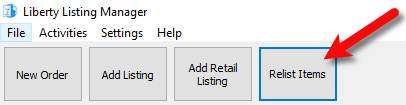
- In the Listing Manager, click Re-List Items
- The Select Item to Relist window will appear
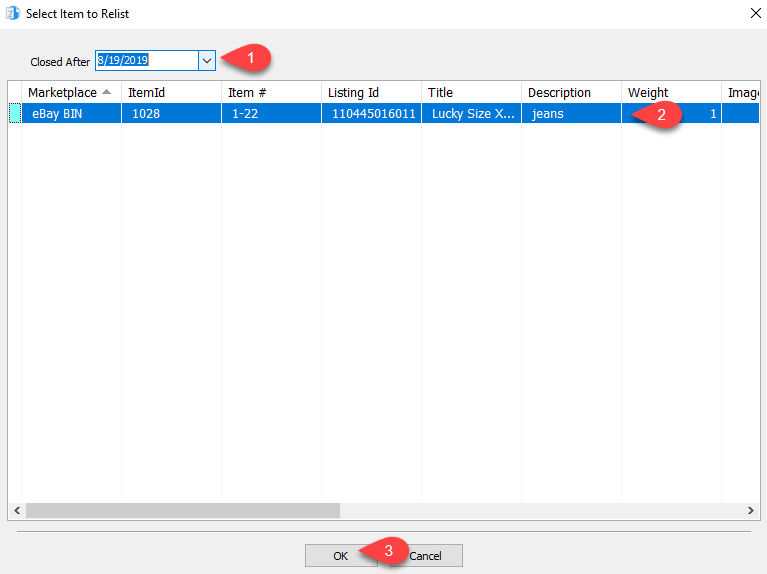
- Click select the Closed After date to view listings for the appropriate time frame.
- Select the Completed eBay item you wish to Relist.
- Click the OK button.
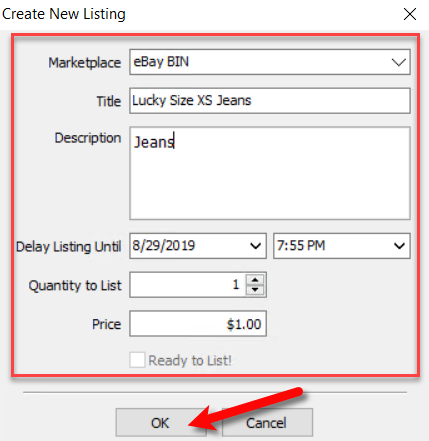
- The Create New Listing window will open up with the details of the item you wish to relist.
You can change any details you wish about the item and then click the OK button.
- You can now change any of the following Item Info. details for the item that is going to be relisted.
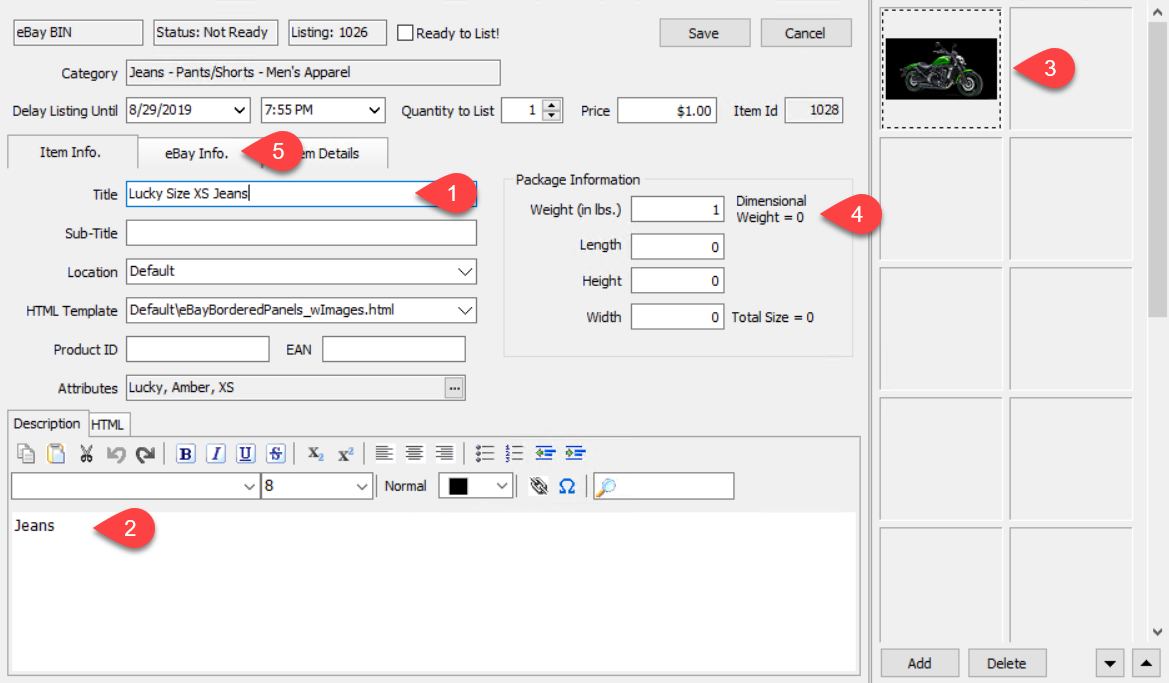
- The Title, Sub-Title, Location, HTML Template, Product ID and EAN number.
- The HTML Description that will show for the item.
- The Images that will be displayed on the item’s eBay web listing
- The Package Information that is going to be used for the eBay web listing.
- When you are done changing the details of the item to be relisted, or if you are not changing anything in the item info tab, click on the eBay info. tab.
- You can now change the following Ebay Info. details for the item that is going to be relisted.
Note: The Original Listing Id of the eBay item that is being relisted shows as the first field. This cannot be changed.
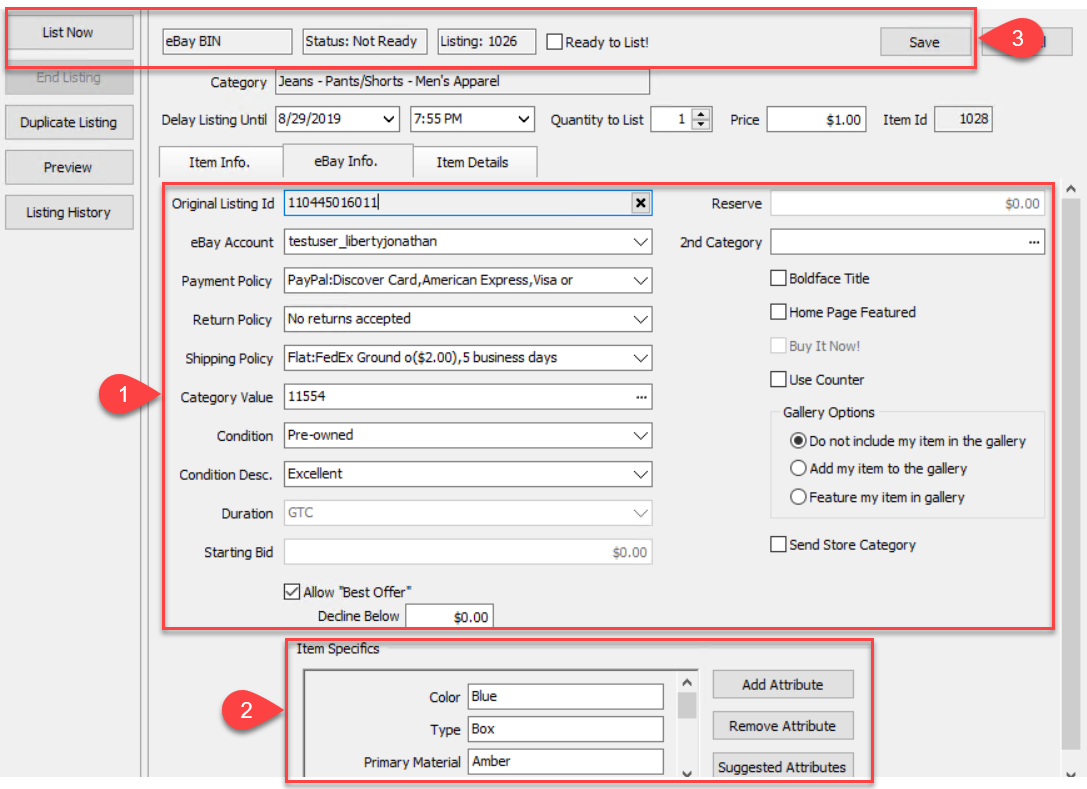
- The original eBay business policies of the item that is being relisted will be retained, you may change them if required. Any of the other original eBay info fields will be retained from the original listing, but can be changed as well.
- The eBay item’s original Item Specifics will be retained, but can be changed as well.
- You can click the Ready to List checkmark box and then click the Save button from which the item will be synced to eBay within 5 minutes. You can also simply click the List Now button to Relist the item right away.


Next Section Navigation Link
Click the following link to see a list of articles for the next section:
Orders Tab
Related Topics
How To Relist eBay Items Setting Up Liberty Listing Manager To List Your First Ebay Item How To List An Item On eBay Using The Listing Manager Creating an eBay Listing Overview eBay Specific Info. Listing Fields Adding eBay Package Information Adding An eBay Description Definitions of Ebay Description Processor Buttons Editing An eBay Description in HTML Previewing An eBay Web Description Adding Images To An eBay Listing