How To List An Item On eBay Using The Listing Manager
Here is the video that covers this content:
How To List An Item On eBay Using the Listing Manager
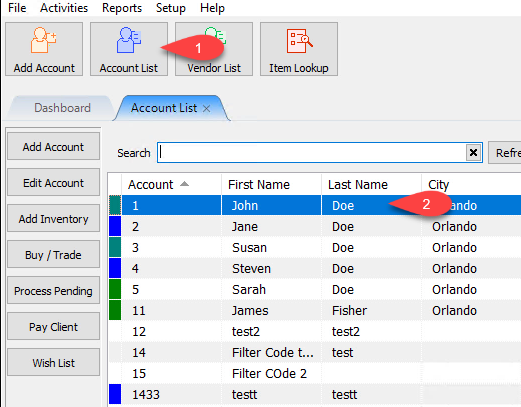
- If you don’t already have one, we will need to add an item to Liberty. Click the Account List button (1) to bring up the account list. Then double-click on the account we want to add inventory to.
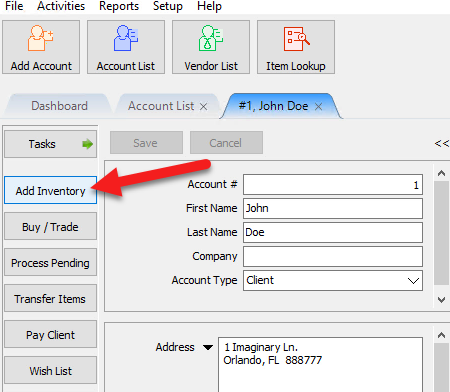
- Click the Add Inventory button or double-click on an existing inventory item.
- Fill out the relevant inventory fields for a new item or edit the following fields on an existing item.
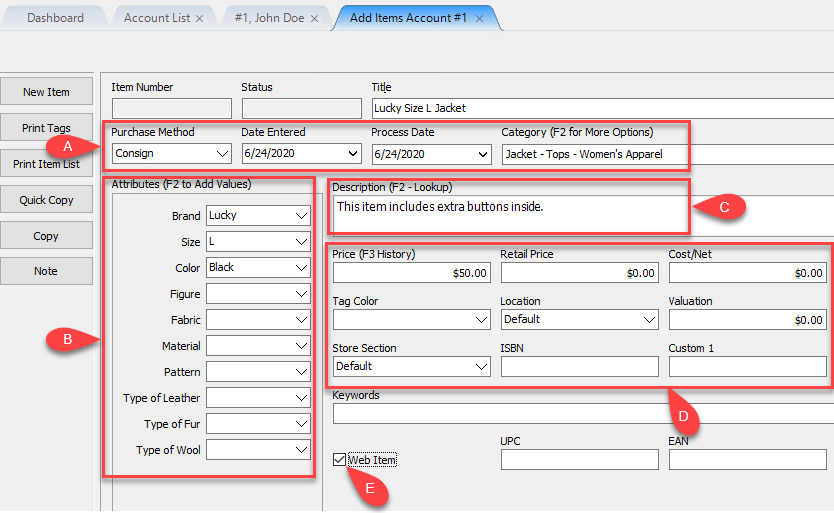
- You can edit the Purchase Method and/or Process date. You must also select a Category.
- Add your Attributes - This is optional but highly recommended.
- Add your description - This is also optional but shows up on the tag of the item.
- Add the Price of the item, Retail price if relevant, Cost/net if a purchased or Store owned item, Tag color if using Markdowns by tag color (Markdowns are not supported on eBay), Location, etc. Please keep in mind the item entry screen is customizable and yours may look different that ours.
- Web Item - Check this check box if you have Create Listings for New Web Items option on or if you want the listing to appear in the Add Listing window.
Note: Web item check box is not necessary to create a listing. Your web iten entry can search for the item through the add listing area of the Listing Manager.
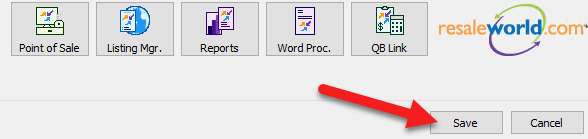
- Click the Save button when you are finished adding your item.
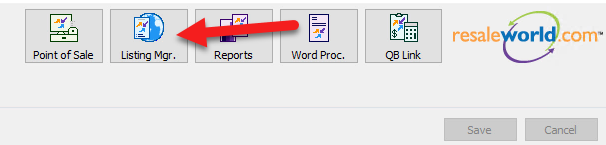
- Click the Listing Manager button to launch Listing Manager.
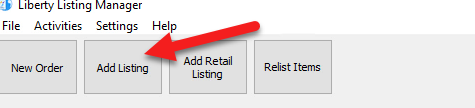
- In the Listing Manager, click the Add Listing button.
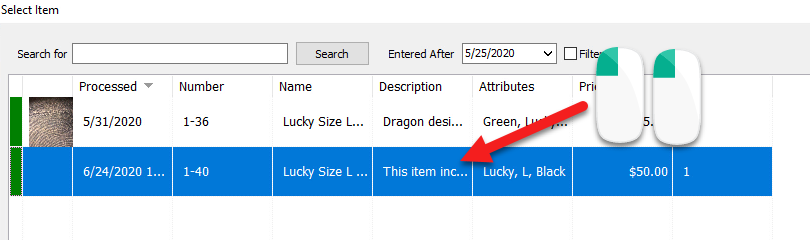
- Find your listing, select your listing and click the OK button in the Add Listing window.
Note: It is possible to search for items that do not have the web item checkmark box checked. The search bar at the top functions like a simple search. You can type in account - item number or any information pertaining to the item, and you should be able to select them as long as they are available.
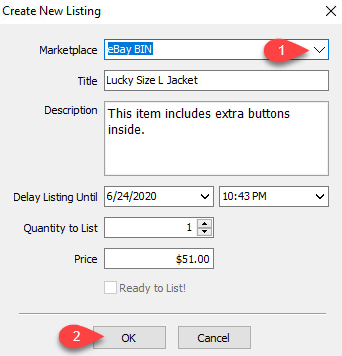
- In the Create New Listing window select the Marketplace you want to list your item. You can choose eBay for an Auction listing, or eBay BIN to create an eBay Buy It Now listing.
Click OK when done.
- Fill out the relevant information within the Item Info. tab of the Maintain Listing window.
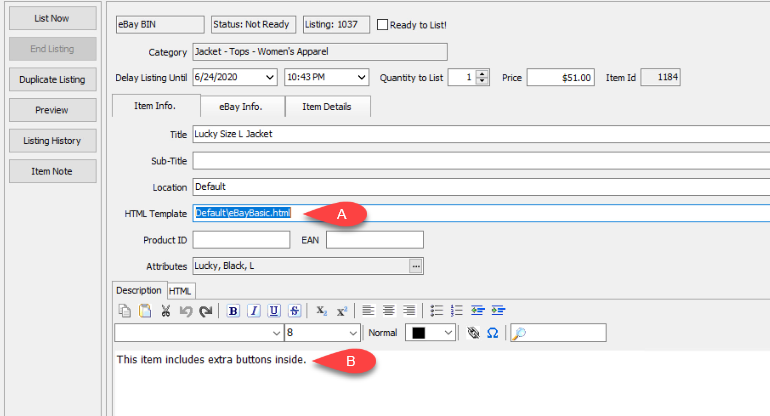
- HTML Template - Ensure your listing is using your desired template.
- Description - This is a What You See Is What You Get Editor intended to make editing your HTML description an easy process. This description is separate from your thermal tag description.
Note: This is the only place in Liberty, you can change the color, font, size and format of your description.
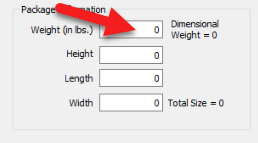
- Add a weight if needed and/or if your Storefront settings require you to add a weight.
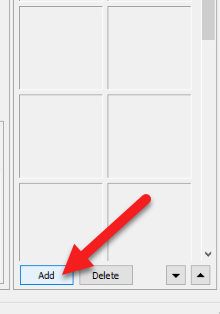
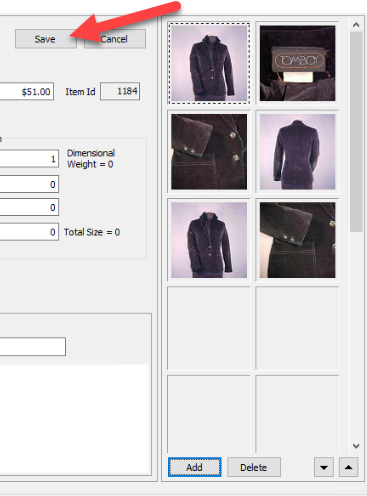
- Click the Add button to add at least one image, if needed and/or if your Storefront settings require you to add an image.
- Navigate to your image and select it, then click the Open button.
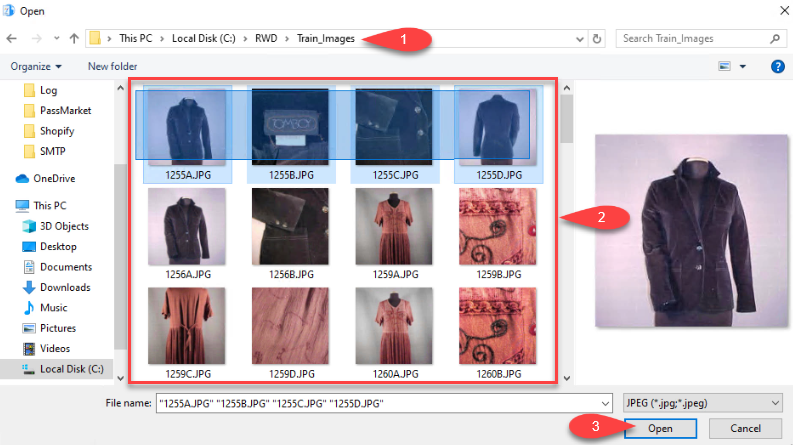
- The photo(s) you selected will be displayed on your listing.
Click the Save button to save your listing.
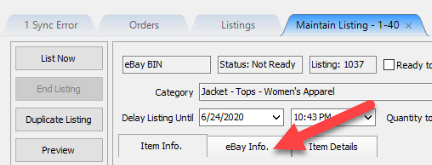
- Click the eBay Info. tab to see eBay options
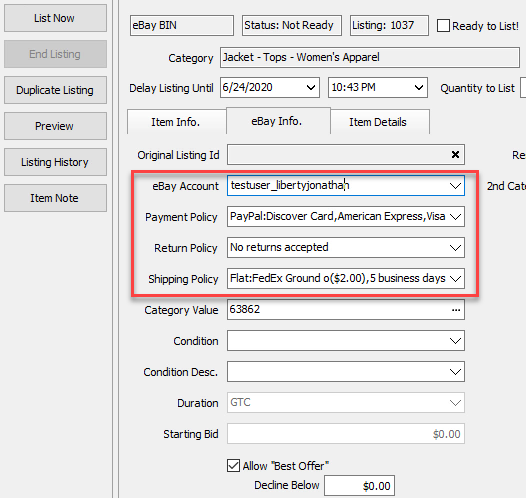
- If you have more than one eBay Account, select the one you want to use with the listing.
The Payment Policy, Return Policy and Shipping Policy are selected based on what you have set in eBay as your default policies. Each of these drop-downs will contain all relevant policies if you want to change them on a case by case basis.
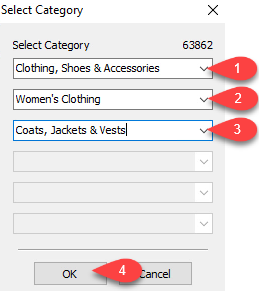
- If you have selected your Ebay Category Value before for the Liberty category you are using, then you will have it automatically filled in. If you have not selected this before, you will need to click the Browse (…) button so that you can select the relevant eBay Categories.
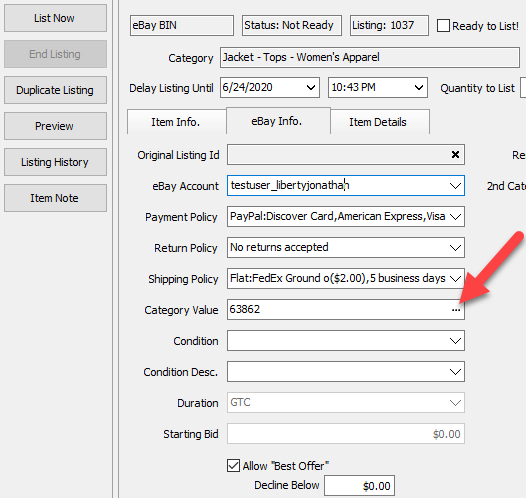
- Start with the first drop-down and then work your way down until you reach what eBay considers to be the final drop down. eBay’s category system is pretty similar to Liberty’s except that there may be more than three category branches.
Once you click the OK button, Liberty will automatically input the category value ID that represents what you selected.
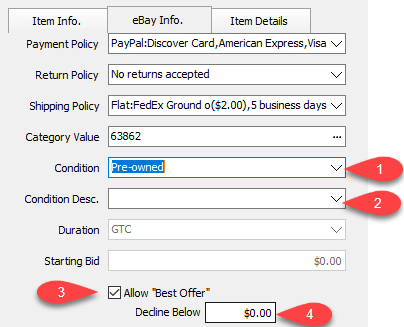
- Checkmark whether you would like to Allow “Best Offer” and then set an auto Decline Below number.
This feature allows you to accept dollar offers for your items listed on eBay and if the offer made by the customer is higher than your limit, their offer will automatically be accepted.
You may need to look at your Pending Orders area for best offers that have not been completed.
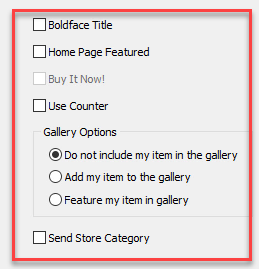
- The features shown below are options that eBay allows you to select to promote your listings.
Each option may incur a fee that may be changed by eBay at any time.
Note: Enabling any of the following options may incur a fee from eBay.
Send Store Category: If you have an eBay store subscription, you can send a Store Category.
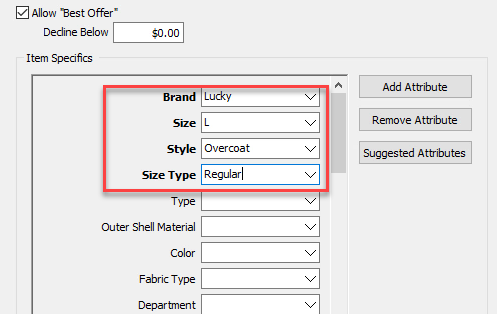
- Next, we must select eBay Item Specifics, in order to push the item to eBay.
Click on Suggested Attributes.
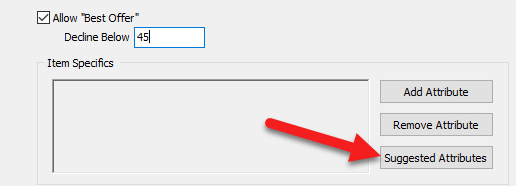
- All attributes that are in Bold are Item Specifics that must be selected. All other non-bolded attributes can be left blank if you do not wish to use them. If you do not drop-down and select the bold required item specifics, your item will be rejected by eBay.
- Click the Save button.
- Click the Ready to List! button and close out of the tab.
You may then move on to your next item if there are more listings to add.
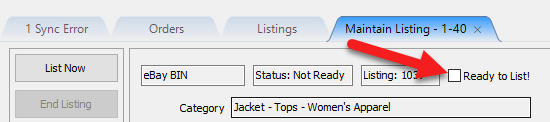
Note: The item will go up within 5 minutes of checkmarking Ready to list! We recommend using this method rather than clicking List Now as you will have to wait until the item is done listing before you can move on to the next item. Selecting Ready to list! will allow you to quickly add more listings. - Once your item is active within five minutes or you clicked List Now on the previous screen, you can then click View Listing if you would like to see what your listing looks like on ebay.
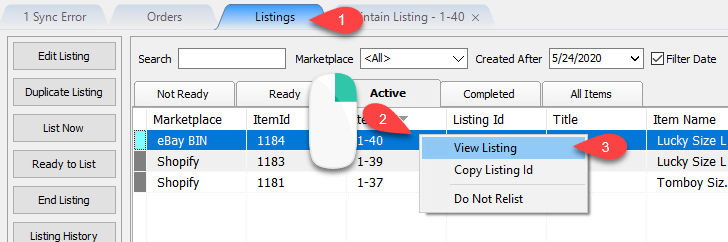
- You should be taken to your eBay listing.


Congratulations! You have just listed your first eBay listing!

Next Article In Section
Click the following link to move to the next article in this section:
Creating an eBay Listing Overview
Related Topics
How To List An Item On eBay Using The Listing Manager Setting Up Liberty Listing Manager To List Your First Ebay Item eBay Business Policies Overview Creating an eBay Listing Overview eBay Specific Info. Listing Fields Adding eBay Package Information Adding An eBay Description Definitions of Ebay Description Processor Buttons Editing An eBay Description in HTML Previewing An eBay Web Description Adding Images To An eBay Listing