Opening The Liberty Photo App Android
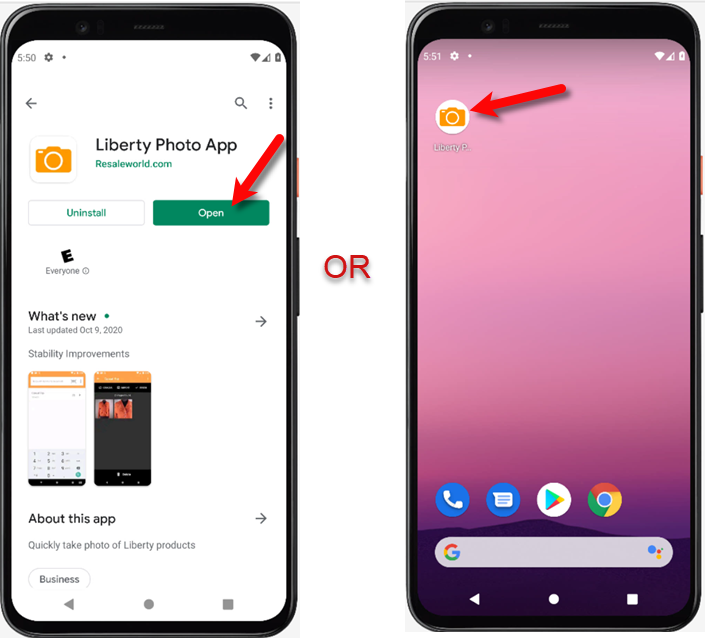
- You can now either open the Liberty Photo App from the Google Play Store or from your Android device’s Home Screen or App Locker.
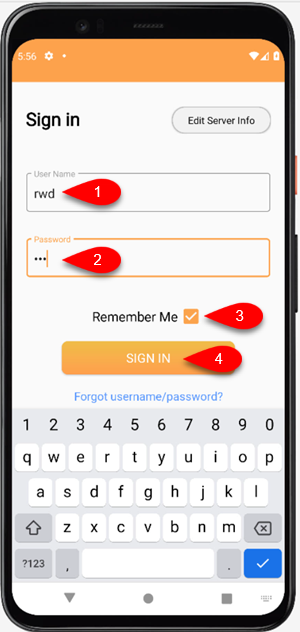
- Sign in with your Username and Password, then tap the Remember Me checkmark box if you want the application to remember your login details. Finally, click the Sign In button.
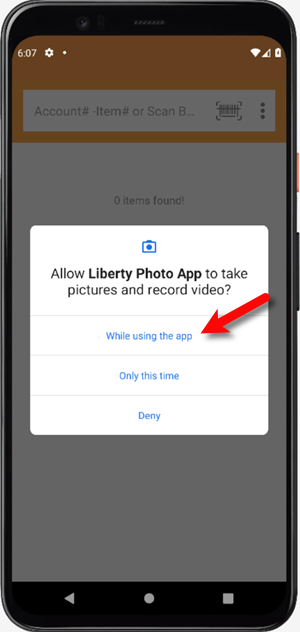
- Tap the While using the app button when prompted if you want to allow Liberty Photo App to take pictures and record video.
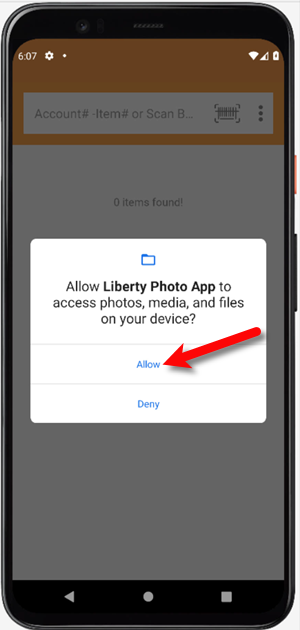
- Tap the Allow button when prompted if you want to allow Liberty Photo App to access photos, media, and files on your device.
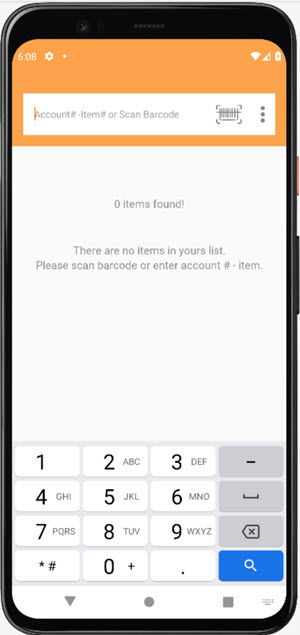
- You are now ready to start using the Liberty Photo App!


Next Article In Section
Click the following link to move to the next article in this section:
How Use The Camera To Add Images To Items By Using Account - Item Number Android
Related Topics
Opening The Liberty Photo App Android How To Download and Setup The Liberty Photo App for Android How To Use The Liberty Photo App for Android Overview How Use The Camera To Add Images To Items By Using Account - Item Number Android How To Add Images To An Item Using A Barcode On The Tag Android How To Delete Images From The Liberty Photo App Android How to Edit A Photo That Is Attached To An Item Android How To Add Images Using the Import Feature (From Local Disk and Other Sources) Android Editing The Settings Within Liberty Photo App Android Placing a Watermark Image On Your Pictures Android Changing Which Server You Want To Connect To Android