How To Install and Use The Item Entry Lite App In Demo Mode
How to install and use the Liberty Item Entry App Lite app in demo mode.
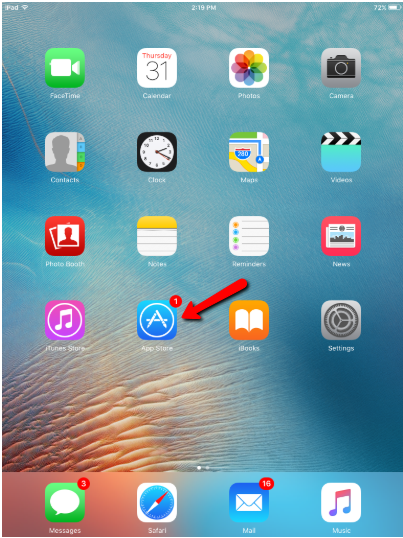
- Open the App Store.
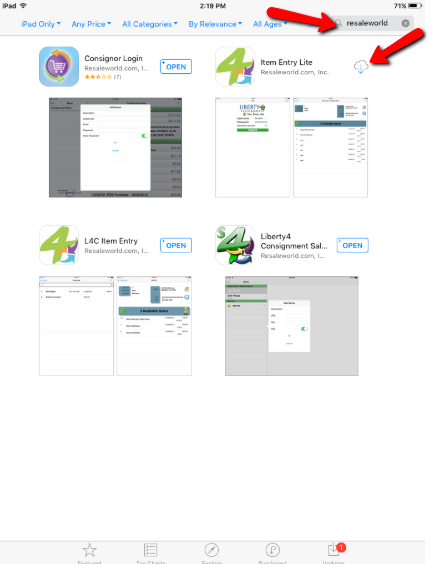
- Search for Resaleworld in the top right search box and then click the Download symbol.
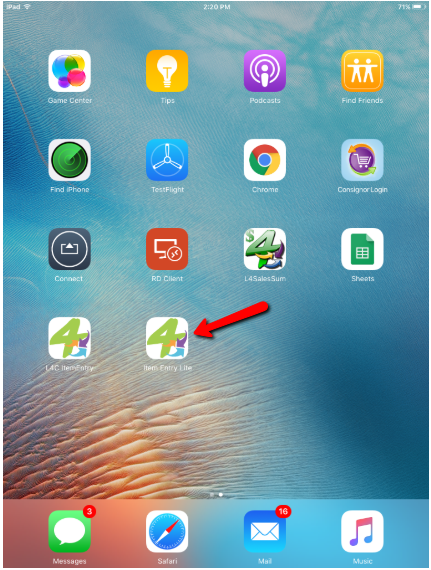
- Tap the icon for the Item Entry Lite app.
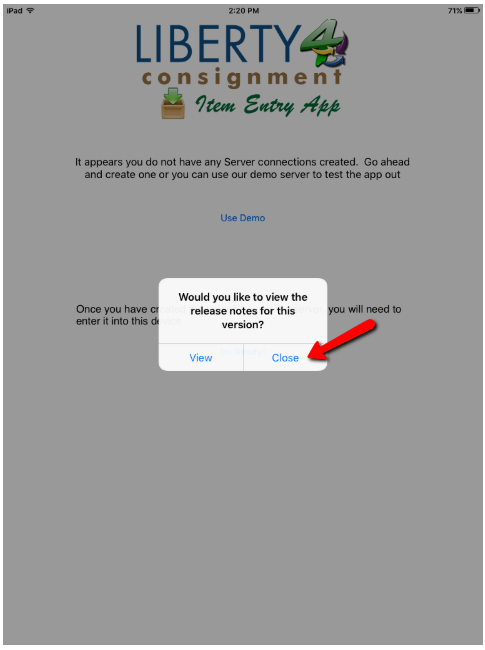
- When prompted for Would you like to view the release notes for this version?, tap the Close button.
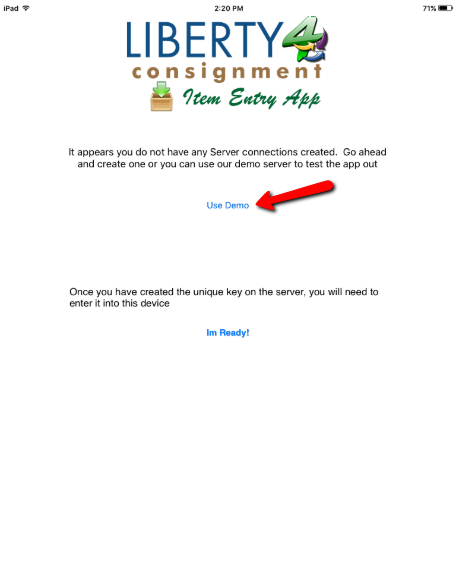
- Tap the Use Demo button.
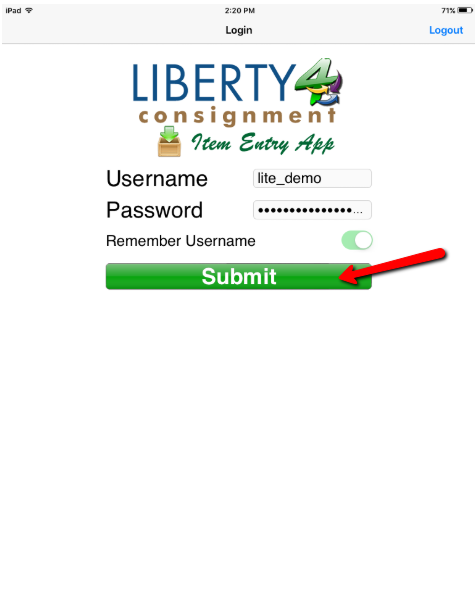
- The Username and Password will be Pre-filled, leave these as is and tap the Submit button.
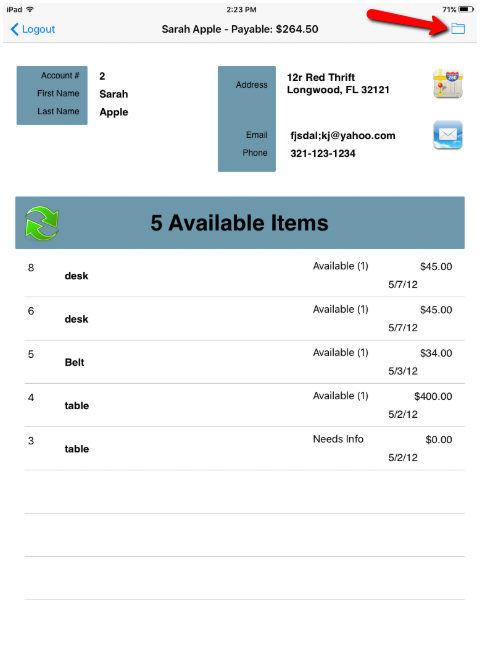
- Tap the Folder button.
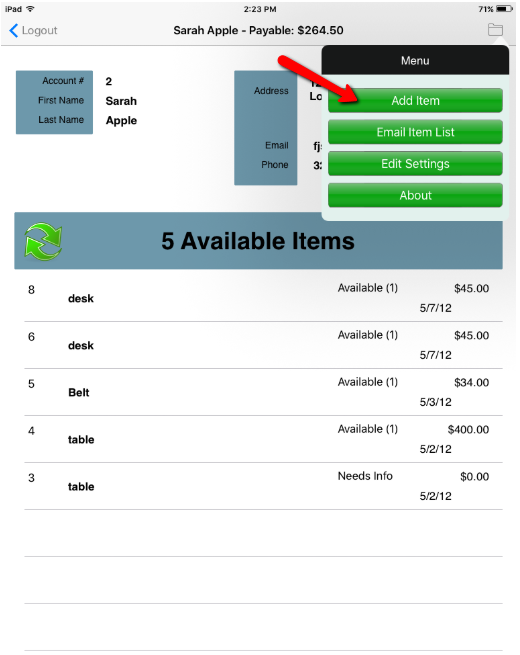
- Tap the Add Item button.
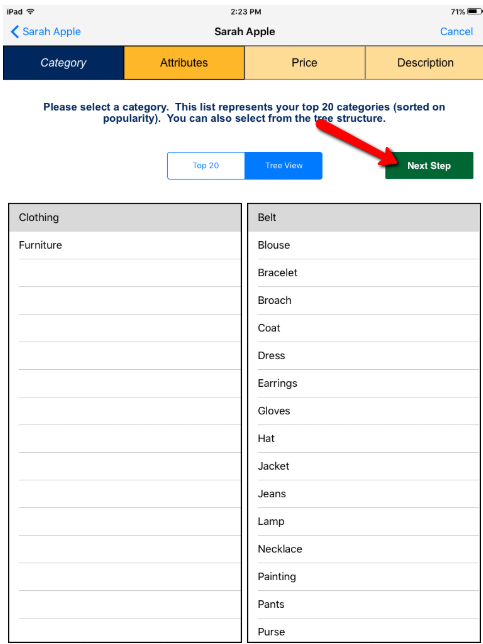
- You can select from the Top 20 used categories or you can select the Tree View to see all categories.
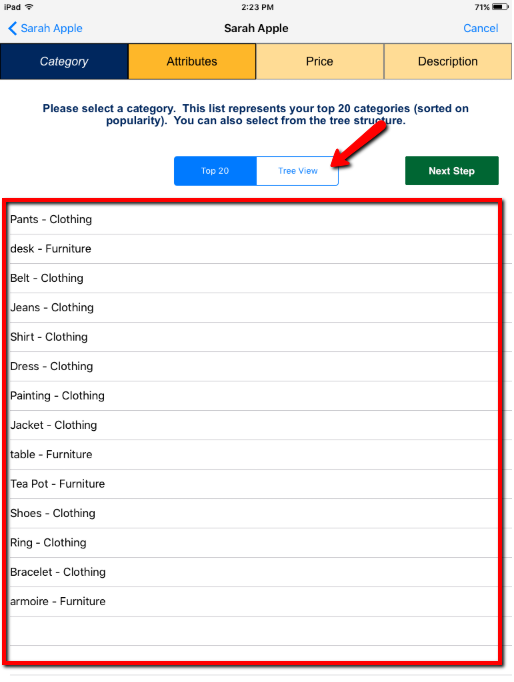
- Click the Next Step button when you are done selecting the category you wish to use.
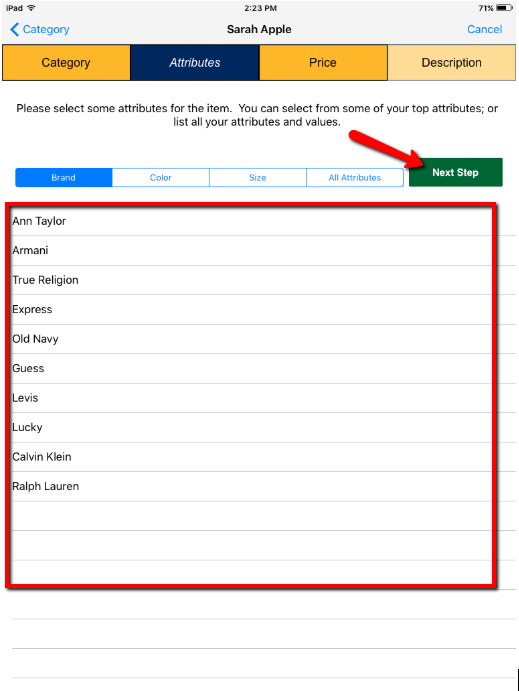
- For the next few screens, you are going to select the Brand, Color and Size attributes and continue to hit Next Step until you reach the Price screen.
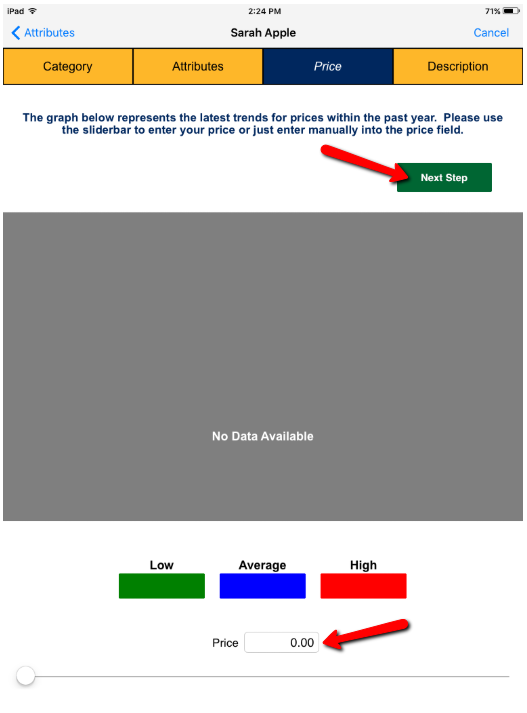
- Type in the starting Price you wish the item to sell at. You will also be able to select trend prices depending on the history of sales for any particular type of item.
Then tap the Next Step button.
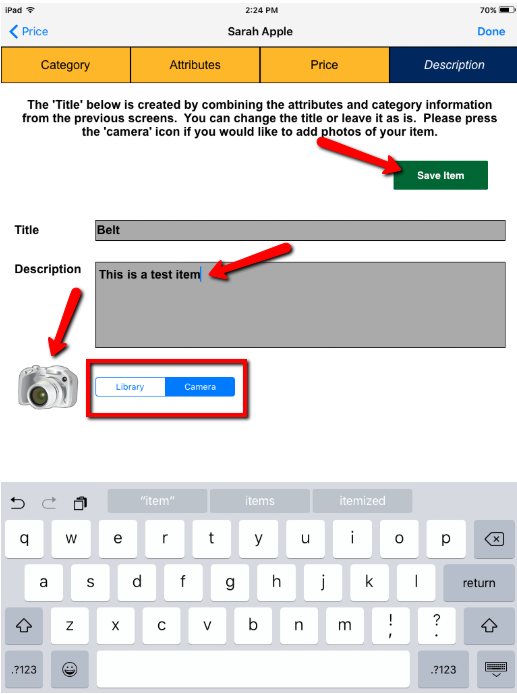
- Type in your Description, then select whether you wish to be in Camera mode or Library mode. You can then tap the Camera icon to either take a picture of an item or select an image that is already attached to an item. Alternatively, you can tap the Save Item button if you do not have any images you need to take.
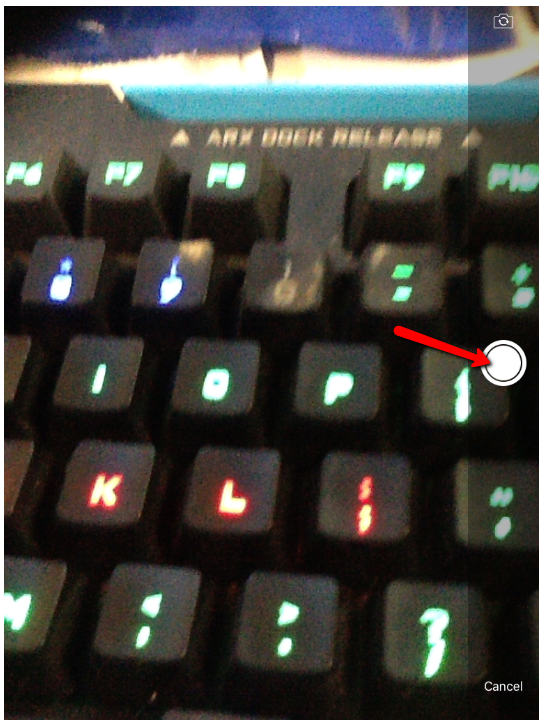
- You can now take a picture of the item by tapping the circle shutter button.
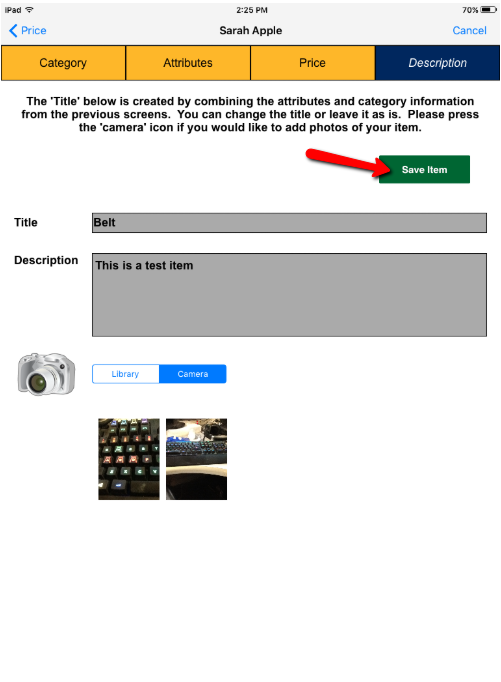
- When you are finished taking pictures, tap the Save Item button.
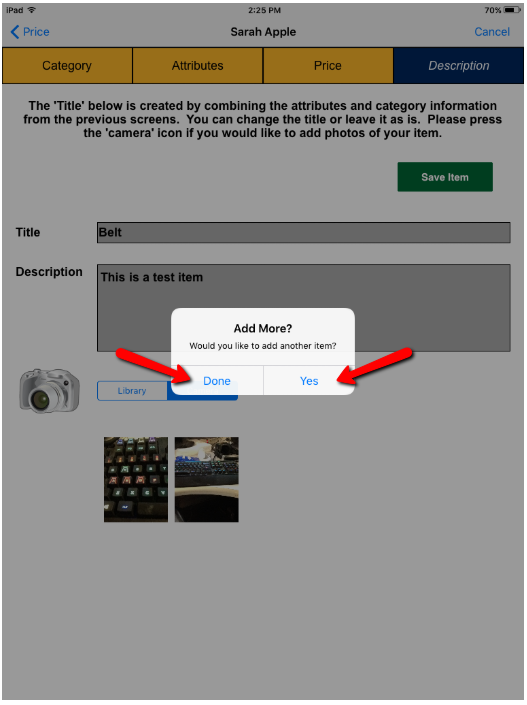
- When the Add More? prompt comes on screen, tap Yes if you would like to add more inventory to the same account or tap Done if you are finished with the item entry process.


Next Section Navigation Link
Click the following link to see a list of articles for the next section:
Liberty Sales App
Related Topics
How To Install and Use The Item Entry Lite App In Demo Mode Setting Up The Liberty Item Entry Lite App Reading The Sales Data Setting Up The Liberty Sales App Downloading the Liberty Item Entry Application From The Apple App Store Connecting The Item Entry App To Your Server Computer Creating a Device Key for your iDevice Getting the IP Address Of Your Server Liberty Item Entry Application Setup Overview Adding Items To Shopify Through The Item Entry App How To Send Existing Items To Shopify Through The Liberty Item Entry App