Setting Up The Slideshow Feature In The Liberty Kiosk App
Here is a video on the following information:
Setting Up The Slideshow Feature In The Liberty Kiosk App
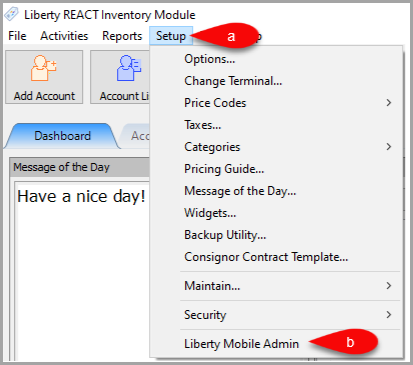
- Open Liberty and then click Setup and then Liberty Mobile Admin.
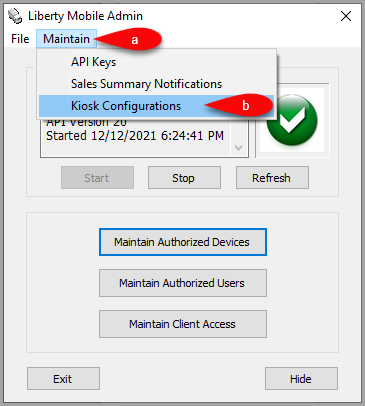
- Click on Maintain then Kiosk Configurations.
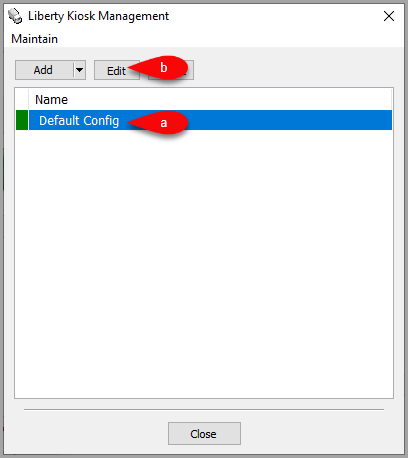
- Click on your Config then click the Edit button.
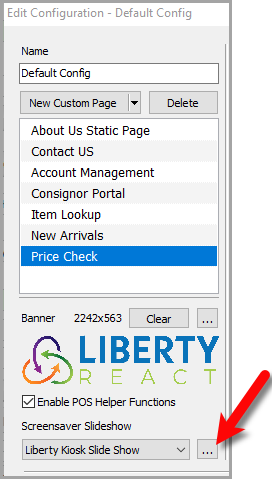
- Click the Browse icon next to the Screensaver Slideshow dropdown menu.
- Click the Add button located at the top left corner.
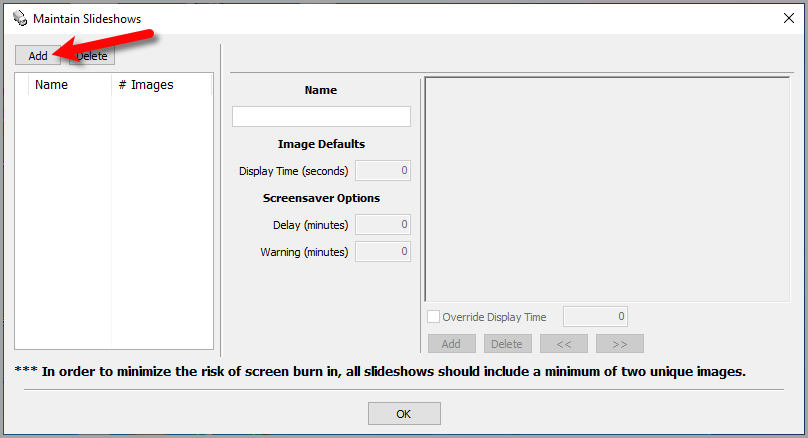
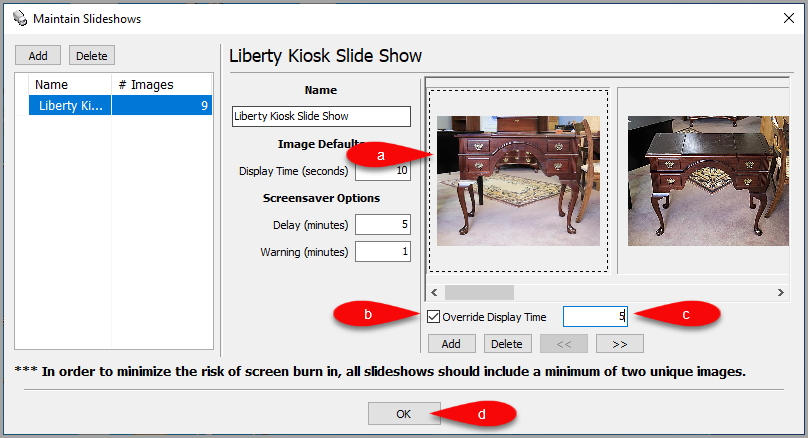
- Here are some of the basic fields you can edit for the Kiosk Slideshow.
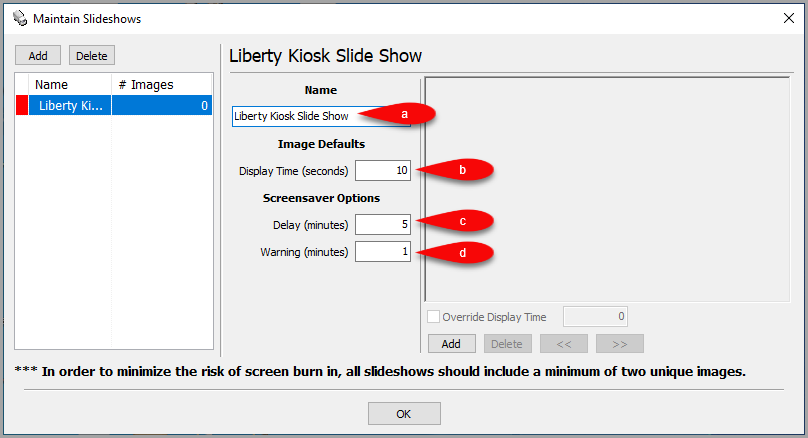
- Name: The title of your slideshow.
- Delay Time (seconds): How long each image will be shown before showing the next image.
- Delay(minutes): When using the slideshow, how long before the screensaver engages.
- Warning (minutes): How many minutes in advance of showing the screensaver to show a warning to the user to give them a chance to continue.
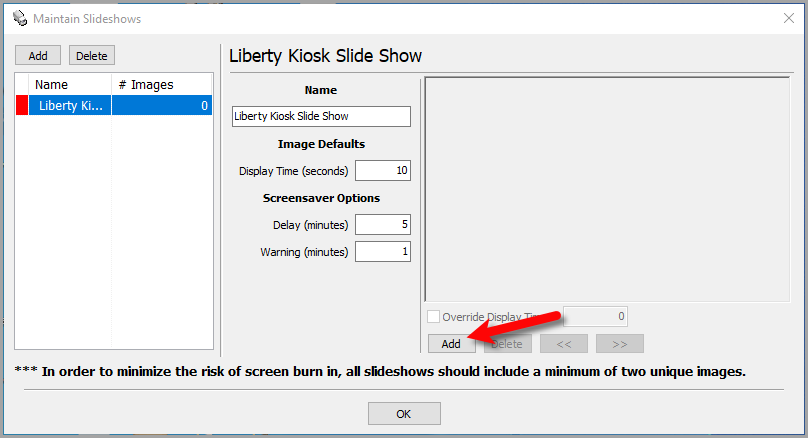
- To add pictures, click the Add button located towards the image area.
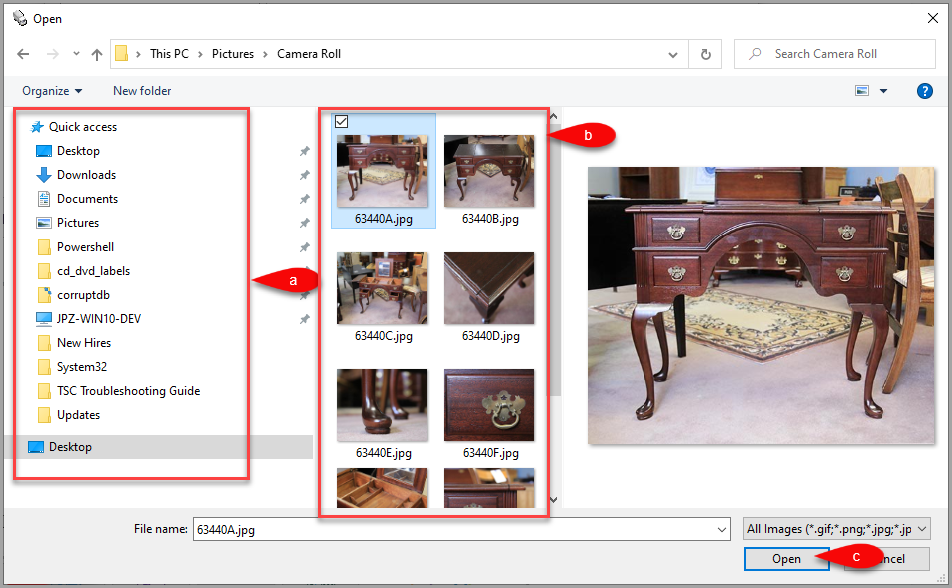
- Locate the folder where the images are contained, then select all the pictures you would like to use. You can hold the Shift or the ctrl key as you select images to select multiple images.
- You can select an image in the right image pane and checkmark Override Display Time while inputting a time in minutes, if you have an image you would like to display longer than the others. This is great for images that have text, which require a little more time to read than the other images.
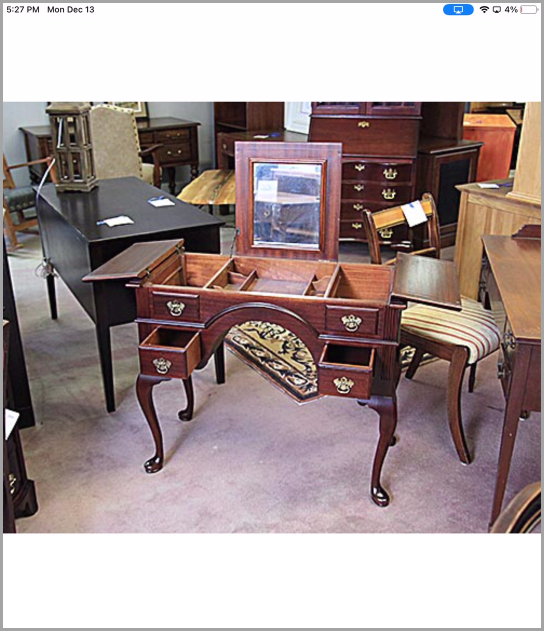
- Here is an example of what the slideshow will look like on your iDevice.


Next Article:
You are now ready to start adding your first feature to the Liberty Kiosk App.
Please click on the following article to continue:
Next Section Navigation Link
Click the following link to see a list of articles for the next section:
Features
Related Topics
Setting Up The Slideshow Feature In The Liberty Kiosk App Custom Page / Static Page Feature
Linking the iPad Kiosk App To Liberty Adding A New Liberty Kiosk App Configuration Editing A Liberty Kiosk App Configuration Adding A Banner To The Liberty Kiosk App Liberty Kiosk Custom Page / Static Page Feature Customer Facing Display Features Signature Capture