Inventory Dropoff With Consignor Center And The Liberty Kiosk App
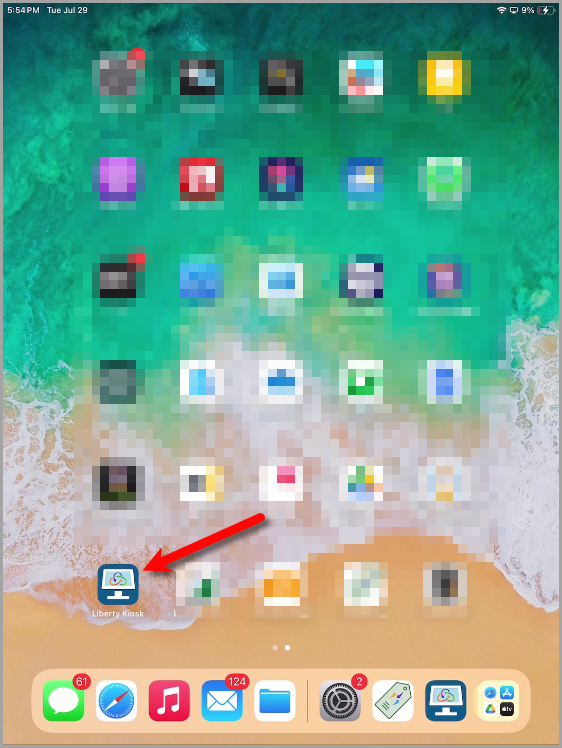
- Open the Liberty Kiosk App
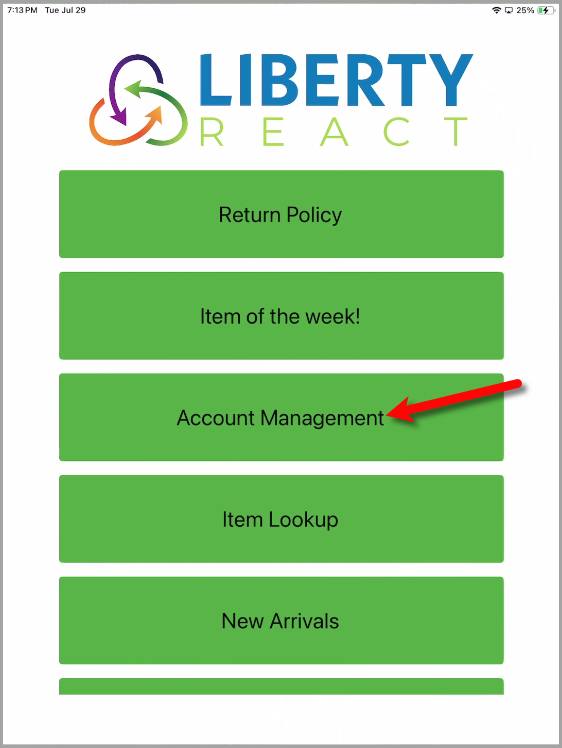
- Tap the Account Management button.
Note: If you do not already have this option enabled on your Liberty Kiosk App, please see the Account Management Liberty Kiosk App feature article to turn this feature on.
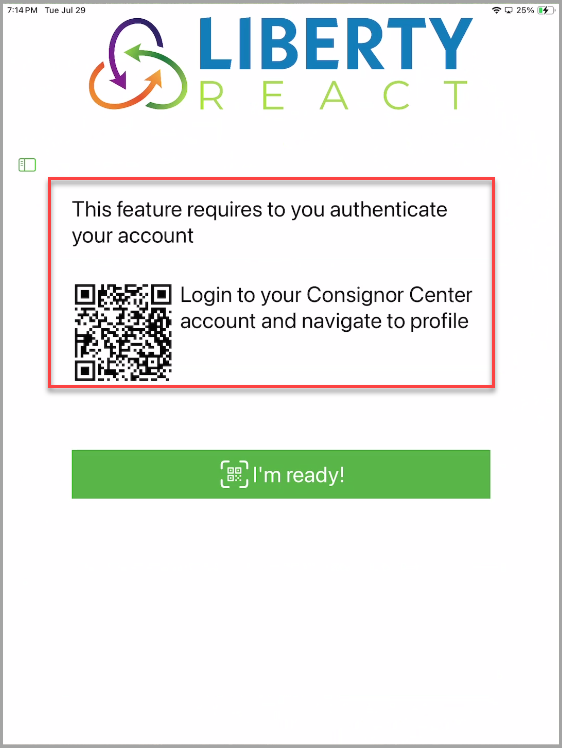
- You should now be on the verification screen.
You can leave this up as we will now use our phone to sign into Consignor Center open your account on the iPad.
- If you are already signed into your Consignor Center account on your phone, you may skip to Step 8
Open your phone’s internet browser.
Go to https://www.consignorcenter.com, type in your email address that you used when your account was created at the store and then tap the Submit button.
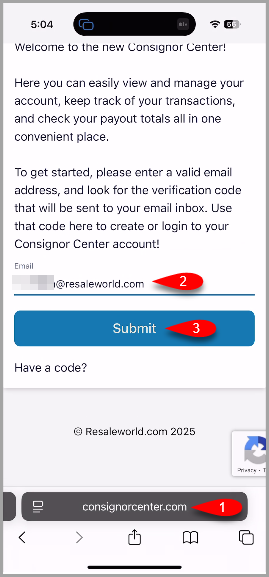
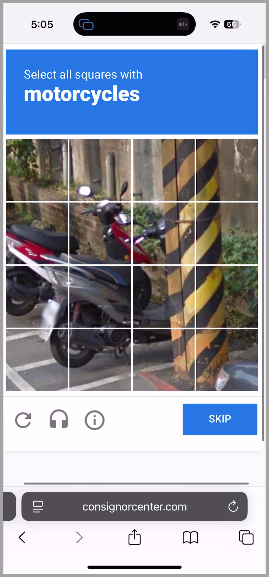
- If you are prompted with a CAPTCHA verification check, please follow the onscreen instructions to verify your identify.
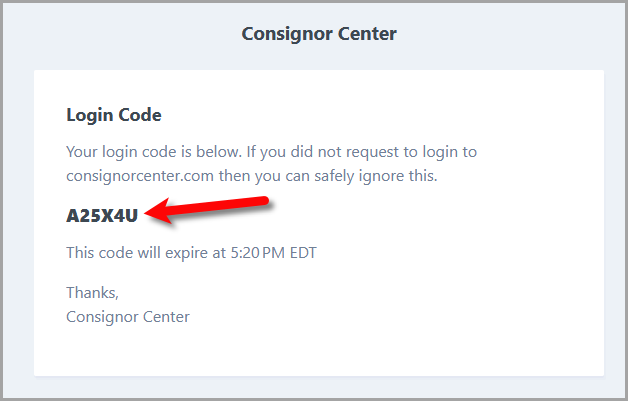
- You will then be emailed a 6-Character code.
You can open your email account from your phone to retrieve this code to log into the Consignor Center on your phone.
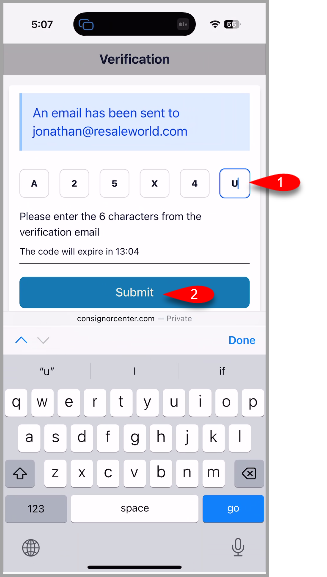
- Type the 6 Character Verification Code into the designated area and then tap the Submit button on your phone.
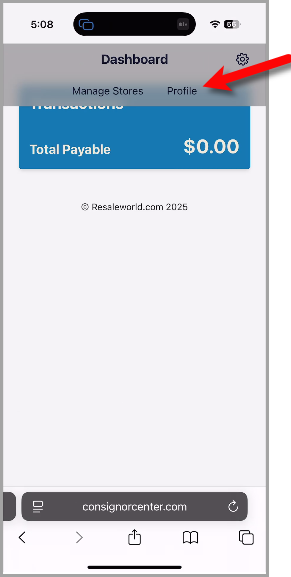
- Tap the Profile menu option at the top of the Consignor Center on your phone.
- Keep the Login to Kiosk QR Code up on your phone so that you can use it to login to the Kiosk app on the iPad.
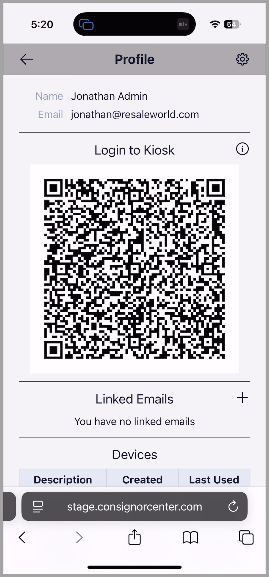
- Point the iPad Liberty Kiosk App’s camera to QR Code located on your phone.
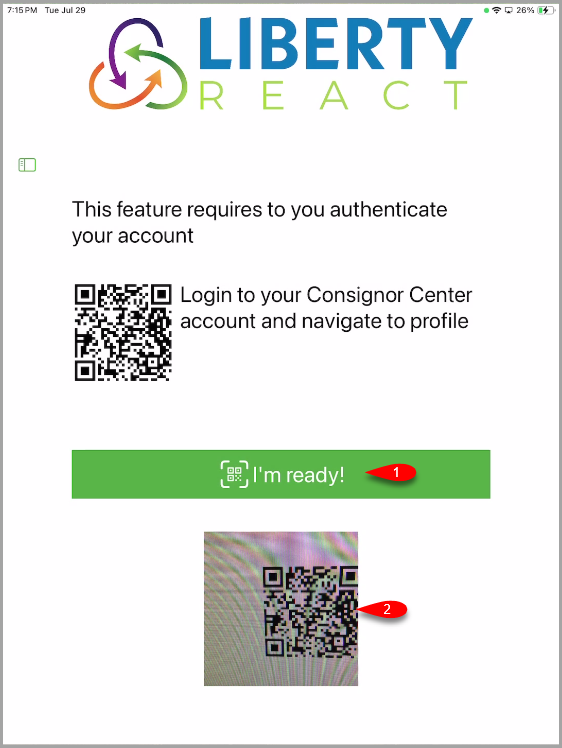
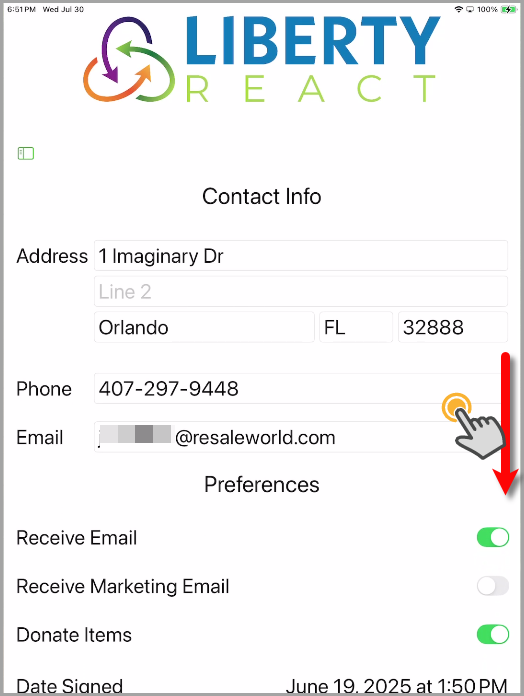
- You are now logged into your account in the Liberty Kiosk App.
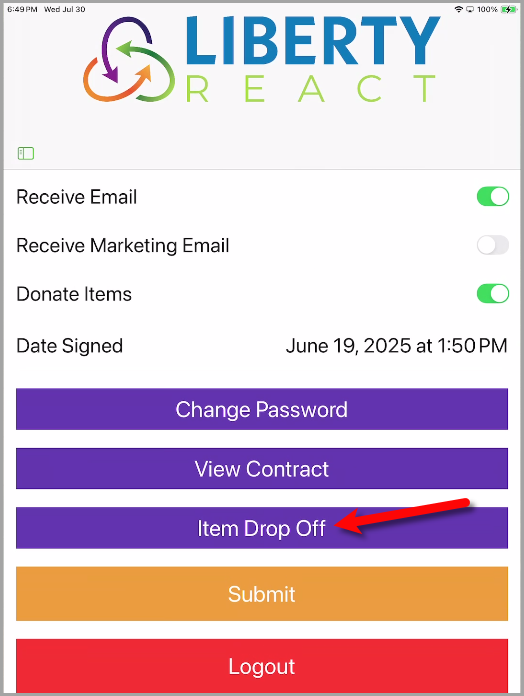
Use your finger to scroll down to the bottom of the page.
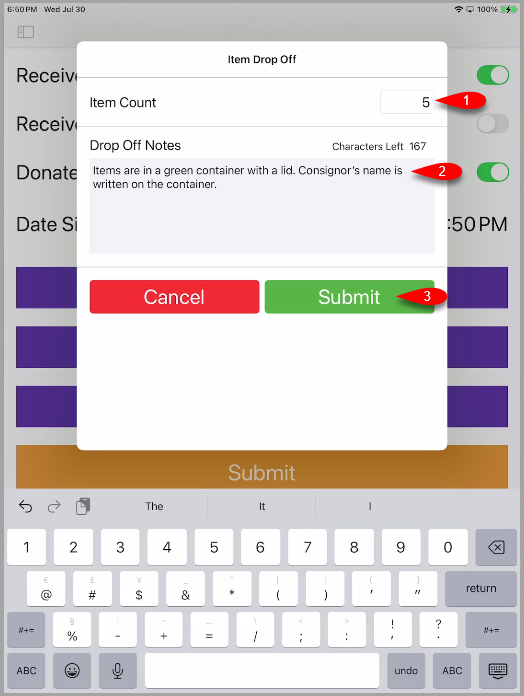
- Tap the Item Drop Off button.
- Fill in the Item Count with how many items you are dropping off.
For the Drop Off Notes, describe the container you dropped the items off in for easy identification along with any other notes you wish to add.
When finished, tap the Submit button.
- You will receive a prompt that says Your Drop off has been submitted, thank you!


The Dropoff receipt(s) should now print out.

Next Article In Section
Click the following link to move to the next article in this section:
Inventory Dropoff With Consignor Login And The Liberty Kiosk App
Related Topics
Inventory Dropoff With Consignor Center And The Liberty Kiosk App Inventory Drop Offs In The Liberty Kiosk Overview Setting Up The Liberty Kiosk App For Inventory Dropoffs Inventory Dropoff With Consignor Login And The Liberty Kiosk App How To Create Dropoffs With The Kiosk App Setting Up The Customer Facing Display Mode Using the Customer Facing Display Account Management Feature Consignor Portal Feature Custom Page / Static Page Feature Item Lookup Feature