New Arrivals Feature
The following video chapter contains setup information on this topic:
https://www.youtube.com/watch?v=bm9YPwazle0&t=631s
- Open Liberty and then click Setup and then Liberty Mobile Admin.
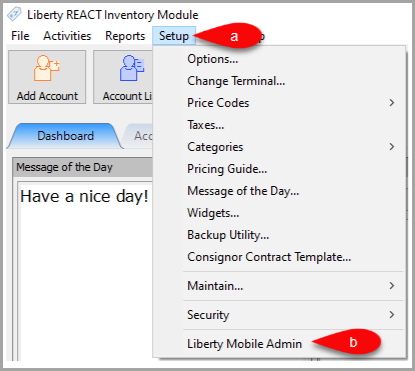
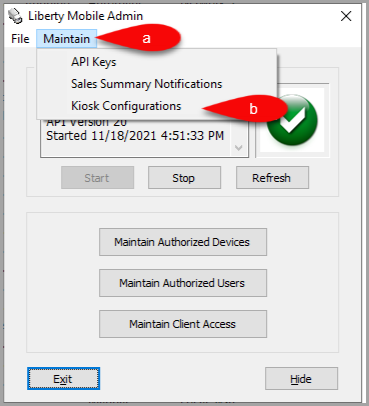
- Click Maintain and then Kiosk Configurations.
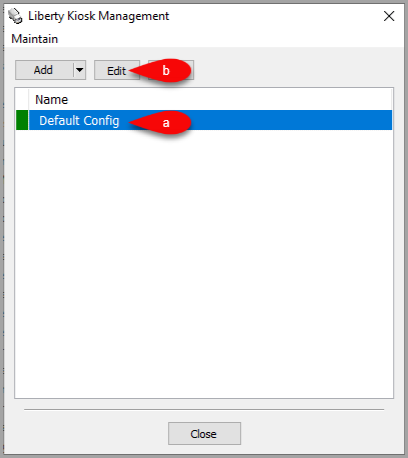
- Select the Configuration you want to edit and then click the Edit button.
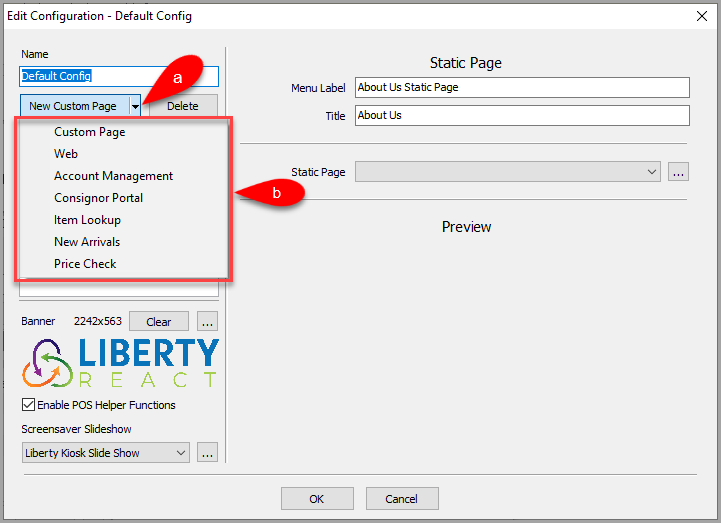
- Click the dropdown for New Custom Page, then select the New Arrivals option.
- Here are options you can change for the New Arrivals feature.
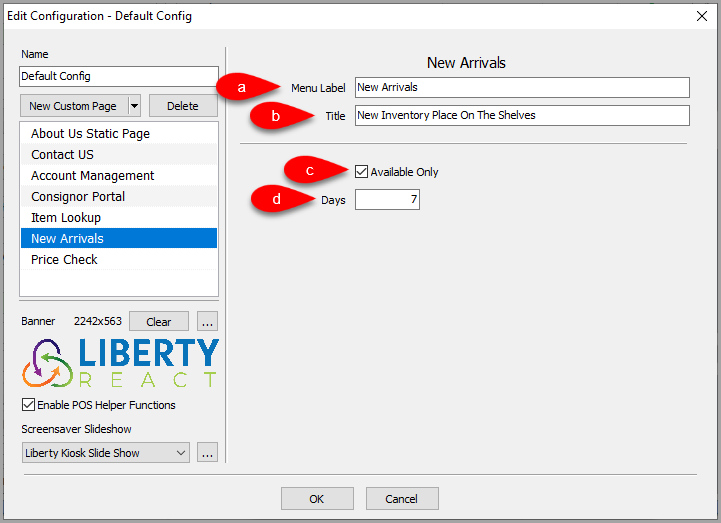
- Menu Label: This is the feature menu label that appears in the Liberty Kiosk App
- Title: Title of the page when shown in the Liberty Kiosk App.
- Available Only: Select whether you want to display only Available items or all items that were just entered.
- Days: The number of days since the process date an item is considered new.
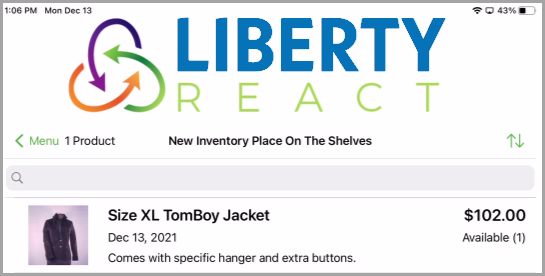
- Example of what the New Arrivals feature looks like on the Liberty Kiosk app.


Next Article:
Next, we can add the Price Check feature to the Liberty Kiosk app.
Click the following link to continue:
Next Article In Section
Click the following link to move to the next article in this section:
Price Check Feature
Related Topics
New Arrivals Feature Price Check Feature
Custom Page / Static Page Feature Web Feature Account Management Feature Consignor Portal Feature Item Lookup Feature Price Check Feature Setting Up The Customer Facing Display Mode Liberty Kiosk Using the Customer Facing Display Kiosk Signature Capture Overview