Transfer One of a Kind Items to Another Account
Once in a while items are accidentally entered into the wrong account. Rather than delete the items and then re-enter them in the correct account, use the Transfer Items routine.
Consigned items for which the consignor has been paid cannot be transferred.
Note: Once you have transferred an item, you will want to make a new tag for it. The tag will not match the new account-item number. They will however ring up the item at the POS for the new account if scanned with a scan gun. If the item is a Web item in the back end of Liberty it will handle the transfer despite the account-item number not updating online.
To Transfer Items From One Account To Another:
- Click on the Inventory Tab.

- Right click the item and choose Transfer Items.
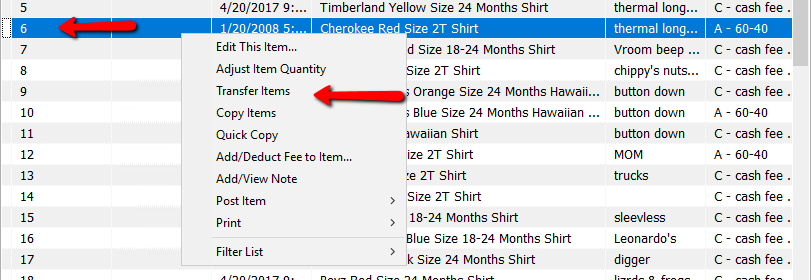
The transfer Items Dialog box will open.
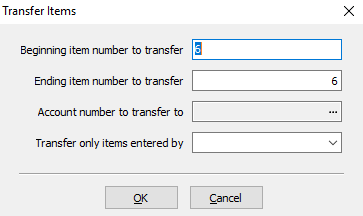
- Enter the beginning number of the items you want to transfer.
- Enter the Ending Number.
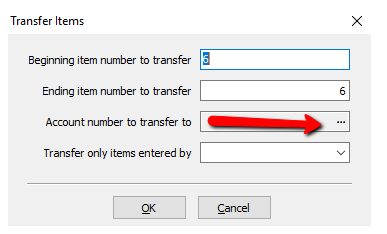
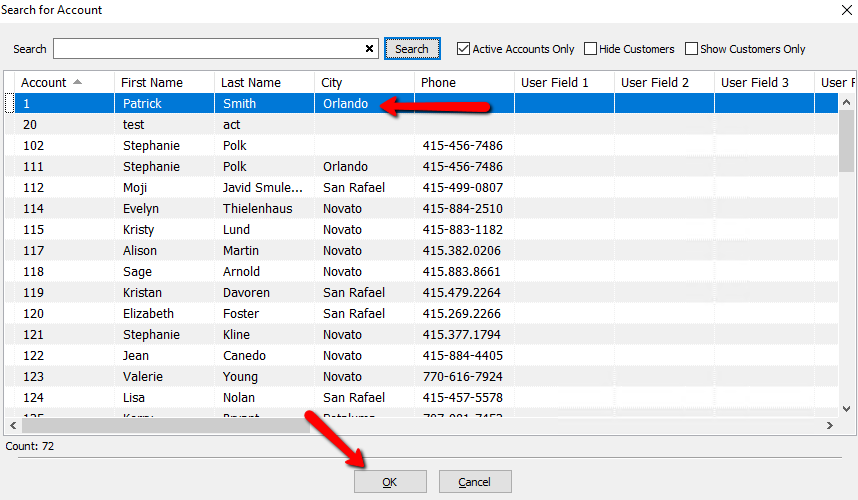
- Press the select button for Account Number To Transfer To.
- Press the Search button to populate a list of accounts.
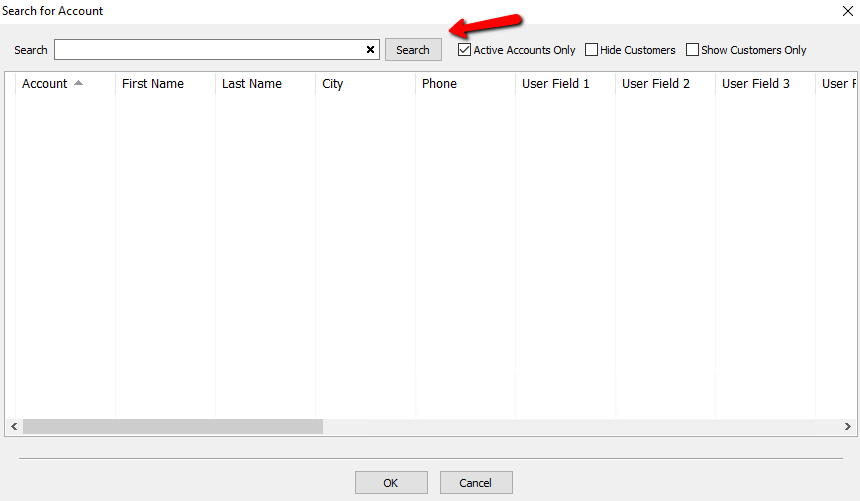
- Select the account you want to transfer the items to then press OK.
- You can select the items to move based on the user who entered them.
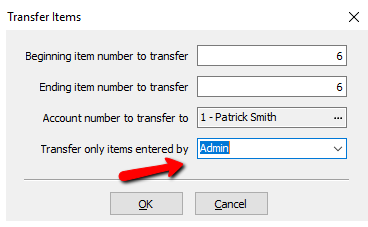
- Press the OK button when done.


Next Article In Section
Click the following link to move to the next article in this section:
Bulk Edit Items