Changing an Items Posting Status Using Unpost
Sometimes it is necessary to change the status of an item that has been posted.
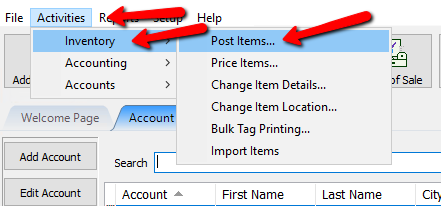
- Click the Activities Menu, Then Inventory and then Post Items…
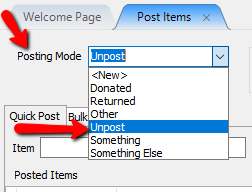
- On the Post Items tab, Click the down arrow in the Posting Mode drop down box and choose UnPost
- Click the Quick Post Tab, In the Item Scan the Barcode of the item or type the item number in the Item Field. Press the Enter button.
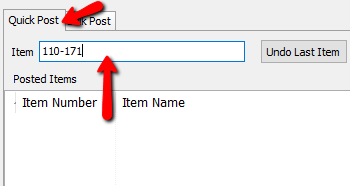
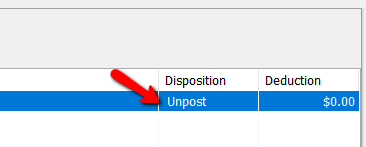
- The item information will appear in the posted Items List


Next Article In Section
Click the following link to move to the next article in this section:
Unpost Items In Bulk
Related Topics
Changing an Items Posting Status Using Unpost Refunds Post a Range of Items as Returned, Donated or Other / Bulk Post Unpost Items In Bulk Post an Item as Returned, Donated or Other Using the Wishlist Wishlist Cross-Reference report Looking for Wishlist Matches While Adding Items Wishlist Overview Find an Item from within an Account Finding Items with a Status of Needs Info