Finding Items with a Status of Needs Info
When an item has a status of Needs Info, it is because the item was entered without a price. To easily see a list of items that are missing a price, follow these instructions.
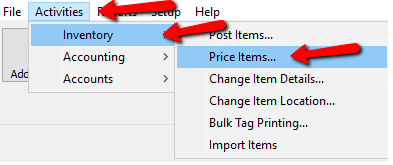
- Within Liberty select Activities > Inventory > Price items.
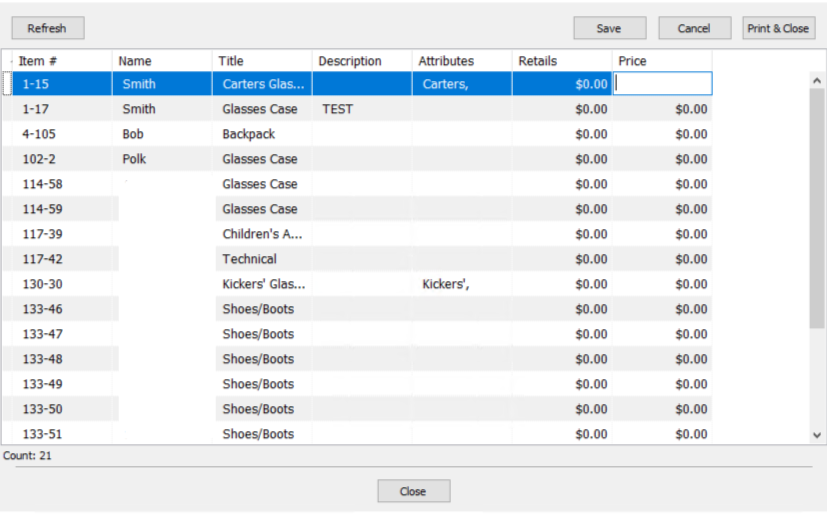
The Price items dialog box will open.
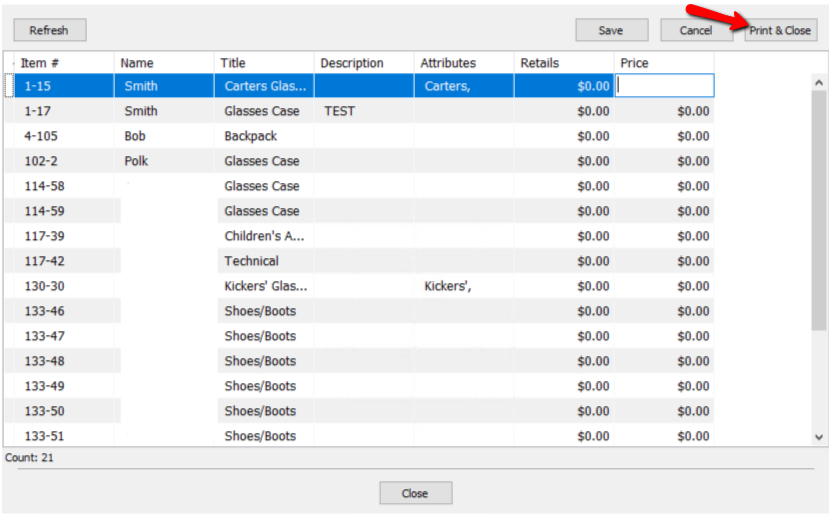
Select the Print & Close button if you want to print the list.
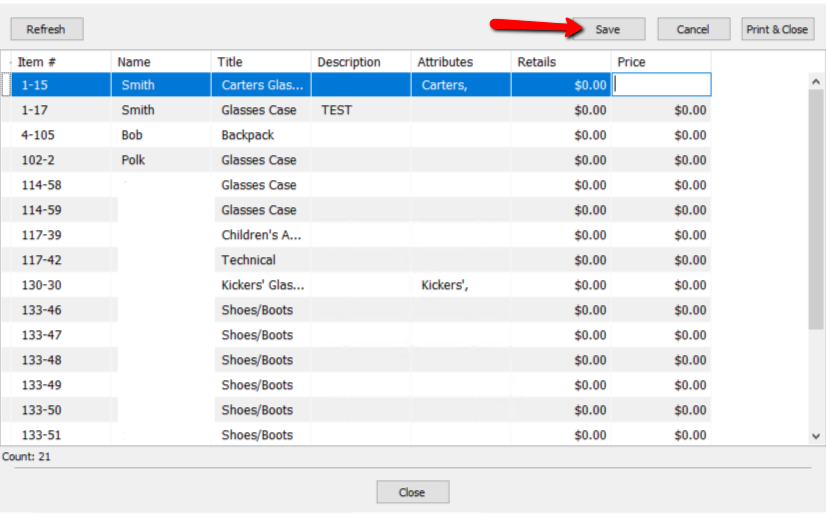
From this list you can enter the Retails At price and/or the price you wish to see the item at.
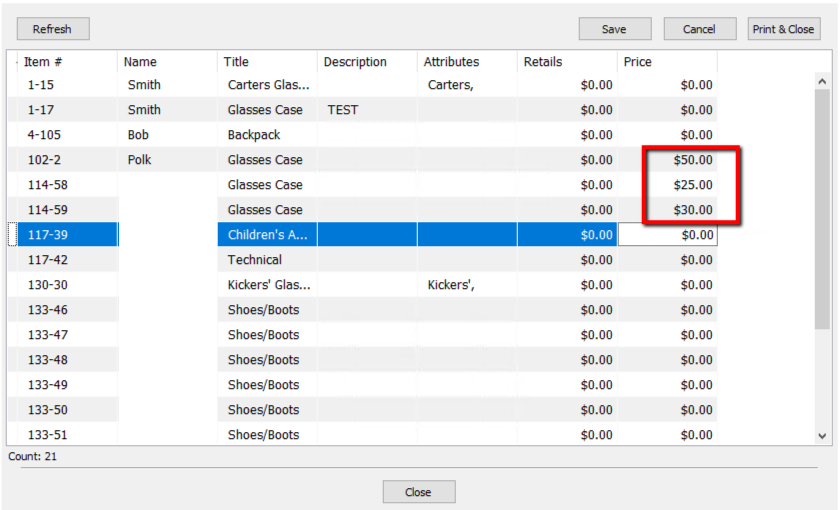
Press the Save button to apply the changes.
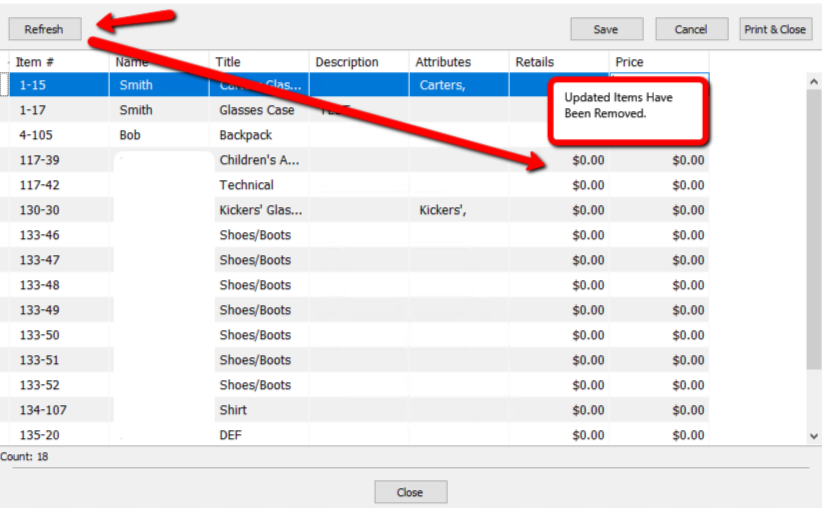
Pressing the Refresh button will remove any saved prices updated items.
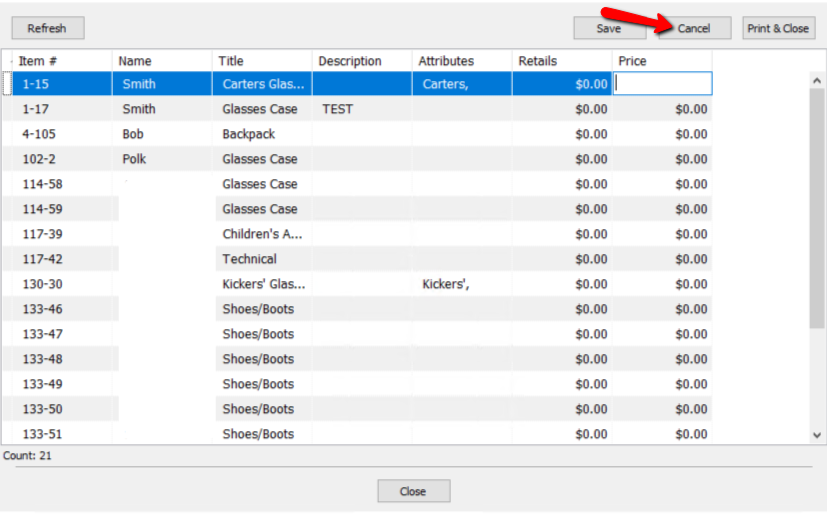
If you made a mistake with the pricing and want to start over, select the Cancel button.
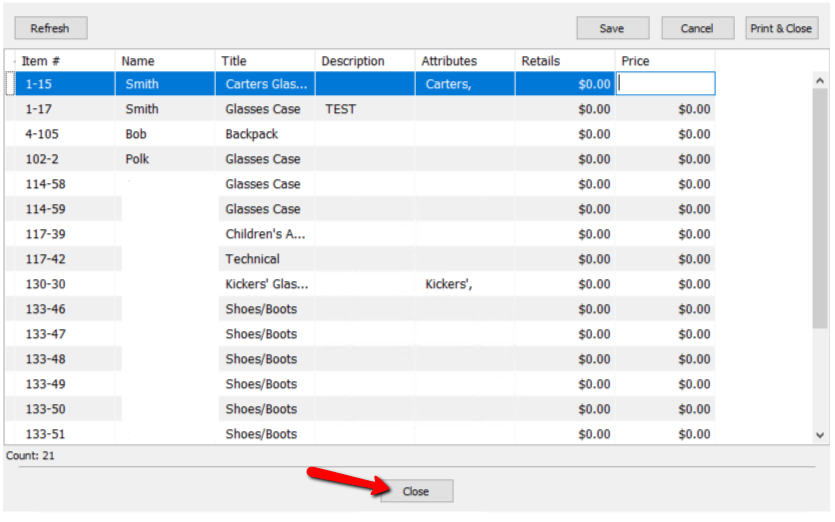
- Select the Close button when done.


Next Section Navigation Link
Click the following link to see a list of articles for the next section:
Handling Items That Don’t Sell
Related Topics
Finding Items with a Status of Needs Info Find an Item from within an Account Find an Item (in any account) Using Item Lookup Using the Wishlist Wishlist Cross-Reference report Looking for Wishlist Matches While Adding Items Wishlist Overview Adding A Consignment Drop-Off Adding Items To A Consignment Drop-Off Dropoff List View Editing A Consignment Drop-Off