Starting the Liberty Programs
- There are many ways to start the programs available within the Liberty software suite.
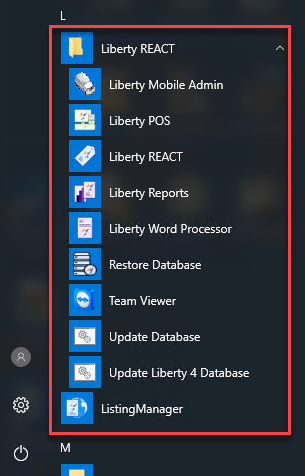
- Click the start menu, then within the programs area scroll down until you find the Liberty program folder.
From here, you can open any program within the Liberty software suite.
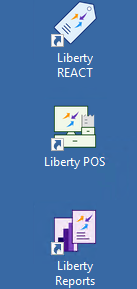
- You can also go to your desktop and double-click on any of the Liberty REACT shortcuts that are created when you install the software.
- The User Login dialog box will open. Enter your login credentials to get into the software. By default for a new customer, the user name and password are both rwd for the user name, and rwd for the password.


Note: The password is always case sensitive

Note: If you are using the demo version of Liberty, Click on “Continue without Serial Number”. This will limit you to a maximum of 20 client accounts. For information on entering Serial Numbers, please see the section entitled Serial Numbers.
Starting other Liberty programs from within the Liberty REACT Inventory Module
- Open the Liberty REACT Inventory Module and then log in.
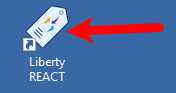
- Click on any of the available Liberty programs from the above application bar.

This will open the program you selected.

Next Article In Section
Click the following link to move to the next article in this section:
Password and User Name for logging on the First Time
Related Topics
Starting the Liberty Programs Training Mode Password and User Name for logging on the First Time Setting Up Employee Access Maintain Security Actions Serial Numbers Installing Liberty REACT Accessing Liberty Help From Anywhere In Liberty Add Notes to an Account Add Multiple Addresses and Phone numbers