Network Setup Instructions
When setting up a network you must, at a minimum, know all of the following:
- Which computer is to be the Server.
- The name given to each computer.
- How to share directories.
- How to share printers over a network.
- How to properly connect (network) the computers.
- How to set up permissions and network security.
Note: Resaleworld does not provide support for network setup. If you are not familiar with networking computers, mapping clients to servers, etc. contact a professional network technician to setup the network for you.
To Install Liberty On A Network
- Install Liberty on the Server first. When the Welcome dialog appears and you are asked to choose Main or Additional, choose Main Install.
- Once the installation is done, you will be prompted to enter the RSWID number, Store name, Name to appear on the tags, and the Serial Number. This information should of been provided by your sales agent. If you do not have it, please contact support for this information.
- Install Liberty on the Client following the same instructions as you followed in step one, but with one exception. When the Welcome dialog appears and you are asked to choose Server or Additional Workstation install, choose Additional Install.
On some computers the Microsoft Shared Data Access Components Set up Screen may appear. If it does, click on the I accept all the terms and conditions of the preceding license agreement check box, click Next, then click Finish. After the components have loaded, click Close. This process may take a couple of minutes to complete. - Once Liberty has been installed on the Client, the Database Settings dialog will display (in this example, we are assuming you have named the main computer Server):
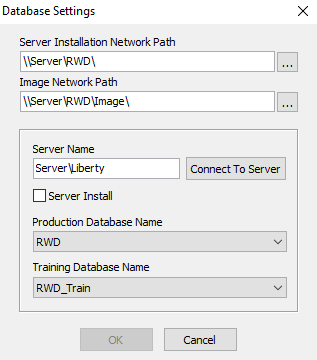
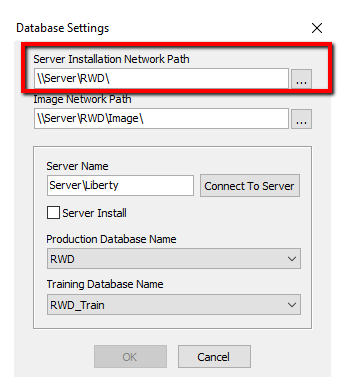
- Set the Application Base Path to point to the RWD Folder of the Server computer using the UNC path.
Example : \\Server\rwd
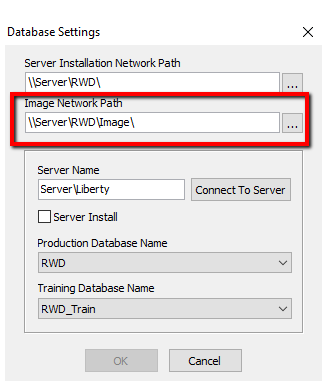
- Set the Image Network Path to point to the Image folder of the Server computer using the UNC path.
Example : \\Server\rwd\image
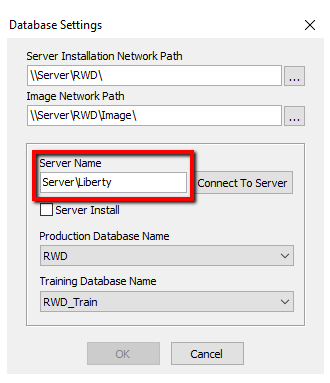
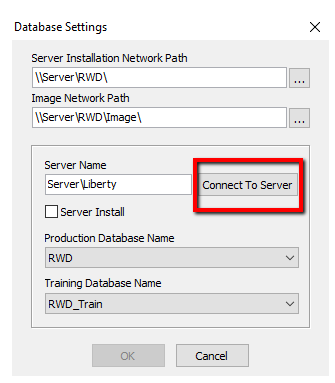
- Enter the name of the computer and instance of SQL in the Server Name field. The default name of the SQL instance is Liberty.
Example: Server\Liberty
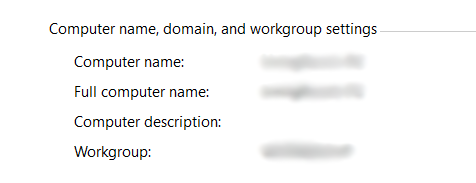
- If you do not know the name of the server and are running, Go to Control Panel > System. The name of the computer will be listed next to Computer Name.
- Click the Connect To Server button.
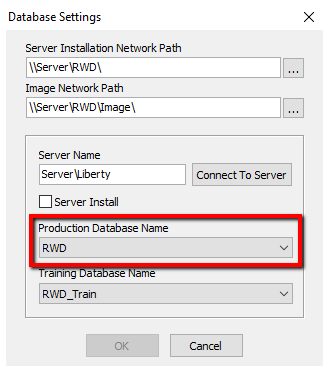
- Click the drop down for the Production Database Name and select RWD.
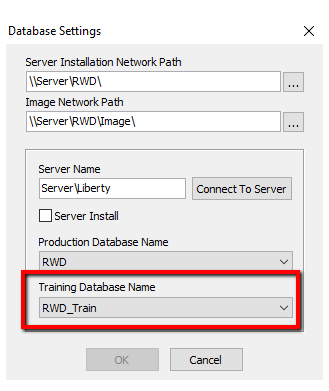
- Click the drop down for the Training Database name and select RWD_Train.
- Click the OK button.



Next Article In Section
Click the following link to move to the next article in this section:
Networking Printers