Tax Exempt Accounts
On occasion clients representing non-profit or governmental organizations may wish to set up a Tax Exempt Account.
To Set Up A Tax Exempt Account
- Once the account is open select Task > Tax Exempt Info.
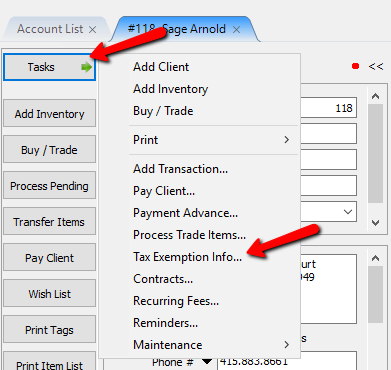
The Tax Exempt dialog box will open.
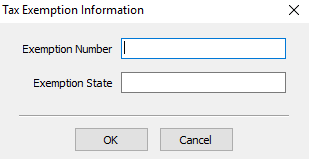
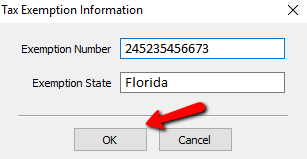
- Enter in the Exemption Number and the State, then press the OK button.


Next Article In Section
Click the following link to move to the next article in this section:
View Items in an Account
Related Topics
Tax Exempt Accounts Post an Entire Sale as Tax Exempt Add Notes to an Account Add Multiple Addresses and Phone numbers Apply Group Deductions Bulk Change Default Price Code Using the Client Import and Export Utility Creating New and Maintaining Existing Accounts Customize the Account Detail Window Deactivating an Account Delete a Client's Data From Consignor Login