Table of Contents
Item Description with Sales History
Displays all transactions including sales and returns related to each Inventory Item in each account.

When to Use
This report provides a full transaction history for specific items. The large amount of criteria that can be used in this report make it ideal for finding items that meet a specific set of conditions. This is also one of the few sales-based reports that includes the item description.
How To Get To This Report
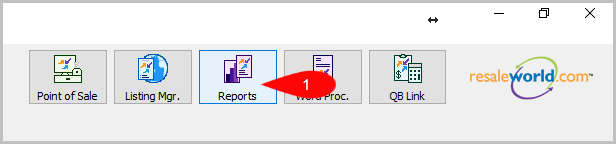
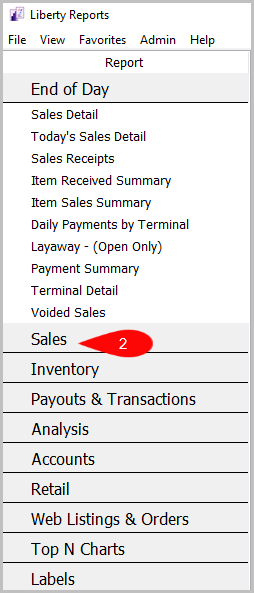
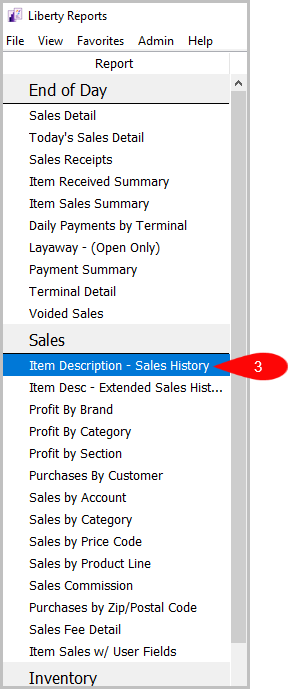
Reports > Sales > Item Description - Sales History
- Click on Reports
- Click on Sales
- Then click on, Item Description - Sales History


How To Add Criteria
1. Click on the Add More Criteria button.
 2. Select the criteria you want to add and then press OK.

Criteria Choices
- Active Account?
- Account Added By
- Account Type
- Account Numbers
- Category 1
- Category 2
- Category 3
- Condition
- Cost/Net
- Custom 1
- Custom 2
- Custom 3
- Custom 4
- Custom 5
- Date Sold Posted
- Discount Type
- Filter Code
- Item Added By
- Item Description Keyword
- Item Disposition
- Item Received Date
- Item Status
- Location
- Market Place
- Price Code
- Product line
- Purchase Method
- Quantity On hand
- Receipt Number
- Season
- Selling Price
- Store Section
- Tag Color
- Tax Code
- Taxed
- Terminal Location
- Terminal ID
Next Article In Section
Click the following link to move to the next article in this section:
Item Sales with User Fields Report
Related Topics
Item Description with Sales History Item Description with Extended History Profit by Brand Report Profit by Category Report Profit by Section Report Purchases by Customer Report Purchases by Zip/Postal Code Report Sales by Account Report Sales by Category Report Sales by Price Code Report Sales by Product Line Report