Table of Contents
Quickbooks Online Link and GL Account Settings
Open the Liberty REACT Inventory Module and then click the QB Link icon.

You will need to select which Quickbooks solution (Quickbooks Desktop Software or Quickbooks Online) you will want to use. It is best to consult with a certified public accountant (CPA) if you are unsure which option is right for you.
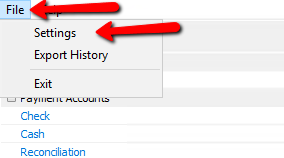
- With the Quickbooks Link open, click the File menu at the top left corner and select Settings.
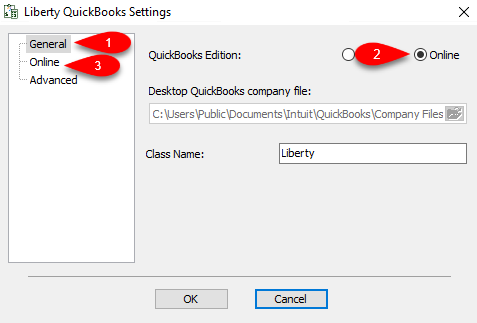
- Select the General tab on the left, then select the radio button next to Online if it is not already selected.
Next click the Online menu option to the left.
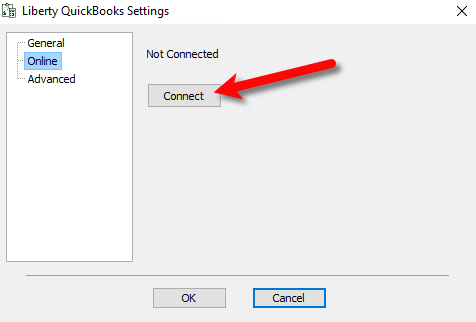
- Click the Connect button.
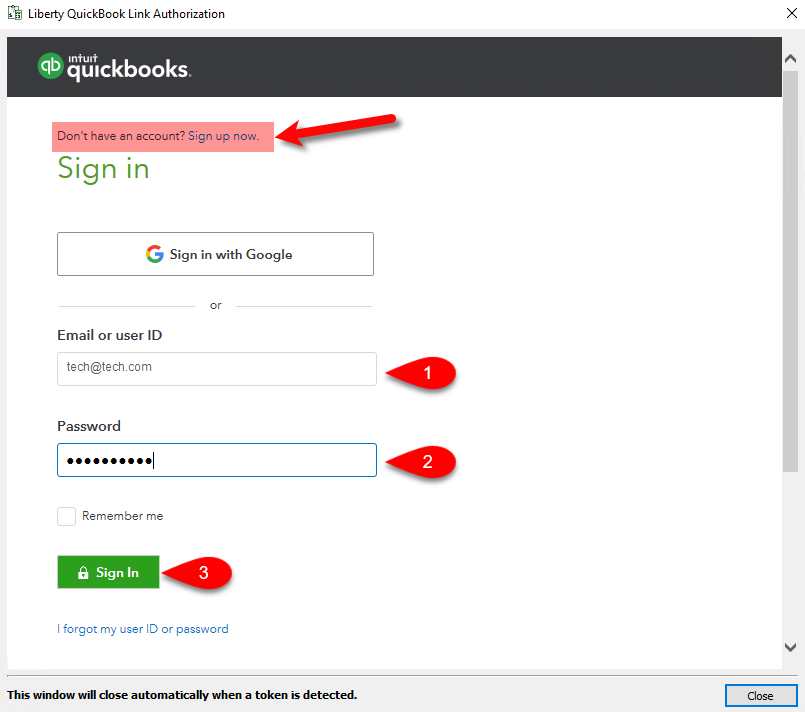
- If you do not have a Quickbooks Online account, you can click on the Sign up now link at the top.
Otherwise, sign in using your email/user ID and password, then click the Sign In button.
Note: You must have A Quickbooks Online Plus subscription in order to sync using the Quickbooks Link.
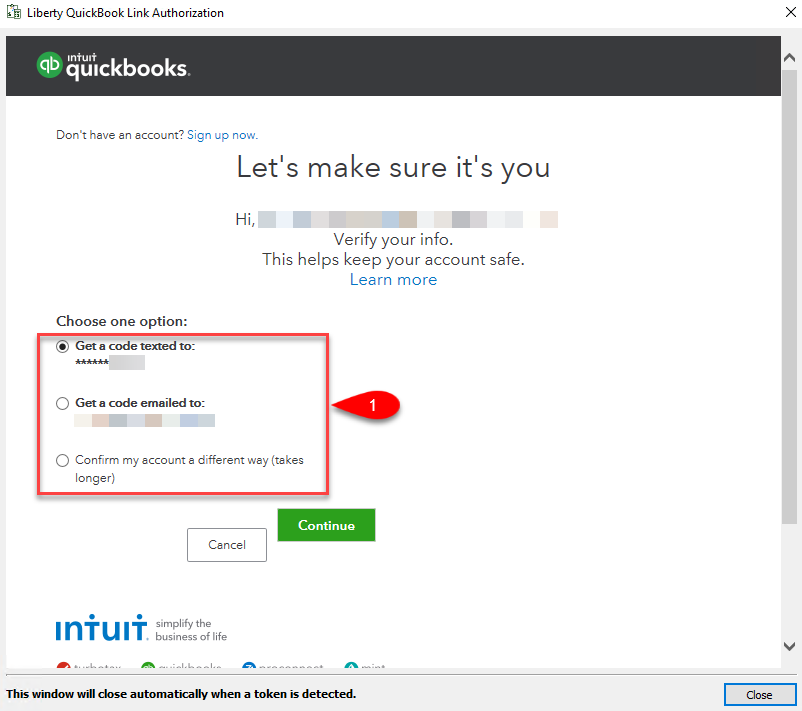
- You will need to confirm your identity, select any of the following options to do so and then click the Continue button.
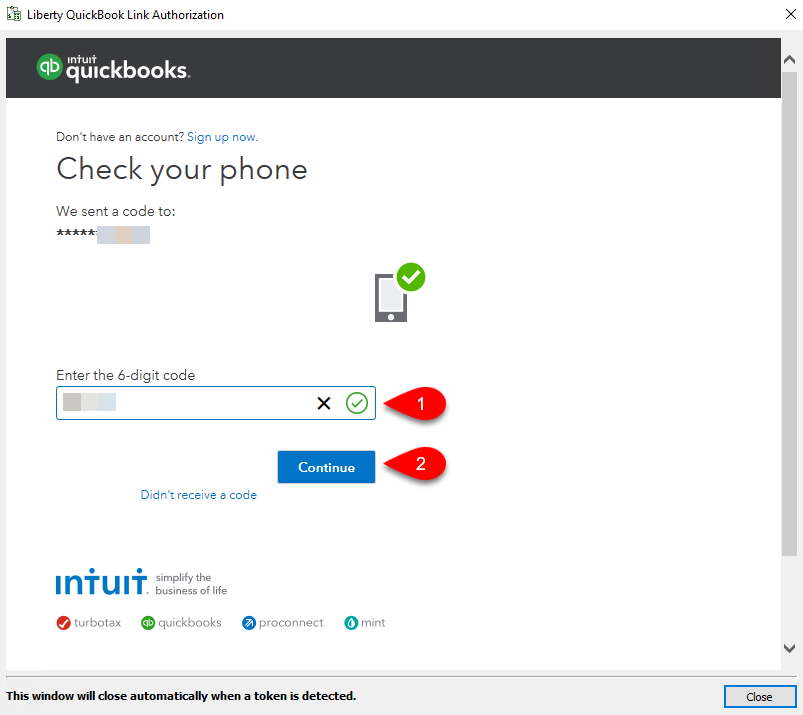
- If you selected to have a code texted to you or emailed to you, input the code in the correct field and then click the Continue button.
- Make sure to read the pertinent information regarding the secure sharing of data between your Liberty software and Quickbooks Online, then click the Connect button.
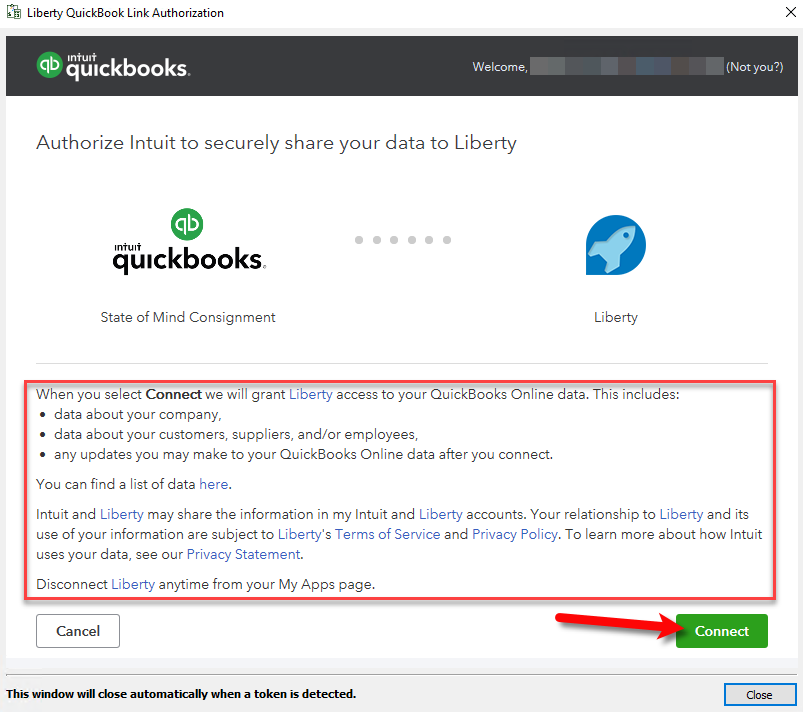
- The Quickbooks Link is now connected to your Quickbooks Online account.
You will be brought back to the Liberty Quickbooks Settings window, click the Advanced menu option to the left.
There are some additional settings that you can edit.
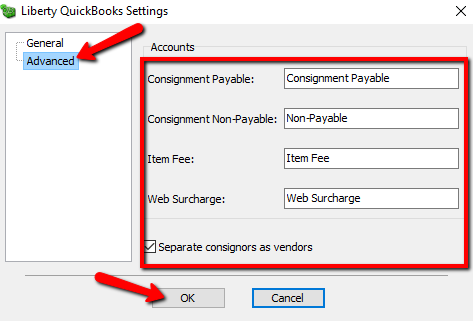
- Consignment Payable:
This is an Accounts Payable General Ledger account that maintains all of the consignor obligation owed to consignors. When a check is written, the total consignor obligation owed will decrease from this account. - Consignment Non-Payable:
This is a sub-account of the consignment payable general ledger account. This account maintains all of the non-payable obligation owed to all of your consignors. When a consignor’s store credit is used towards a purchase, the value maintained within this sub-account will decrease. - Item Fee:
This account maintains the total item fee dollar value you have received when items sell with an item fee. - Web Surcharge:
This account tracks any fees you have collected - Separate Consignors As Vendors:


When checkmarked, consignors will appear as their own separate vendor entities from within the Vendor center in Quickbooks.
Next Article In Section
Click the following link to move to the next article in this section:
Exporting To Quickbooks Online For The First Time
Related Topics
Quickbooks Online Link and GL Account Settings Exporting to Quickbooks Online Using The Quickbooks Link Overview Exporting To Quickbooks Online For The First Time How To Initiate Subsequent Syncs To Quickbooks Online How To Use The Quickbooks Link To Export To Quickbooks Desktop How To Use The Quickbooks Link To Export To Quickbooks Online How Transactions Flow From Quickbooks Link to Quickbooks How To Export To Subaccounts Using The Quickbooks Link Company File Selection and GL Account Settings Setting Up Your Quickbooks Company File Exporting to Quickbooks Desktop Software Using The Quickbooks Link Overview