Table of Contents
Resaleworld Support Widget
The Resaleworld Support Widget allows a quick and easy way for you to submit a ticket to the support queue, as long as you are on a support plan.
You must be signed in as an admin, in order to access this widget by default.
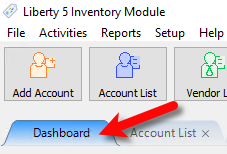
- Open the Inventory Module and make sure you are on the Dashboard tab.
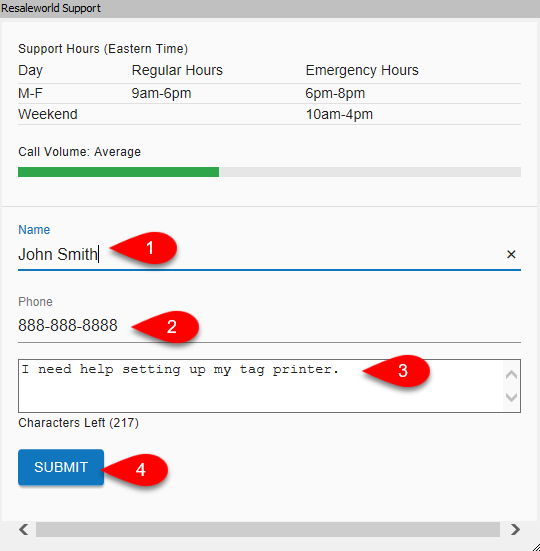
- Look for the widget titled Resaleworld Support and fill out your name, the phone number you would like to reach, a description for the issue you are experiencing and then click the Submit button.
- You will see a green notification stating Your request has been submitted.


A technician will then call you back based on the order of received requests.

Next Article In Section
Click the following link to move to the next article in this section:
Adding A Website Widget