Table of Contents
Setting Up Product Lines
Setting up Product Lines is the second step in the process of setting up Categories. To review, there are 5 steps to setting up Categories, of which this is the second:
- Set Up Tax Codes (should already be performed).
- Set Up Product Lines.
- Set Up Categories.
- Assign Product Lines to Categories.
- Set Up and Associate Attributes to Categories.
If you have not set up Tax Codes, do so before setting up Product Lines. Once you have set up Product Lines, proceed to the third step, which is to set up Categories. Do not set up Categories before setting up Product Lines.
Most likely when you set up Tax Codes you created two Tax Codes, Taxable and Non Taxable. With Product Lines you want to do the same thing and create two Product Lines named Taxable and Non Taxable.
How To Add A Product Line
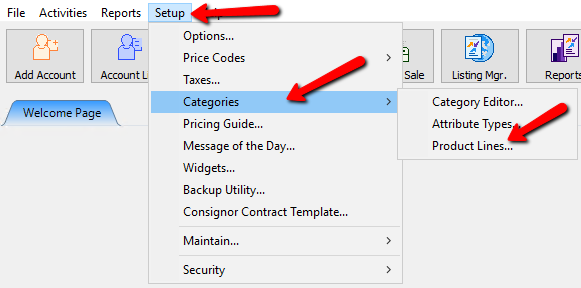
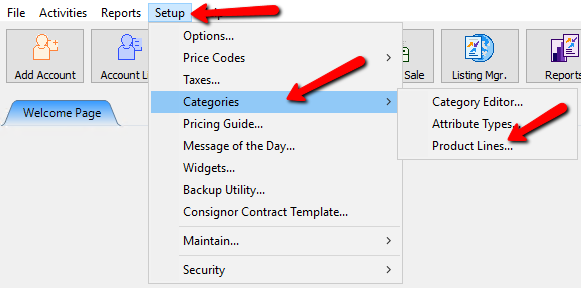
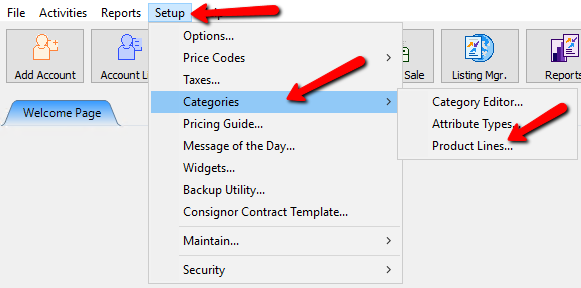
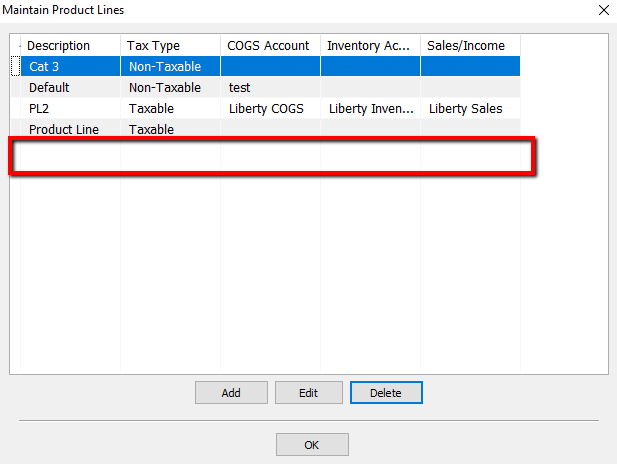
- Select Setup > Categories > Product Lines.
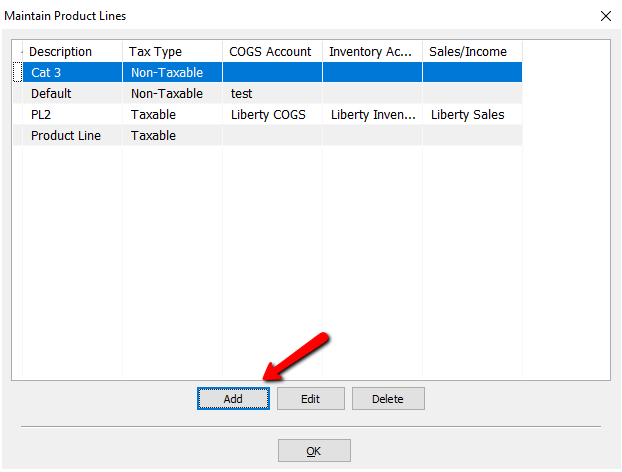
- Select the Add button to add a new product line.
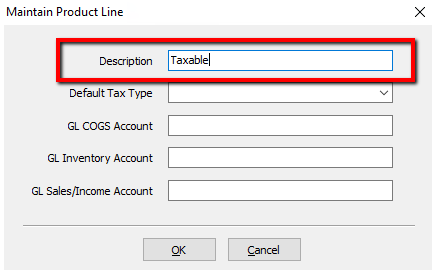
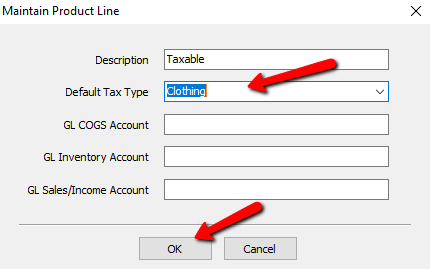
- In the Description, enter the description of the Product Line.
- Select the Default Tax Type.
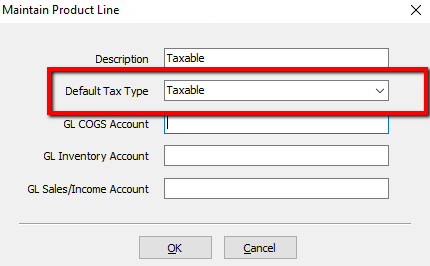
- The GL COGS Account, GL Inventory Account, and the GL Sales/Income Account are all fields pertaining to the Quickbooks Link sold by Resaleworld.
If you are unsure what to enter into these fields, consult your Accountant.
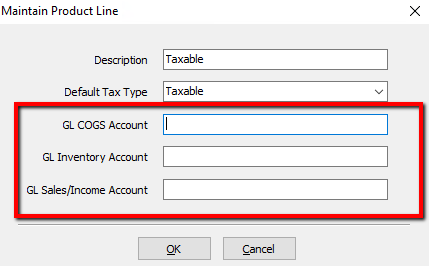
Note: The GL COGS Account, GL Inventory Account, and the GL Sales/Income Account are optional and not required when setting up Product Lines.
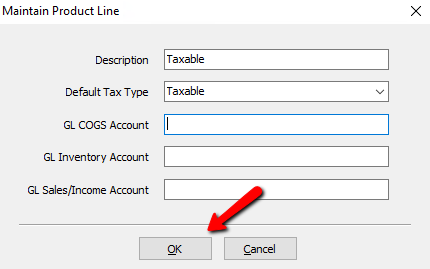
Note: Resaleworld Tech Support are not trained and licensed accountants. Although they can help with getting information into Quickbooks, they can not advise where in Quickbooks that information should go. Always consult an accountant when in doubt. - When finished, press the OK button at the bottom.


How To Edit An Existing Product Line
- Select Setup > Categories > Product Lines.
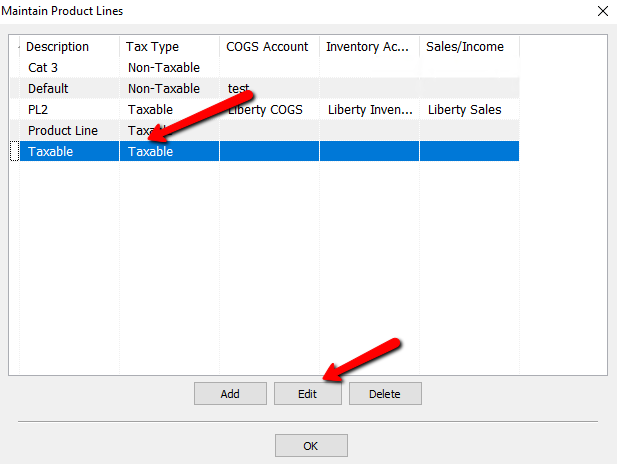
- Highlight the Product Line that needs to be modified and press the Edit button, or double click the product line.
- Make the needed changes, press the OK button at the bottom.


How To Delete A Product Line
- Select Setup > Categories > Product Lines.
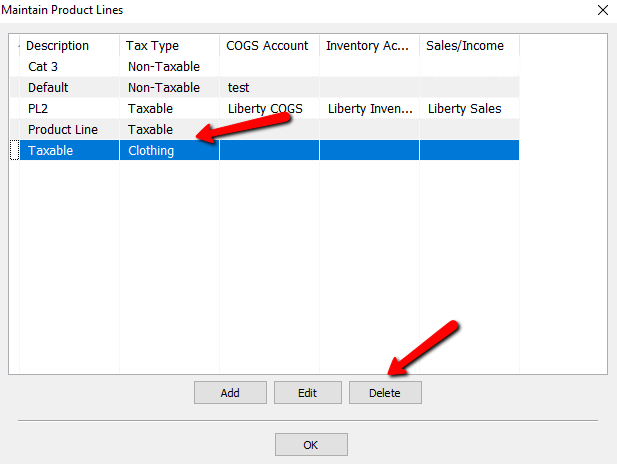
- Highlight the Product Line that needs to be removed and press the Delete button.
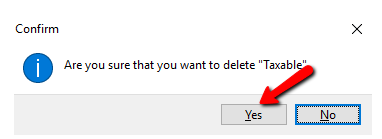
- A Confirmation box will open. If you are sure you want to delete this Product Line, click the Yes button.
- Verify that your Product Line has been removed.


Note: You can not delete price codes that have been used. If you attempt to do so, you will get the following warning.

Next Article In Section
Click the following link to move to the next article in this section:
Why Categories are Assigned a Product Line
Related Topics
Setting Up Product Lines Assigning Product Lines to Categories Category Editor Product Lines Overview Why Categories are Assigned a Product Line Add, Change and Delete Categories Categories Overview Category Tax Code Update Selecting Categories During Item Entry Turn Categories On and Off About Item Fees