Table of Contents
Printing
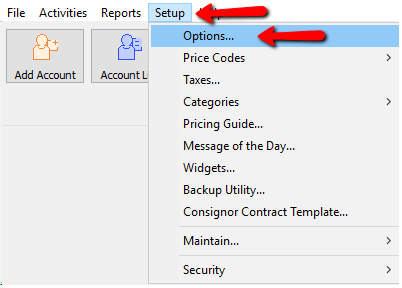
- To get to Options go to Setup > Options.
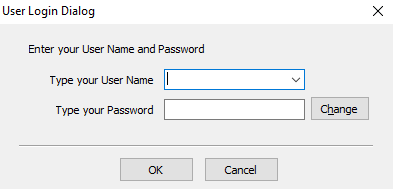
- Login if prompted to do so.
- From the Menu options select Printing.
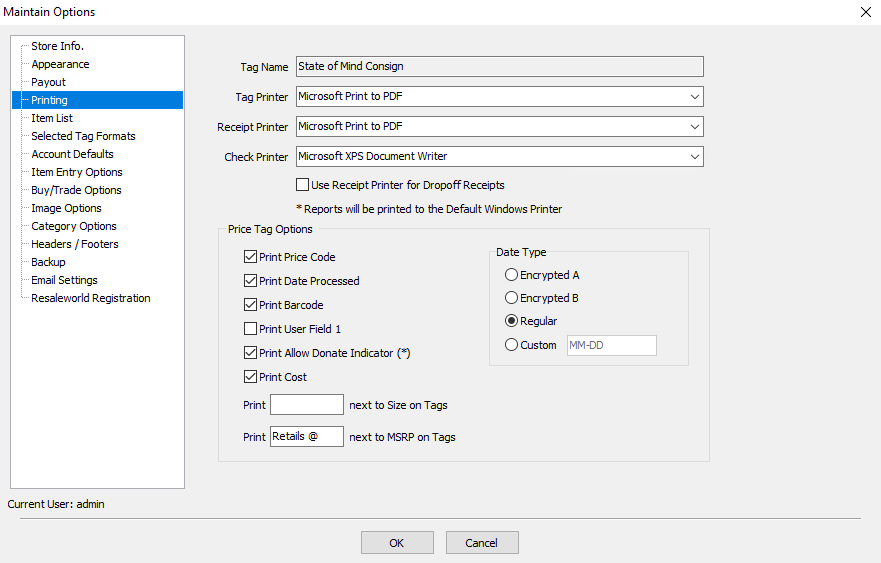
- Tag Name : This is the name of the store that prints on the tags. This can not be manually changed. Please contact Resaleworld if you wish to change the Tag Name.
- Tag Printer : Click the drop down to get a list of printers to select. Highlight and click on the printer you wish to use for the tag printer.
- Receipt Printer : Click the drop down to get a list of printers to select. Highlight and click on the printer you wish to use for the receipt printer.
- Check Printer : Click the drop down to get a list of printers to select. Highlight and click on the printer you wish to use for the check printer.
- Use Receipt Printer for Dropoff Receipts : Toggles if Dropoff Receipts printed by the Inventory Dropoffs print from the selected Receipt Printer.


Note: Reports will always print to the default printer defined by Windows.
Price Tag Options
- Print Price Code (Check Box) : Checking this will print the Price Code Letter on the tag.
- Print Date Processed (Check Box) : This is the date the consignment period starts.
- Print Barcode (Check Box) : This will print a barcode to be used with a POS scanner
- Print User Field 1 (Check Box) : If User Field 1 is used on an item, checking this off will allow that information to be printed on the tag.
- Print Allow Donate Indicator (*) (Check Box) : Checking this will print and Asterisks (*) on the tag indicating it is a donatable item.
- Print Cost (Check Box) : Select to show the Cost of the item on price tags. For consigned items, the Cost is only printed if a Preset Net is entered.
Price tags for items with a Preset Net contain a series of numbers instead of the letter(s) denoting the Price Code. This series of numbers is the Preset Net to the consignor in coded form. $450.00 will appear as 100450001. Drop the 1's and leading 0's, place a decimal two places in from the right, imagine a dollar sign dancing in front of your (consignor's eyes in this case) and you have $450.00. - Print _____ Next To Size On Tags : This is the wording that will go on the tag to indicate the Size.
Example: If Sz is placed in this field and the size of an item is a 12, the tag will print Sz: 12 - Print ______ Next To MSRP On Tags : This is the wording that will go into the Retail field.
Example: If Retails@ and the MSRP is $200, then the tag will says Retails@ $200.00
Date Type
- Encrypted A : Select to use a six-digit date code. This option starts with the Regular date format, removes the forward slash marks and the first number in the year, and then adds a 1 to the beginning and end of the remaining numbers.
Example: 07/31/00 becomes 173101. - Encrypted B : Select to use a letter number combination for the date. This option substitutes the month for a letter, where A=January, B=February, etc. The letter is followed by the day of the month and year is dropped.
Example: July 31, 2000 becomes G31. - Regular : Select to print a date in the MM/DD/YY format.
- Custom : This feature gives you the ability to customize the format of your item’s process dates that are shown on printed price tags.
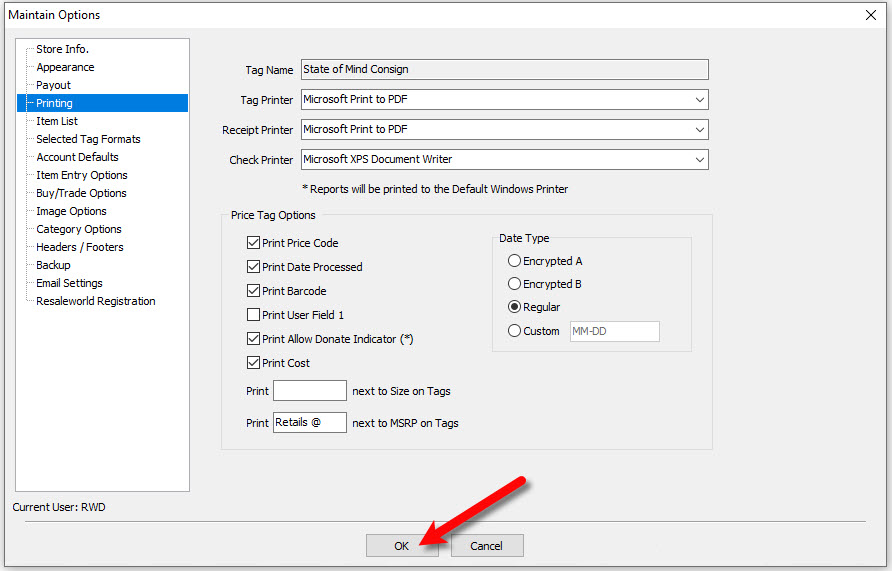
- When done, select the OK button at the bottom.

Next Article In Section
Click the following link to move to the next article in this section:
Account Defaults