Table of Contents
Headers / Footers
To Define A Header Or Footer:
- To open the Headers/Footers window go to Setup > Options > Headers/Footers.
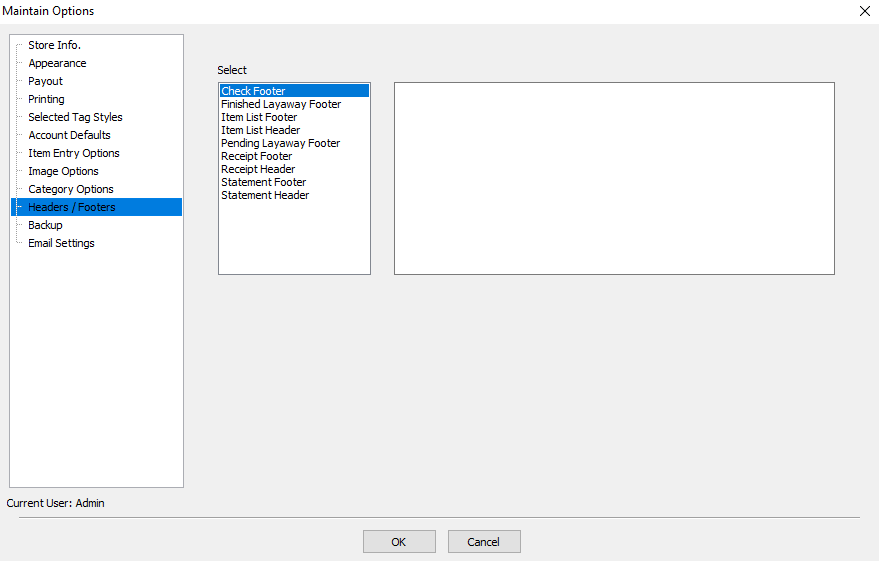
- Click on the Header/Footer you want to define.
- Click in the message box and type your message.
- When finished click OK.

Reports/Documents You Can Add A Header/Footer To
- Check Footer : The Check Footer will print on one of the check stubs. By printing a Check Footer the list of items will no longer print on the check stub with the message on it.
- Layaway : There are two types:
- Finished Layaway Footer : Use to show same information as for a regular purchase, plus additional information pertinent to layaways.
- Pending Layaway Footer : Use to list layaway terms and conditions, etc.
- Item List Header/Footer : For the inventory list given to consignors.
- Receipt Header/Footer : For receipts printed from within the Point of Sale
- Statement Header/Footer : For Cash Payout Statements signed and dated by consignors when they are paid with cash instead of a check. Cash Payout Statements are retained by the store to provide a written record of cash payouts.
Note: It is not necessary to enter the store name, address or phone in the Headers, as this information is automatically printed by Liberty based on the information entered in Store Information.
Next Article In Section
Click the following link to move to the next article in this section:
Backup