Table of Contents
Expire Groups
Expire Groups help organize expired items, which can allow for more in depth reporting.
Assigning Expire Group To A Price Code
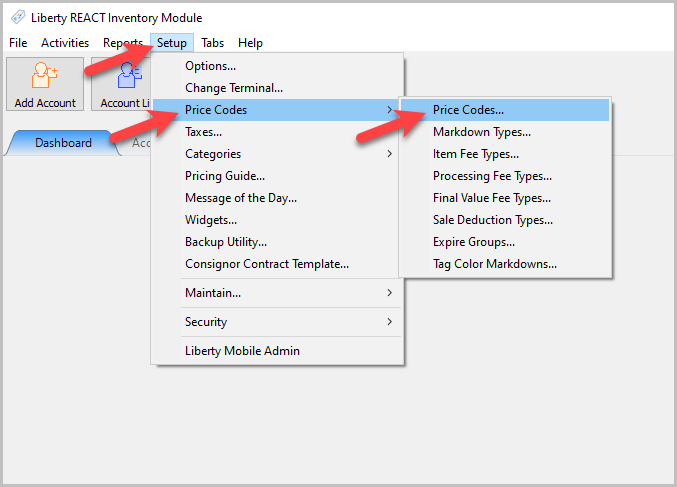
- Within the Inventory Module select Setup > Price Codes > Price Codes…
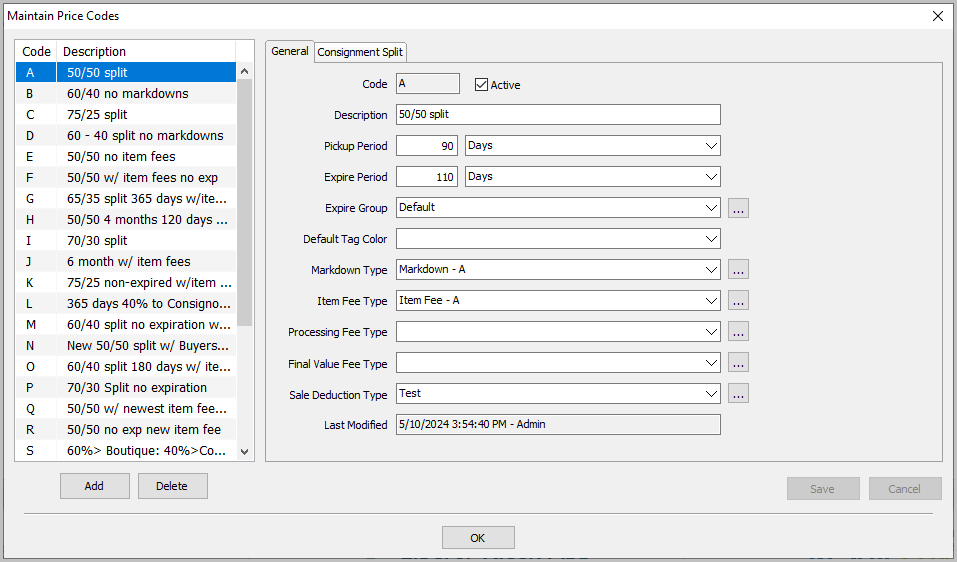
The Maintain Price Codes Dialogue Box will appear.
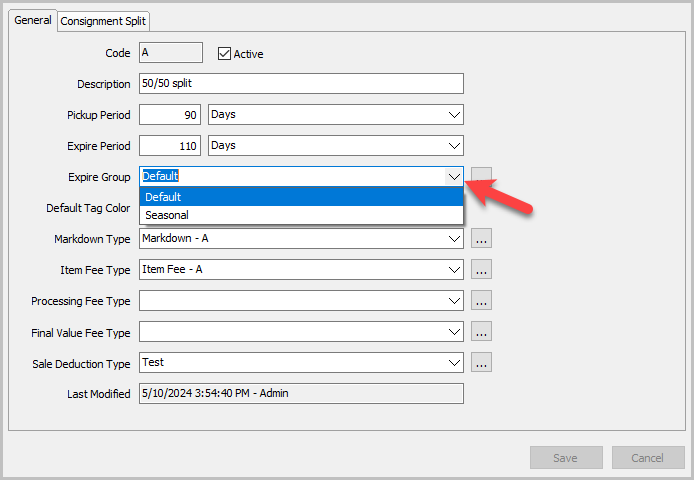
- Click the Expire Group dropdown to select an Expire Group for each Price Code.
- You can also hit the … button to reach the Maintain Expire Groups window.
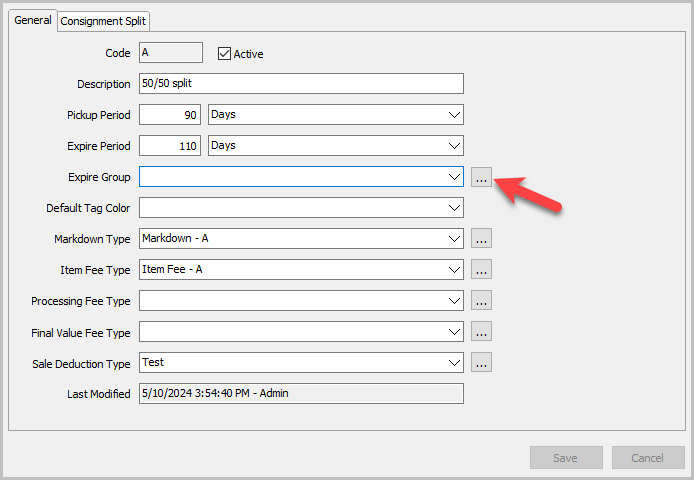


Use this window to add, edit, or delete Expire Groups.

Next Section Navigation Link
Click the following link to see a list of articles for the next section:
Passwords and Security