Table of Contents
Maintain Security Actions
Setting up Security in Liberty is extremely important. Unrestricted access to all elements of the software gives employees the ability to view sensitive customer data, the ability to alter settings that impact financial transactions, and the ability to make large-scale changes that may be not only undesirable, but difficult to undo. Setting up security properly protects both your customers and your entire organization. The robust security system in Liberty allows for you to control access to information, features, and settings.
By assigning security roles to the different Actions within Liberty, you can then set up users in the Maintain Users (Setup > Security > Maintain Users) dialog and assign each user the ability to perform the action. Actions, Security roles and user accounts let you give some employees full access, while giving others restricted access. For example, you could restrict certain users to only have the ability to add new accounts and new items to Liberty.
You can set the security roles to any components in the Maintain Security Actions Dialogue area. When you have finished setting the security roles, set up user accounts.
How Security Roles Work
Users in the Liberty software are assigned roles. These different roles will define what they have access to within the software. Liberty also has actions. Each action is assigned a role. If an employee is part of a role that is assigned to a specific action, then that employee can do that action.
Example: Employees John and Nancy both work for the store. John’s duties include stocking shelves, taking in inventory brought in by consignors, and organizing the warehouse. His role is a Stocker. Nancy helps customers cash out their goods and pays consignors for items that have sold. Nancy's role is a Cashier. A customer comes to the counter and wants to use a coupon for a purchase. The action of using Coupons at the Point Of Sale has been assigned the role of Cashiers. Nancy would be able to apply the coupon to the sale because she is a Cashier—John would not since he is a Stocker, and the action of applying coupons is restricted to Cashiers.
Security Actions Searchable Index
Please visit the following page to read information on every security action available.
You can also use the search box to find information on any security action that shows up within the Security Actions area:
Adding Roles To The Actions
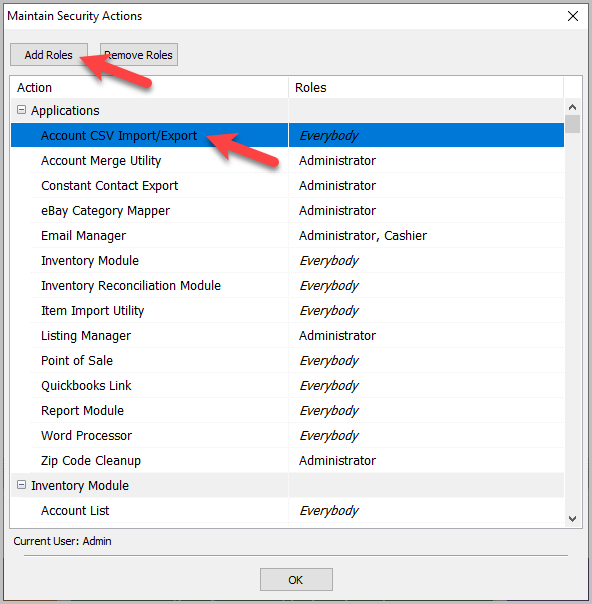
When Liberty is installed most Actions do not have roles assigned to them. If an action does not have a role assigned to it, then anyone can do that action. Actions without roles will have Everybody in its role field. Actions that could be deemed sensitive will have the default role of Administrator when Liberty is installed.
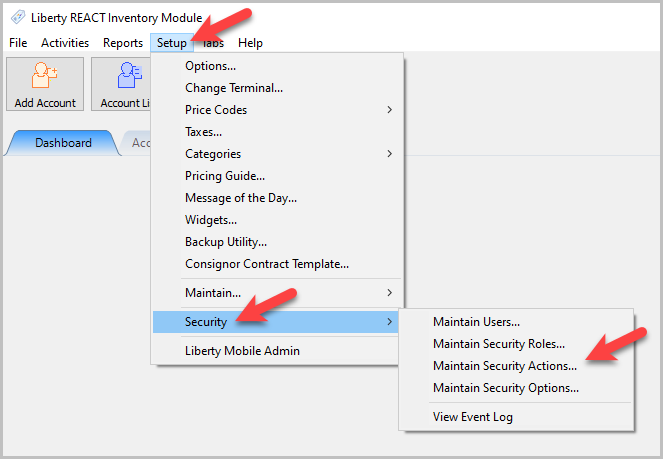
- To access Security Actions go to Setup > Security > Maintain Security Actions.
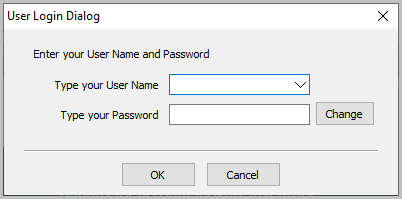
- You will need to login.
- Highlight the action you wish to assign a role to and select Add Roles or double click the highlighted Action.
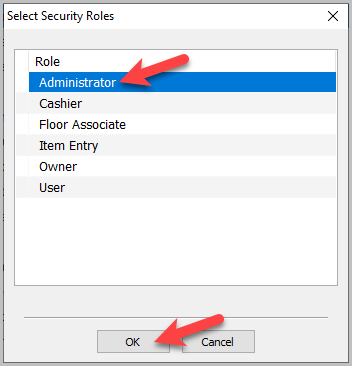
The Select Security Roles dialog will open.
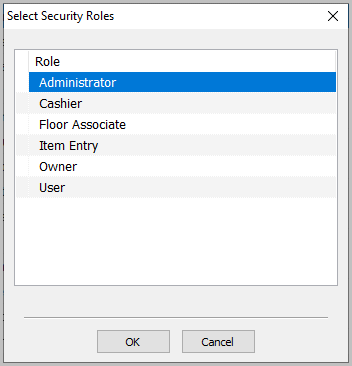
- Select the security role you want to assign to the action and select the OK button.
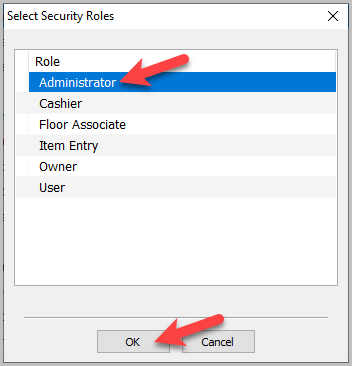


Note: Actions can have multiple roles assigned to them.
Note: You can use the Shift and the Control keys to select multiple Roles at a time.
How To Remove Roles From Actions
- To access Security Actions go to Setup > Security > Maintain Security Actions.
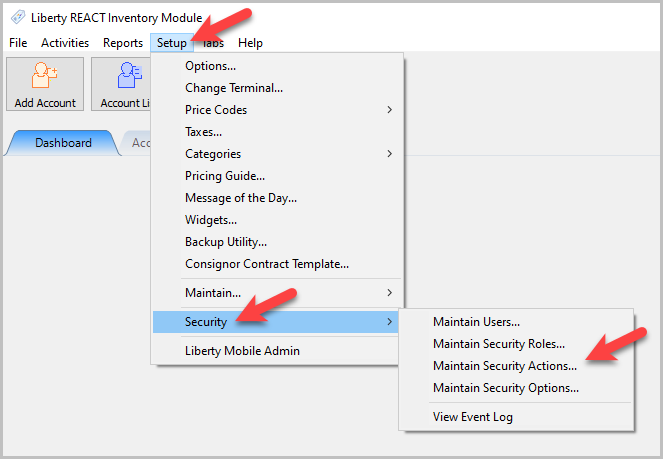
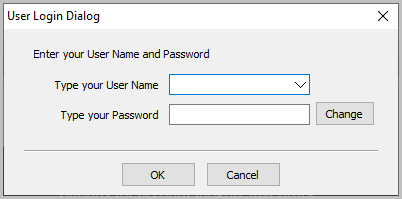
- You will need to login.
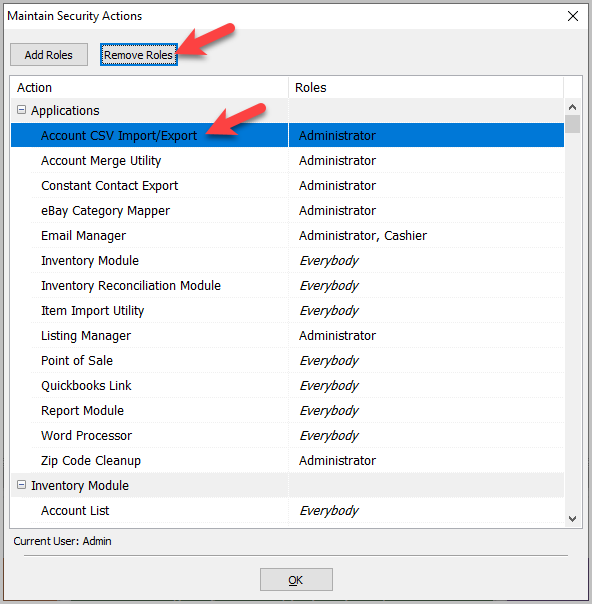
- Highlight the action you wish to remove a role to and select Remove Roles.
The Select Security Roles dialog will open.
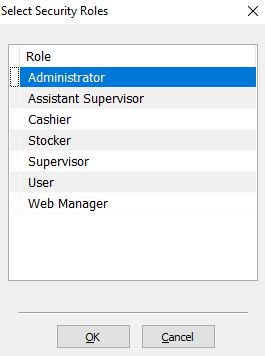
- Highlight the role you want to remove, and click the OK button at the bottom.


The role will be removed and the remaining roles will stay. If there are no Roles associated with the Action, then the role will default to Everybody.

A Rundown Of What Can Be Found In Each Section Of Actions
- Inventory Module : This section handles all the actions pertaining to the Inventory Module except Item Editor, and Vendor Item Editor. Item Editor, and Vendor Item Editor have their own sections. The Inventory Module section contains actions such as Adding Accounts, Paying Clients, and Maintaining Categories.
- Inventory Module - Item Editor : This section controls the ability to modify fields when adding an item into inventory and the ability to edit the layout of adding items.
- Inventory Module - Vendor Item Editor : This section controls the ability to modify fields when adding a Vendor item into inventory and the ability to edit the layout of adding Vendor items.
- Point Of Sale : This section handles all the actions pertaining to the Point Of Sale. The Point Of Sale sections contains actions such as Sale Post, Change Post, and Refunds.
Next Article In Section
Click the following link to move to the next article in this section:
Security Actions Searchable Index
Related Topics
Maintain Security Actions Security Actions Searchable Index Security Overview Security Actions Searchable Index Changing the Password for a User Maintain Security Options Maintain Security Roles Setting Up Employee Access Setting up the Consignor Login App For Shopify Setting up email settings in Liberty Setting Up A Default Weight For New Items Within A Category