Table of Contents
Setting Up Expire Groups
Use this procedure to set up names for Expire Groups. Use Expire Groups to organize expired items by expired groups. For Liberty for Windows users this feature is similar to placing an item in an expired account.
Note: It is not necessary to set up Expire Groups to Expire items. Expire groups are only needed if you wish to categorize expired items in some way so as to be able to generate reports based on expire groups.
To Set Up Expire Groups:
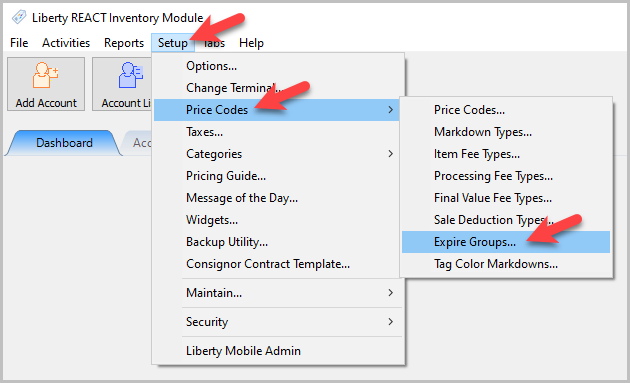
- In the Liberty Inventory Module click the Setup > Price Codes > Expire Groups.
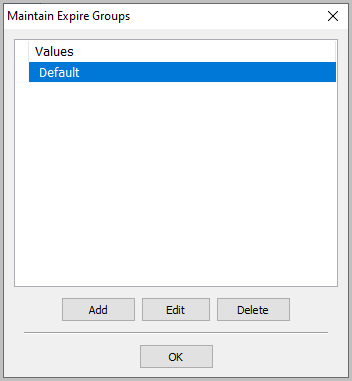
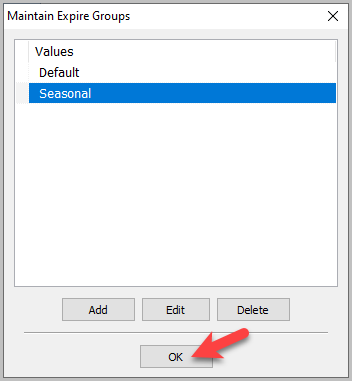
The Maintain Expire Groups dialogue box will open.
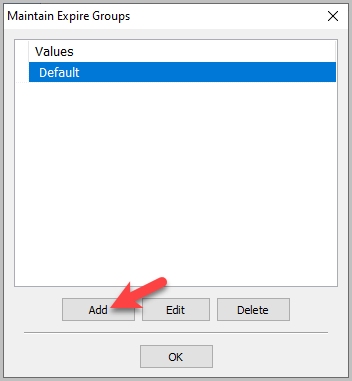
- Select the Add button.
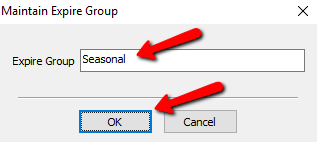
The details of the new Expire Group will open.
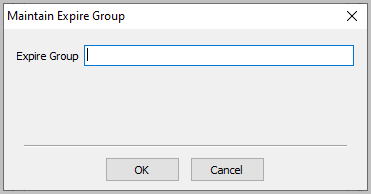
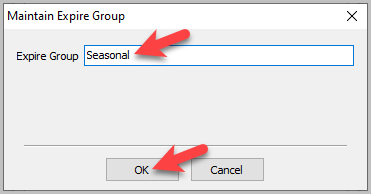
- Enter the name of your new Expire Group and select the OK button.
You should see your new Expire Group.
- Click the OK button on the other Maintain Expire Groups window


Once you have created the Expire Groups, you may assign them to various Price Codes. Please see the section entitled Price Codes Overview for more information.
Next Section Navigation Link
Click the following link to see a list of articles for the next section:
Price Codes
Related Topics
Setting Up Expire Groups Price Codes Overview Expire Groups Setting Up A Default Weight For New Items Within A Category Define Custom Field Names Define Filter Codes Setup Fee Frequencies Setting Up Account Field Layout Setting Up Group Deductions Setting Up Locations Setting Up Store Sections to Track Inventory Locations