Table of Contents
Recurring Fee Types
When you create a Recurring Fee Type, you can specify certain criteria that will apply to the consignor’s account Recurring Fee Cycle. This is important to create because it will determine when and how much a consignor should be charge a Recurring Fee, and it is also needed when creating a Recurring Fee Widget. See Adding A Widget and Recurring Fees Overview for more details.
How To Create A Recurring Fee Type
- In Liberty, click on Setup > Maintain > Recurring Fee Types.
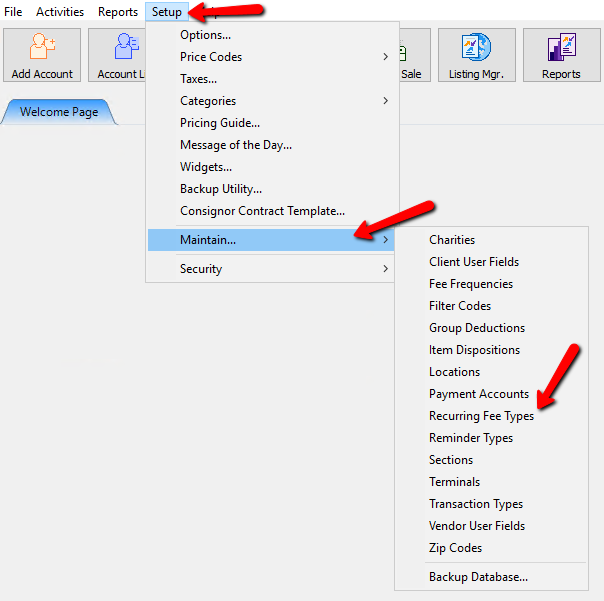
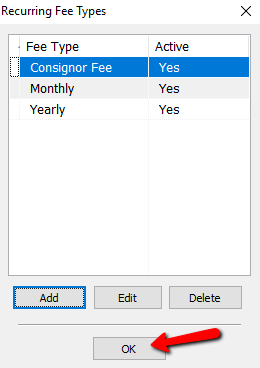
The Recurring Fee Types dialog box appears.
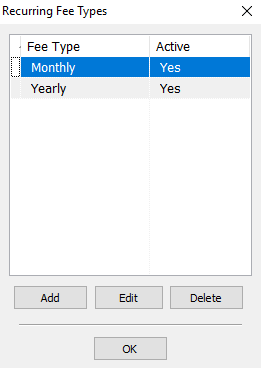
- Select the Add button.
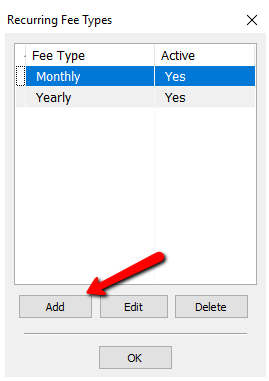
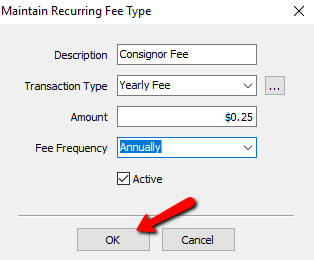
The Maintain Recurring Fee Types dialog box will open.
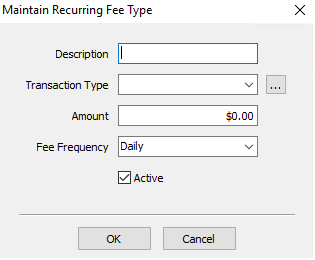
- Description : Enter a description for the fee.
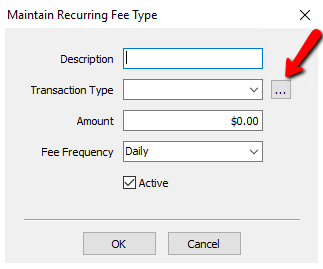
- Transaction Type : This is the type of transaction that will be posted on consignors account. The transaction will always be a deduction transaction, but you can specify if it’s a payable transaction and set a Quickbooks G/L Account. Click the dropdown box and select the Transaction Type you want to use.
To create a new Transaction Type, See Creating A New Transaction Type Below. - Amount : Enter in the amount that will be deducted.
- Fee Frequency : Click the drop down and choose the frequency in which the fee will be applied.
- Daily
- Weekly
- Bi-Weekly
- Monthly
- Quarterly
- Semi-Annually
- Annually
- Active (Check Box) : Uncheck the Active Check Box if you wish to make the fee frequency inactive.
- Click OK to complete creating the Recurring Fee Type.
- Select the OK button to close the Recurring Fees Types dialog box.


See Associating A Recurring Fee Type with An Account and Adding A Widget for more details on creating a Recurring Fee Widget.
Creating A New Transaction Type
- From the Maintain Recurring Fee Types dialog box, select the Navigation button.
The Recurring Fee Transaction Types dialog box opens.
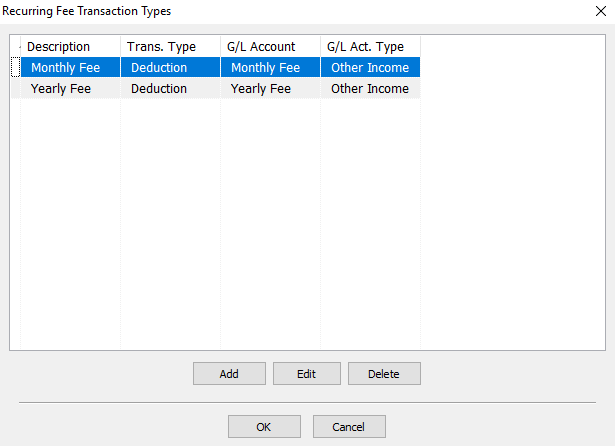
- Click the Add button or the Edit button to open the details of the fee.
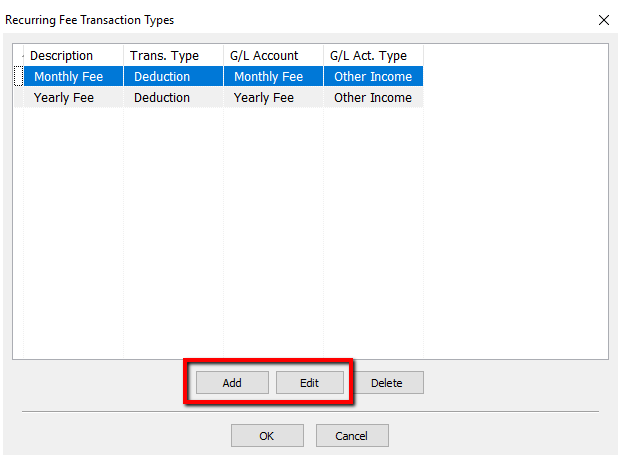
The Maintain Transaction Type dialog box opens.
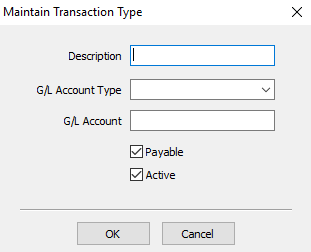
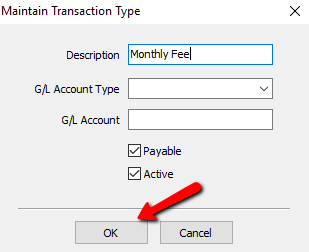
- Description : Enter the name of the Transaction Type
- G/L Account Type : If using Quickbooks, this will be the account type this transaction will be going to.
- G/L Account : This is the name of the G/L account this transaction will go to in Quickbooks.
- Payable : If checked, this will be posted as a payable transaction and deducted from the consignors payable amount; otherwise it will be posted as a non-payable transaction and deducted from a consignors store credit amount.
- Active : Makes the widget active or inactive.
- Amount : The amount of the fee/deduction.
- Fee Frequency : Specifies how often this transaction should happen (i.e 30 days, 90 days, Yearly).
- Select the OK button when done.
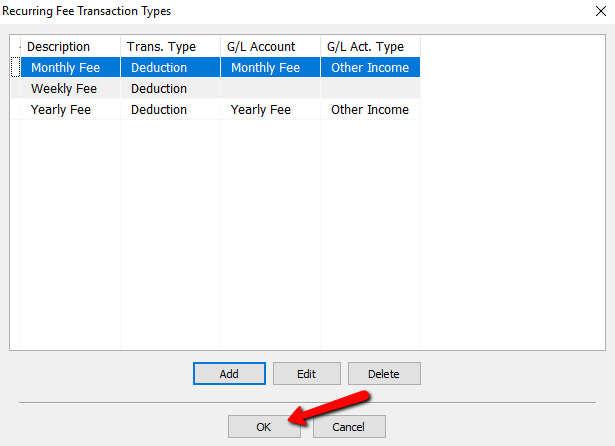
- Select the OK button to close out of the Recurring fee Transaction Types dialog box.


Next Article In Section
Click the following link to move to the next article in this section:
Reminder Types