Table of Contents
Viewing ResaleWallet Payout Status In Liberty
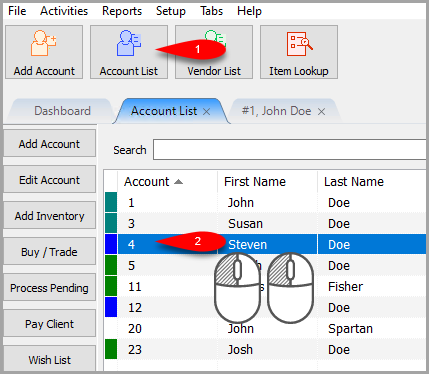
- Click on Account List and then double click on the account you wish to view the ACH Payout status for.
- Click on the Transactions tab of the account.

- Right-Click on the ACH Payout in the list and select View ResaleWallet Details….


You can now see the ACH Payout status here.

Next Article In Section
Click the following link to move to the next article in this section:
ResaleWallet Payments Dashboard
Related Topics
Viewing ResaleWallet Payout Status In Liberty ResaleWallet ACH Payouts Overview Setting Up ResaleWallet Editing Your ResaleWallet Profile Information Setting Up Your Bank Account Setting Up A Liberty Account For ACH Payouts How To Do A Signature Capture For ACH Payouts Creating A Single ACH Payout Mass Account ACH Payouts Reversing A ResaleWallet ACH Payout In Liberty ResaleWallet Payments Dashboard