Table of Contents
How To Do A Signature Capture For ACH Payouts
With signature capture capability, customers can come into the store and sign for digital ACH payouts.
Setting Up Signature Capture For ACH Payouts
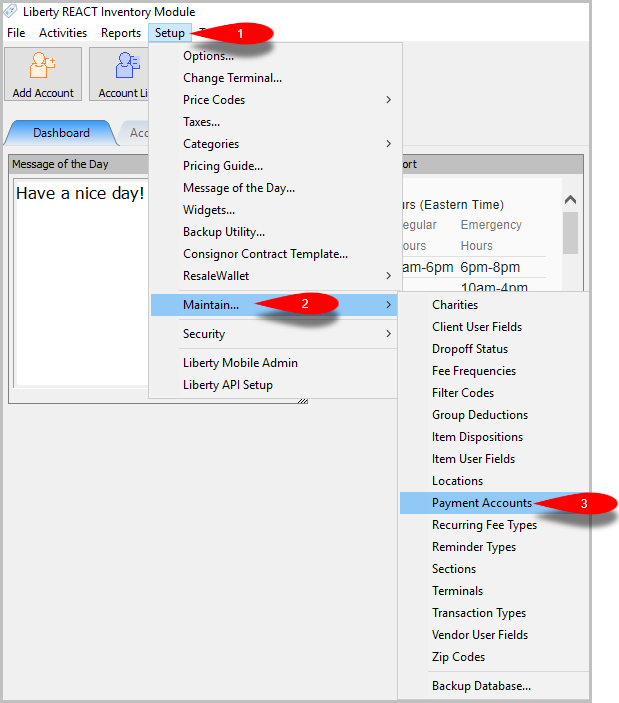
- First click on Setup > Maintain… > Payment Accounts
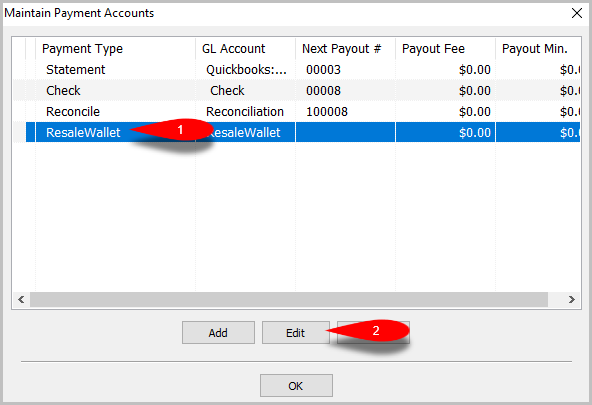
- Click on the ResaleWallet option, and then click the Edit button
- Click the Prompt for Signature checkbox, then click the OK button
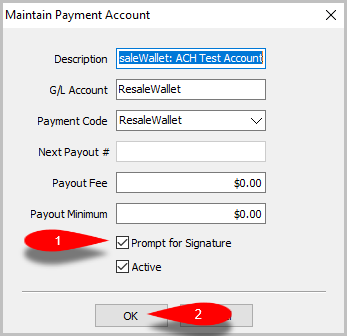


Note: Signature capture is only available for integrated credit card devices, and the Liberty Kiosk app
How To Initiate A Signature Capture For ACH Payouts
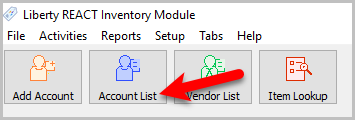
- Click the Account List button
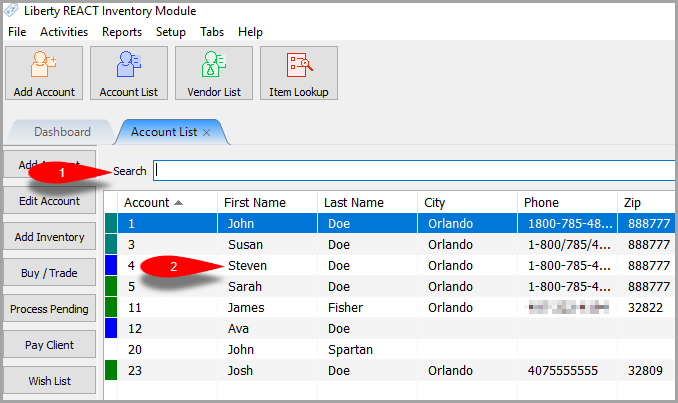
- Search for the account, and double-click their account
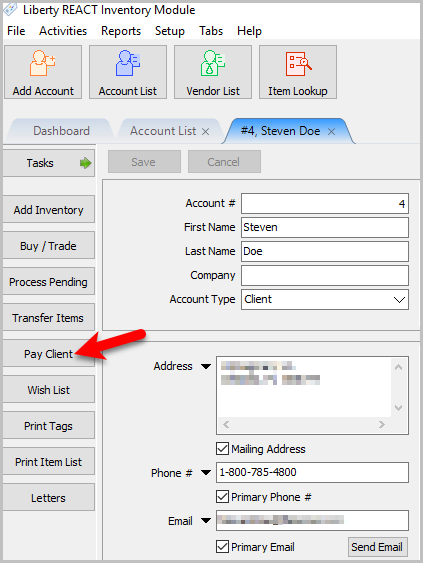
- Click the Pay Client button
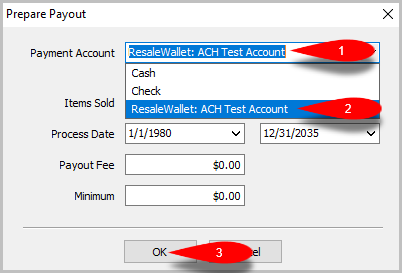
- Click the Payment Account dropdown menu and select ResaleWallet: ACH then click the OK button
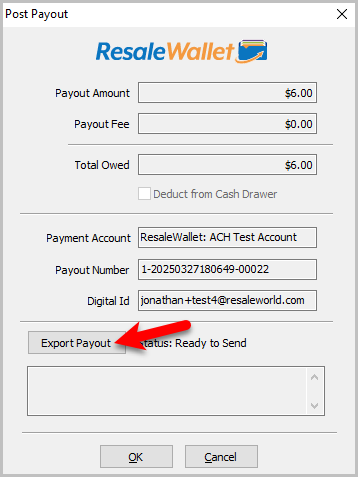
- Click the Export Payout button
- Sign on the device and tap the Done button


Next Article In Section
Click the following link to move to the next article in this section:
Creating A Single ACH Payout
Related Topics
How To Do A Signature Capture For ACH Payouts Setting Up A Liberty Account For ACH Payouts Setting Up Your Bank Account Creating A Single ACH Payout Mass Account ACH Payouts How To Run Multiple Payouts ResaleWallet ACH Payouts Overview Setting Up ResaleWallet ResaleWallet Payments Dashboard Editing Your ResaleWallet Profile Information