Table of Contents
How To Enable Terminal Beeps On ResalePay Terminals
With ResalePay terminals you can enable the terminal to alert for things such as removing the card.
Setting Up ResalePay Terminal Beeps
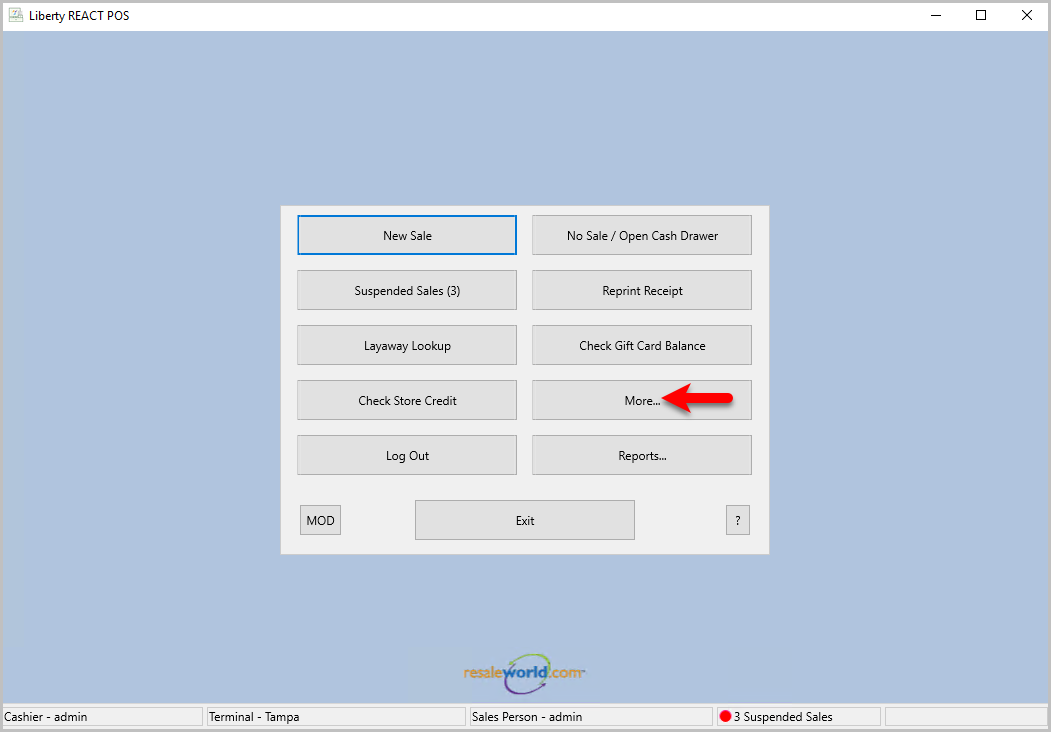
- Start by opening the POS and clicking the More… button
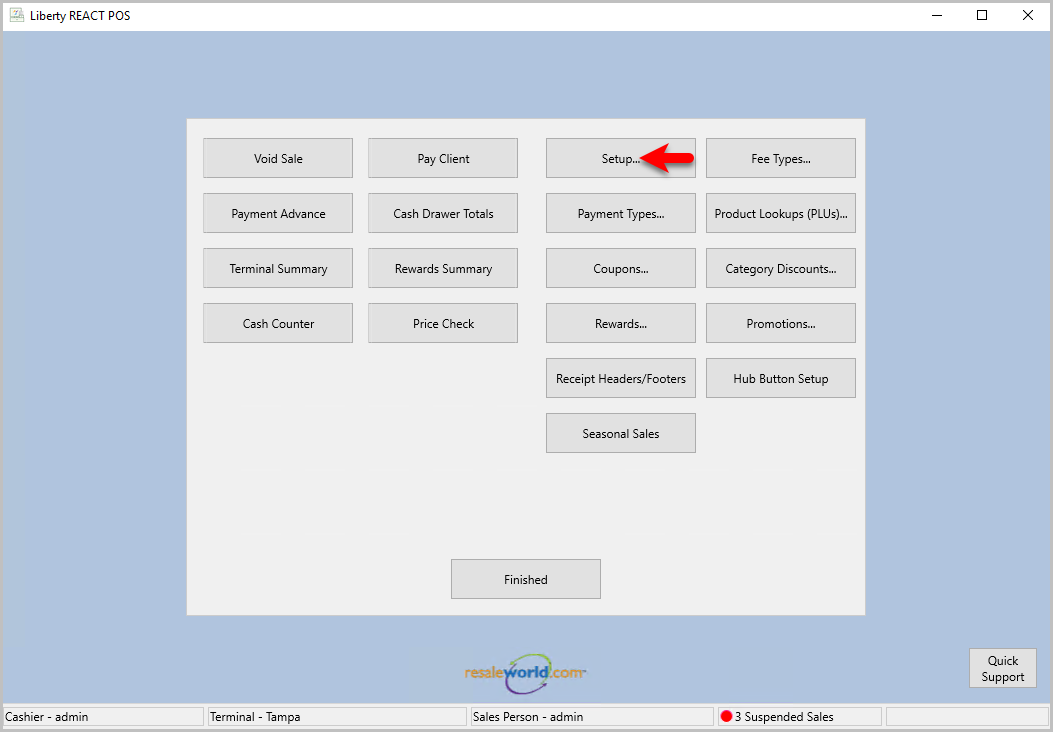
- Click the Setup… button to open the Setup dialog box
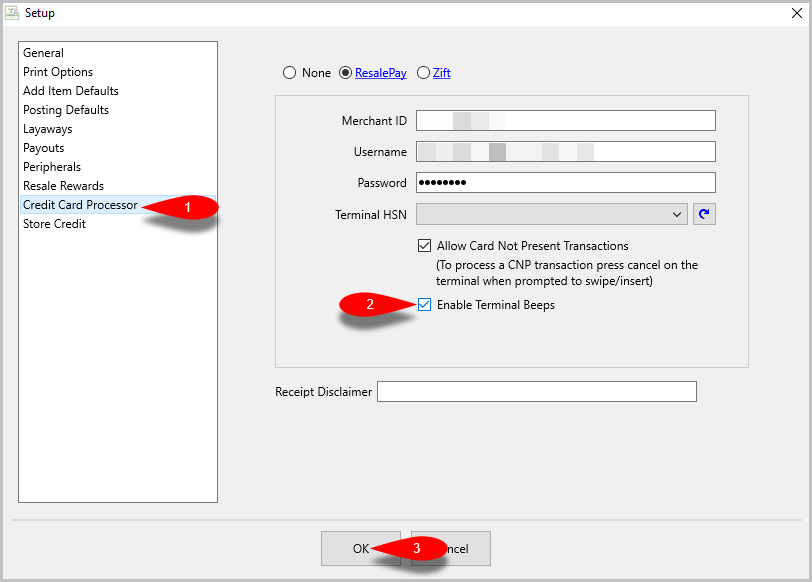
- On the left click Credit Card Processor click the Enable Terminal Beeps checkbox then click the OK button
- Now, when you run a payment with your ResalePay terminal, it will beep for things such as to remove the card.


Next Article In Section
Click the following link to move to the next article in this section:
Running A Transaction Through The Liberty POS