Table of Contents
Category List Report
Lists active categories.
When to Use

Use this report to generate a list of all active categories
Where To Find The Report
Reports > Lists > Category List
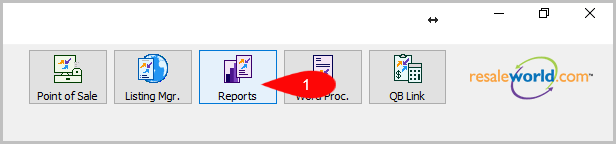
- Click on Reports
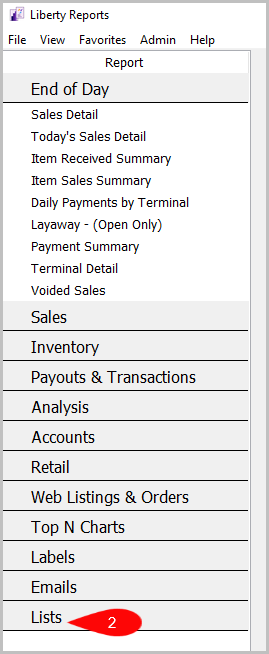
- Click on Lists
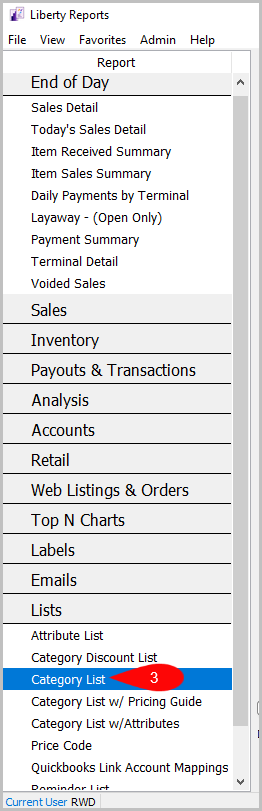
- Click on Category List


Default Parameters:
- Level
- Category
- Description
- Visible
- Product Line
- Tax
- Default Weight
- Last Update
How To Add Criteria
- Click on the Add More Criteria button.
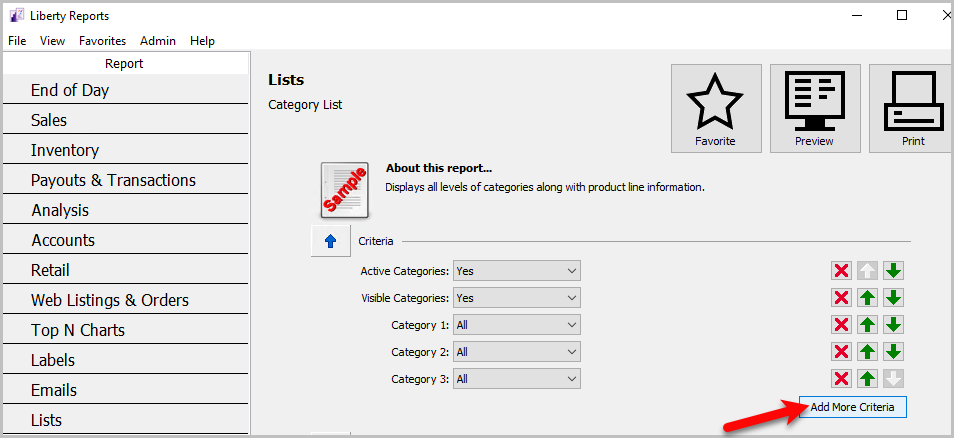

Criteria Choices
- Active Categories
- Category 1
- Category 2
- Category 3
- Visible Categories
Next Article In Section
Click the following link to move to the next article in this section:
Category List with Attributes Report
Related Topics
Category List Report Selecting the Right Report Application Security Settings Report Attribute List Report Category Discount List Report Category List with Attributes Report Category List with Pricing Guide Report Price Code Report Quickbooks Link Account Mapping Report Reminder List Report Tax Type Report