Table of Contents
Item Description by Account Report
Displays inventory information associated with each account.

When to Use
This report is generally considered the main inventory report in Liberty.
Where To Find The Report
Reports > Inventory > Item Description by Account
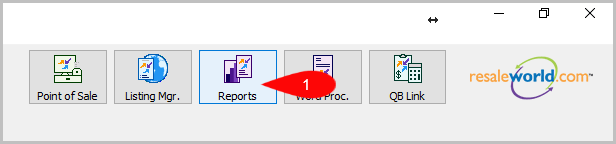
- Click on Reports
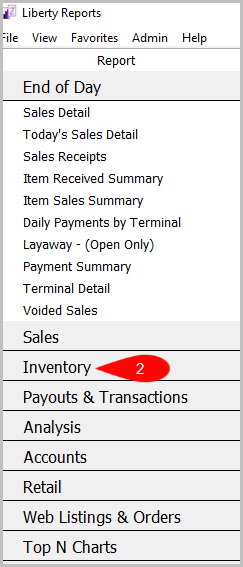
- Click on Inventory
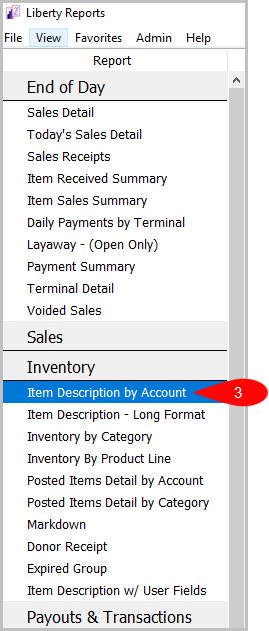
- Click on the Item Description By Account Report


Criteria Choices
- Account Added By
- Account Number
- Account Type
- Active Account
- Allow Donate
- Category 2
- Category 3
- Condition
- Cost/Net
- Custom 1
- Custom 2
- Custom 3
- Custom 4
- Custom 5
- Date Modified
- Expiration date
- Filter Code
- Item Added By
- Item Disposition
- Item Number
- Item Received date
- Item Status
- Last Item Added
- Last Name
- Locations
- Modified By
- Number Of images
- Pickup Date
- Price Code
- Product Line
- Purchase Method
- Quantity On Hand
- Season
- Store Section
- Tag Color
Next Article In Section
Click the following link to move to the next article in this section:
Item Description With User Field
Related Topics
Item Description by Account Report Selecting the Right Report Donor Receipt Report Expired Group Report Inventory by Category Report Item Description - Long Format Report Item Description With User Field Markdown Report Posted items Detail by Account Report Posted Items Detail by Category Report Account Comments Report