Table of Contents
Terminal Detail Report
View sales by POS terminal (cash register).

When to Use
This report allows users with more than one PoS station to view the Payment Summary information for each terminal.
How To Get To This Report
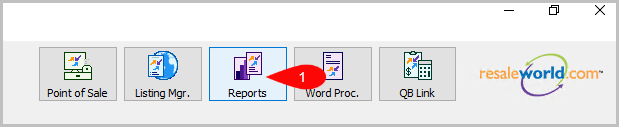
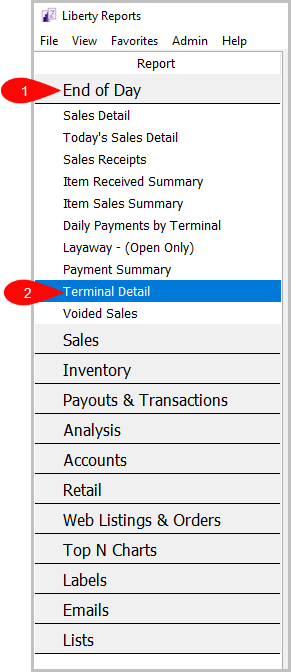
Reports > End Of Day > Terminal Detail
- Click on Reports
- Click on End Of Day to expand it if it isn’t already.
Then, click on Terminal Detail.


How To Add Criteria
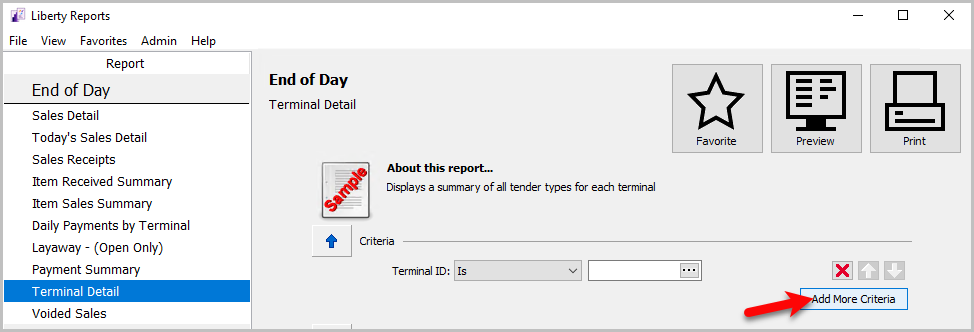
- Click on the Add More Criteria button.
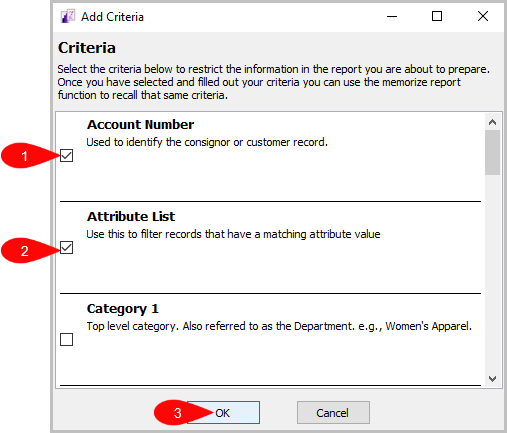
- Select the criteria you want to add and then press OK.


Criteria Choices
- Terminal Location
- Terminal ID
Next Article In Section
Click the following link to move to the next article in this section:
Today’s Sales Detail Report