Table of Contents
Item Received Summary Report
This report summarizes key information for items received within a certain time frame.
Note: This report does not include individual records, only a summary page.

When to Use
Run this report to see a quick overview of inventory intake, including a breakdown of the top ten categories.
How To Get To This Report
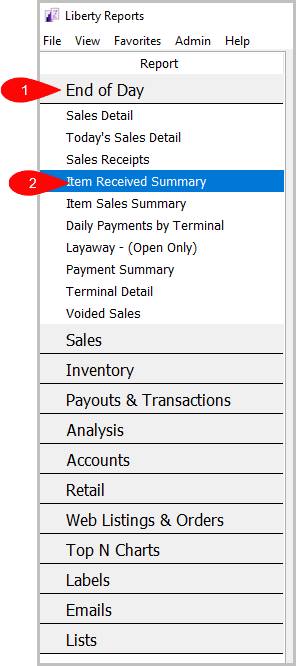
Reports > End Of Day > Item Received Summary
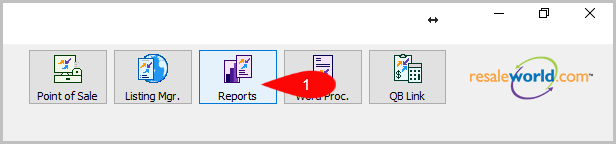
- Click on Reports
- Click on End Of Day to expand it if it isn’t already.
Then, click on Item Received Summary.


How To Add Criteria
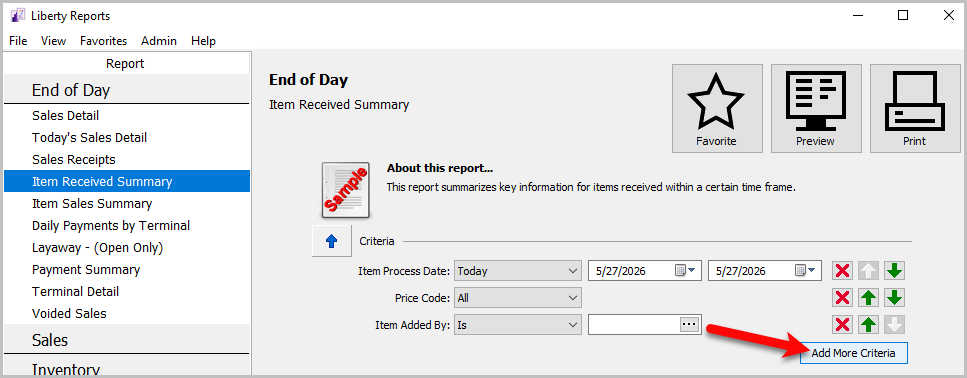
- Click on the Add More Criteria button.
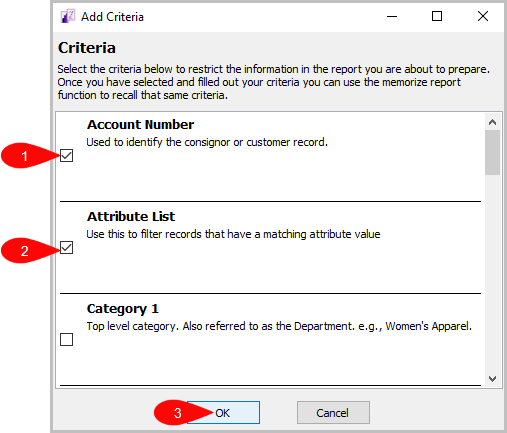
- Select the criteria you want to add and then press OK.


Criteria Choices
- Account Number
- Account Type
- Category 1
- Category 2
- Category 3
- Filter Code
- Item Added By
- Item Received Date
- Location
- Price Code