Table of Contents
Account Comments Report
Displays all comments related to each account.

When to Use
Run this report to locate a note or comment that has been entered in to an account.
How To Get To This Report
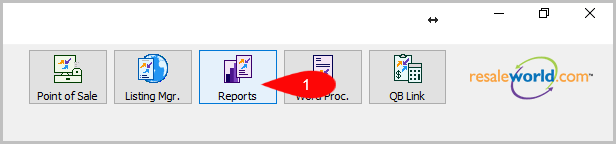
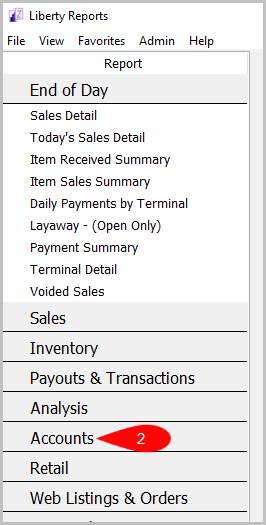
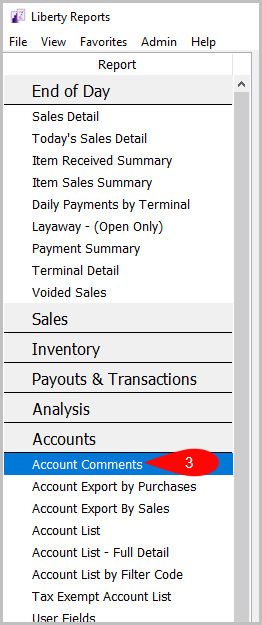
Reports > Accounts > Account Comments
- Click on Reports
- Click on Accounts
- Click on Account Comments if it’s not already selected.


Criteria Choices
- Account Number
- Active Account
- Comment Date
- Comment Keyword
- Filter Code
- Priority
- Store User
Next Article In Section
Click the following link to move to the next article in this section:
Account Export by Purchases Report
Related Topics
Account Comments Report Selecting the Right Report Account Export by Purchases Report Account Export by Sales report Account List Report Account List by Filter Code Report Account List - Full Detail Report Tax Exempt Account List Report User Fields Report Wish List - Cross Reference report Wish List Report