Table of Contents
Printing Items Purchased By History
Use this report to see if there is a particular trend in certain customers purchasing items from a specific account. This is a great way to reach out to those customers when items for the specific account are replenished.
- From within the client’s account, select Tasks > Print > Purchased by History.
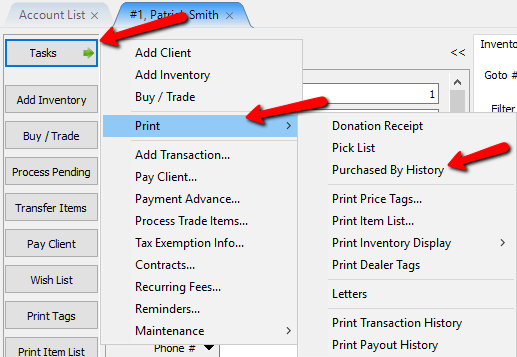
The Purchased By History dialog box will open.
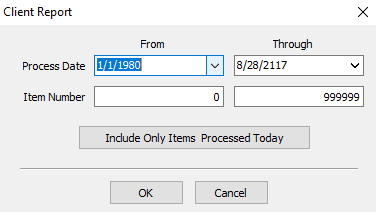
- Process Date : This is the period the items started their consignment on the floor.
- Item Number : These are the item numbers on the account.
- Include Only Items Processed Today button : Selecting this button will include any items that started their consignment period on the current date.
- Once you have selected your criteria, select the OK button.
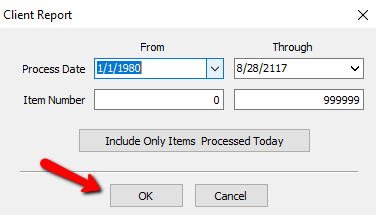


The Purchase By History report will be generated and can be printed for further use.

Next Section Navigation Link
Click the following link to see a list of articles for the next section:
Reports