Table of Contents
Printing a Donor Receipt
This report shows a list of items with no pricing information, along with a line that can be used to enter the donation value.
Note: This report automatically inserts a page break between accounts

When to Use
There are two main differences between this report, and the Donor Receipt that can be run from inside an account in the Inventory Module:
- This report can be used to simultaneously prepare a Donation Receipt for multiple accounts.
- This report can be set to show only items that have already been posted as “Donated”.
Criteria Choices
- Account Active
- Account Number
- Date Posted
- Expiration Date
- Item Disposition
- Item Received Date
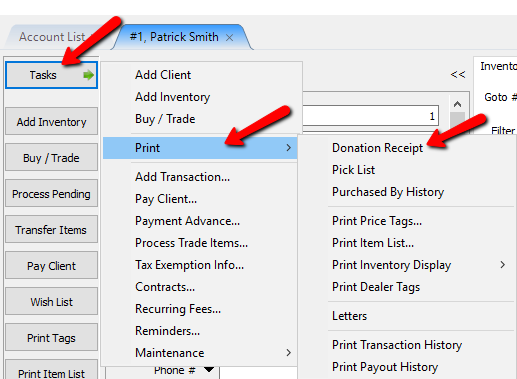
- From within the client’s account, select Tasks > Print > Donation Receipt.
The Donation Receipt Dialogue box will open.
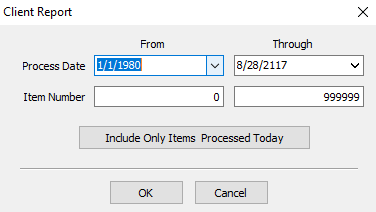
- Process Date : This is the period the items started their consignment on the floor.
- Item Number : These are the item numbers on the account.
- Include Only Items Processed Today Button : Selecting this button will include any items that started their consignment period on the current date.
- Once you have selected your criteria, select the OK button.
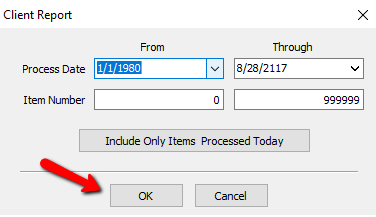


The Donation Receipt will be generated which can be given to the consignor.

Next Article In Section
Click the following link to move to the next article in this section:
Printing Transaction History