Table of Contents
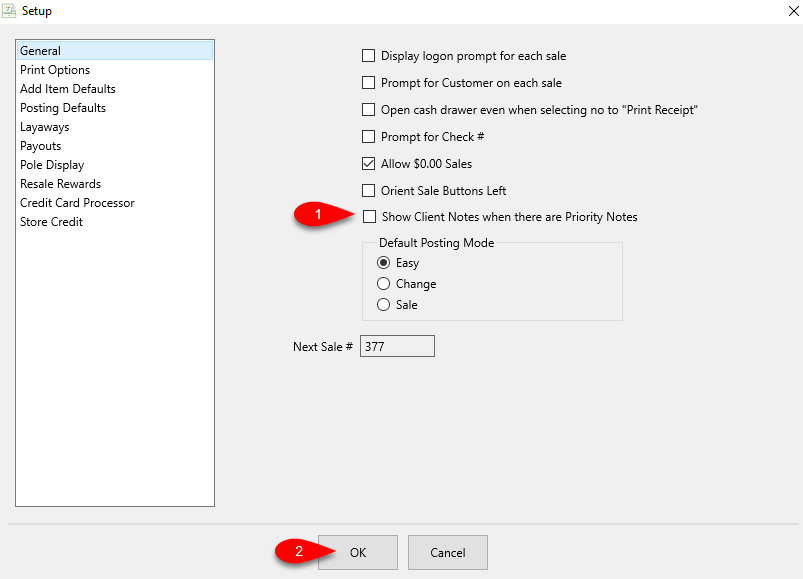
Show Client Notes when there are Priority Notes
By default, the Red Priority Dot that appears in the POS when there is a priority note on an account you select.
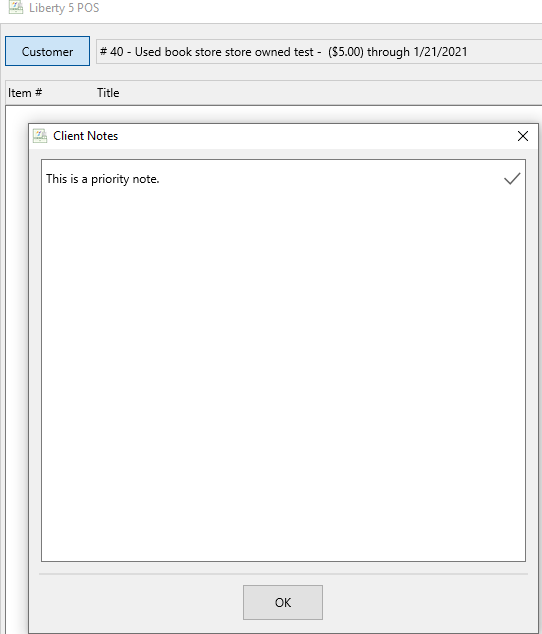
It is also possible to set these Priority Notes to pop when you select an account as a customer in the POS.
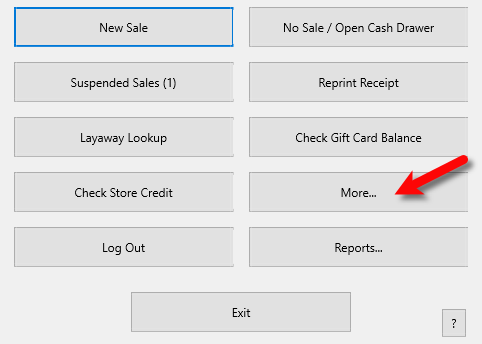
- Open the POS and then click the More… button.
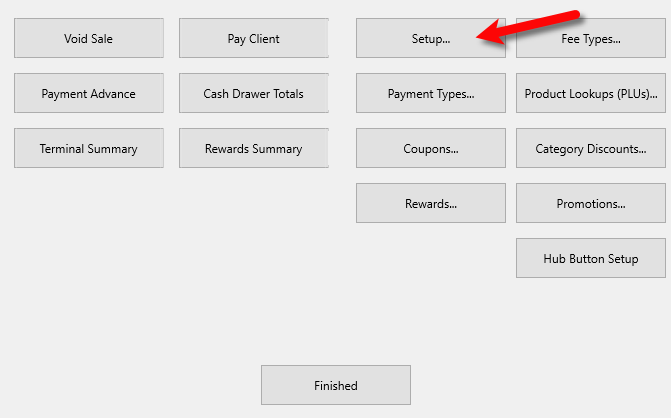
- Click the Setup… button.
- Checkmark the option to Show Client where there are Priority Notes, then click the OK button.
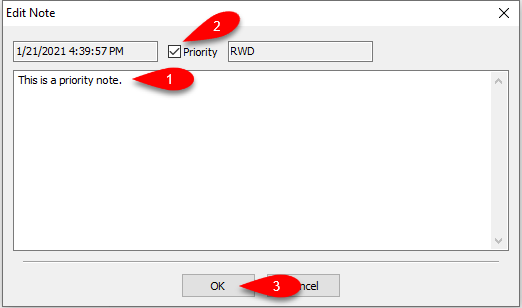
- Now when you open an account in Liberty REACT Inventory Module you can click on the Notes tab and click on the Add button.

- Here you can create a Priority Note, make sure to checkmark the Priority box then click OK.
- When you are in the Liberty POS and you select the account as the Customer, the Priority Note you created in the past will now pop up.


Next Article In Section
Click the following link to move to the next article in this section:
POS Add Fulfillment