Table of Contents
Clear Checks
Inventory Module > Activities > Accounting > Clear Checks
Clearing checks is the process of marking check to an account holder as having cleared the bank. It is not necessary to clear Cash payouts as they do not pass through the bank and thus do not appear on your bank statement.
The purpose of Clearing Checks is to be able to tell an Account Holder with a question about being paid whether their checks were cashed. This is a handy feature when a dispute arises about payment for items.
When a payout is cleared its status is changed from “Open” to “Cleared” in the Status field, which appears in the Payout History window.
Liberty has two ways in which to mark a payment as Cleared. Multiple checks can be cleared together at the same time, or a payouts can be marked as Cleared from within the payouts tab in the client's account.
To Clear Checks
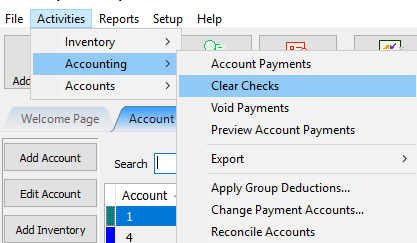
- From the main menu, click on Activities > Accounting > Clear Checks.
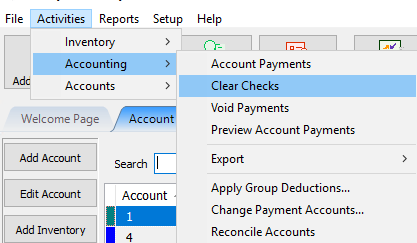
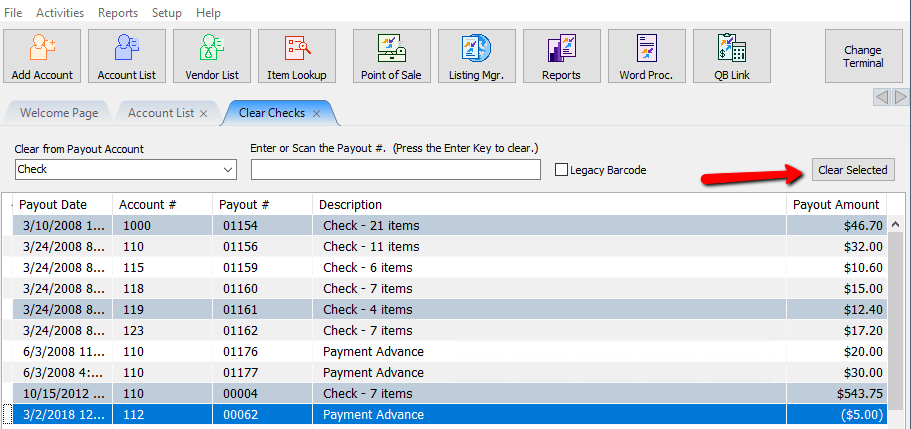
The Clear Checks screen will display.
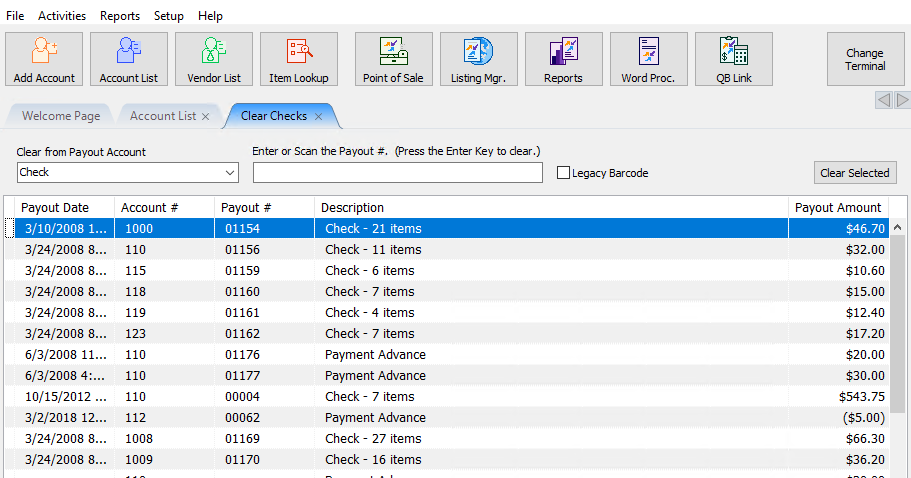
- Select the account from which to clear payouts.
Alternatively you can type or scan the check number in the Enter or Scan the Payout # Field by clicking the mouse in the field.
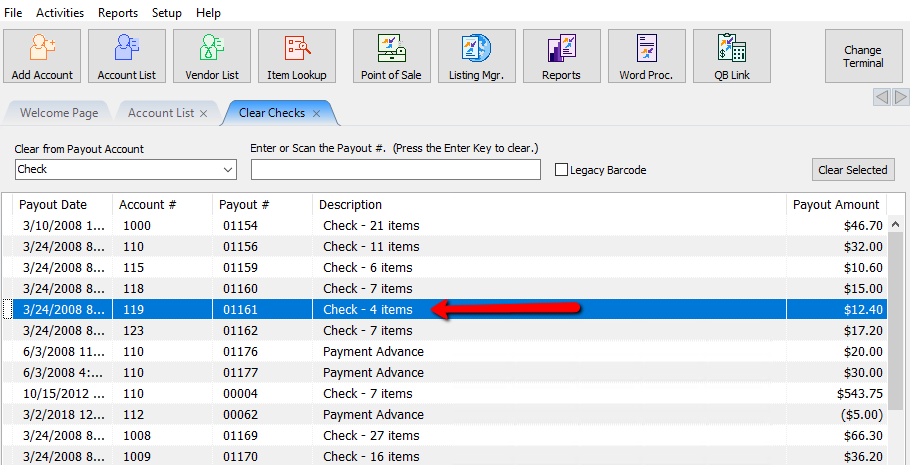
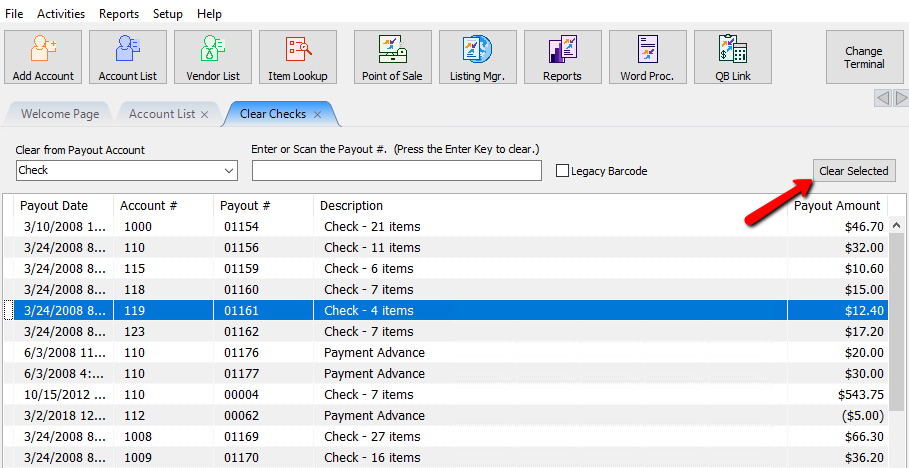
- Click the Clear Selected button.
Clearing Individual Payouts Within An Account - To mark a check payout as Cleared, navigate to the Payouts tab in an account.
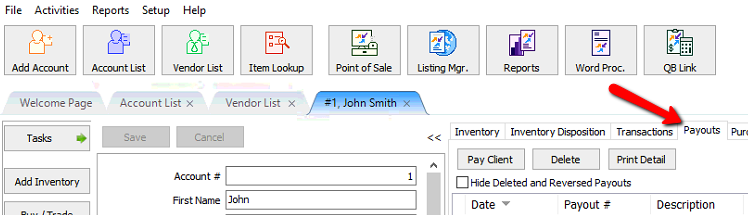
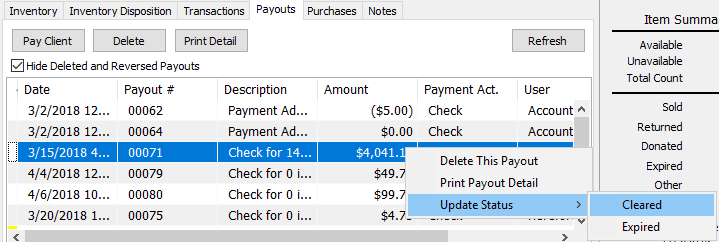
- Right-click the payout, choose Update Status, then “Cleared”. Only payouts with a status of Open may be marked as Cleared.
To Clear Multiple Checks - From the main menu, click on Activities > Accounting > Clear Checks.
- Select the accounts from which to clear payouts. Hold the <Ctrl> key down while clicking on the payouts to clear. This will allow multiple payouts to be selected simultaneously.
Note: When using a barcode reader be sure the terminator (the <enter> key) is turned off. (The terminator is sometimes referred to as the termination character.)
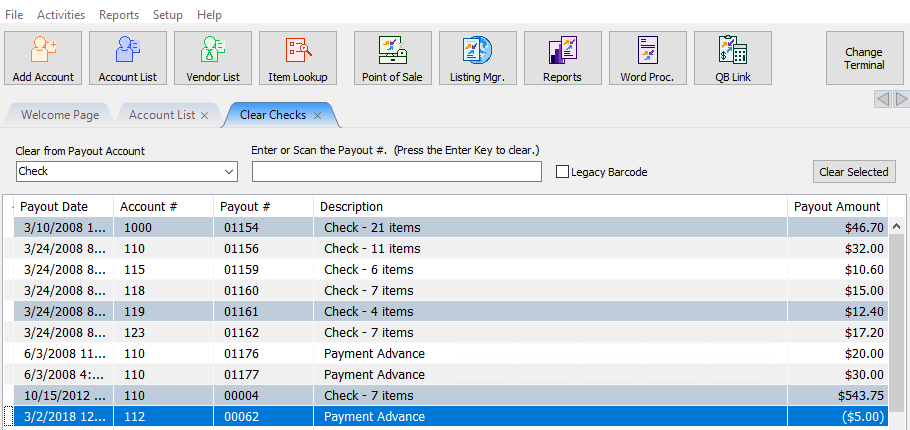
- When all payouts have been selected, click the Clear Selected button.


Next Article In Section
Click the following link to move to the next article in this section:
Printing Cash Payout Statements
Related Topics
Clear Checks View Payout History How to Expire a Posted Payment Determine Amount Payable to an Account Holder Assessing Fees to Accounts and Items Change Payment Account for Multiple Accounts How to setup check fees How To Set A Check Address Offset Combine/Reconcile open Transactions Credit/Debit a Client Account