Table of Contents
Printing the PickList From The PickList Tab
You can print a copy of the PickList to take with you to the floor to help you find the items that you need to pull.
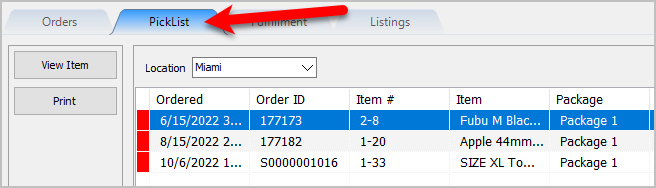
- Open the Listing Manager and navigate to the PickList tab.
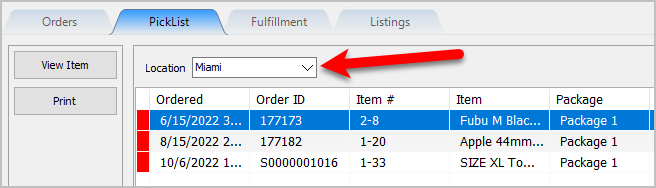
- Select the Location of the orders you want to work with from the Location drop-down
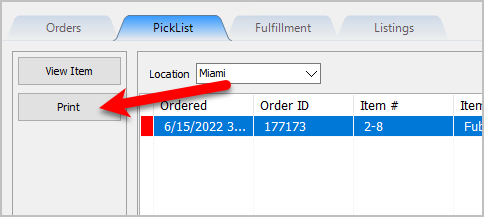
- Click the Print button.
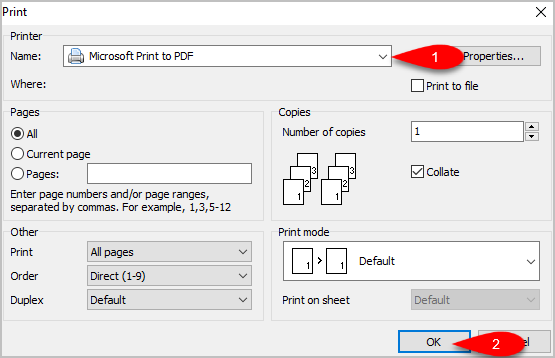
- If you do not want to use the Default Windows Printer, select the printer you want to Print from and then click the OK button.
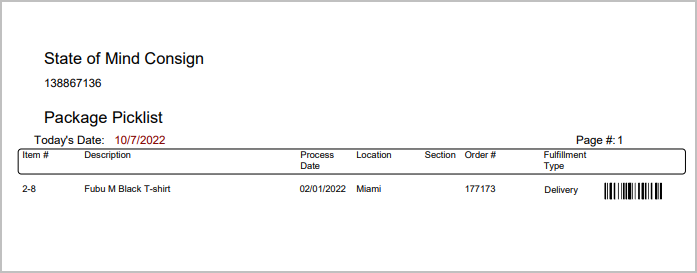
- Here is a sample of what the PickList will look like.


Next Article In Section
Click the following link to move to the next article in this section:
Picking Items In The PickList Tab
Related Topics
Printing the PickList From The PickList Tab PickList Tab Overview Picking Items In The PickList Tab Viewing Item Details Within The PickList Tab Flagging Items From The PickList Tab Creating Pick bins For Sorting Picked Items Picking Items Into A Pick Bin Adding An eBay Description Adding Images To An eBay Listing Definitions of Ebay Description Processor Buttons Deleting Images From An eBay Listing