Table of Contents
View Pending Orders
When an eBay item is won at auction or is purchased as a buy it now item (BIN), the item will remain in a pending order status until it is paid for by the purchaser. The customer is not obligated to pay for these items right away and may pay later.
Note: Items that sell and have 0 quantity but are pending payment will be shown as sold online in listing manager, preventing them from being sold in the POS. They will not be shown in the Orders tab under Paid until a payment is collected.

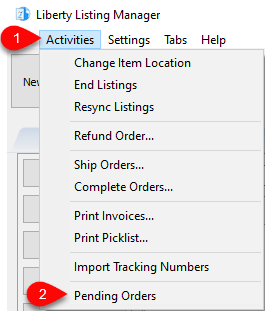
- You can view the items that are awaiting payment by opening the Listing Manager and going to Activities > Pending Orders
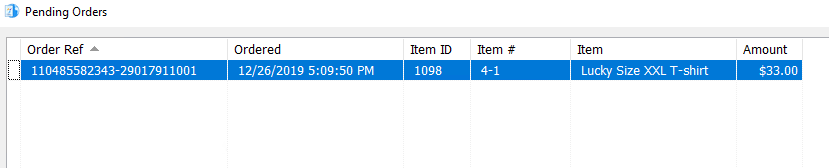
- Orders that are awaiting payment will then be shown. These orders also include Best Offers that are awaiting your decision as to whether you wish to accept the offer made by the potential purchaser.
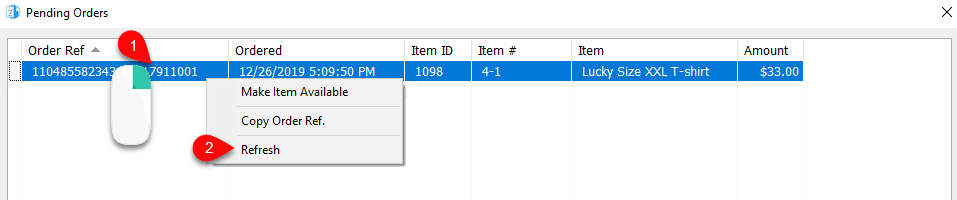
- If the Pending Orders list is not missing or showing the correct orders, you can Right-Click anywhere in the list, and then from the context menu click Refresh to reload the list with the most recent data.
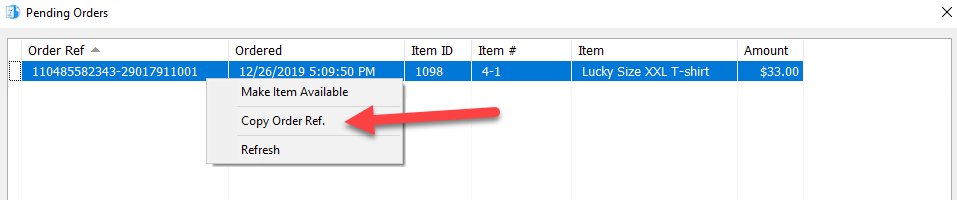
- If you need to copy the eBay Order Reference Number, you can do so by right clicking on a pending order and then clicking Copy Order Ref. This will place the reference number in your clipboard if needed.
- It is possible to make items that are part of an order available again for sale by Right-Clicking on the order and then selecting Make Item Available.
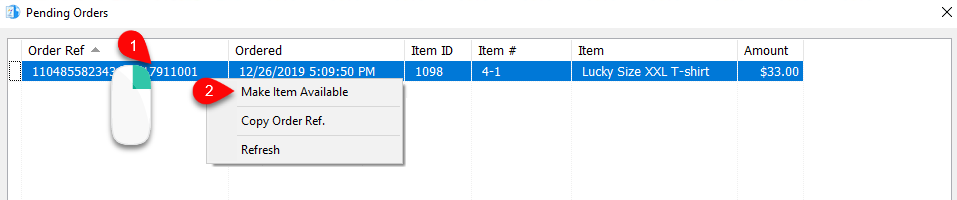
- Click the Yes button and this will make remove the item from pending orders and make it available again.
This is very useful in the event that you have confirmed that the potential eBay customer is not actually going to buy the item.



You Can Also See Pending Web Orders From Their Account.
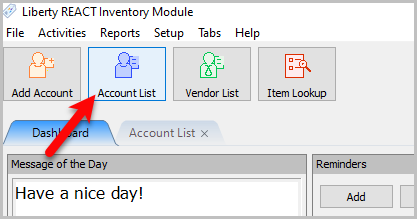
- Go to Account List in Inventory Module
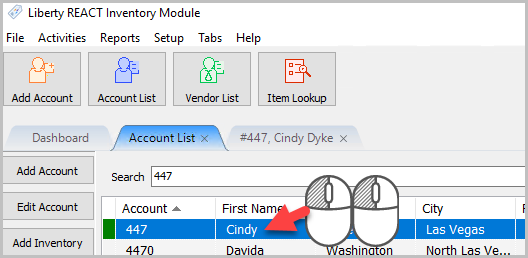
- Then go to the Account you want to view
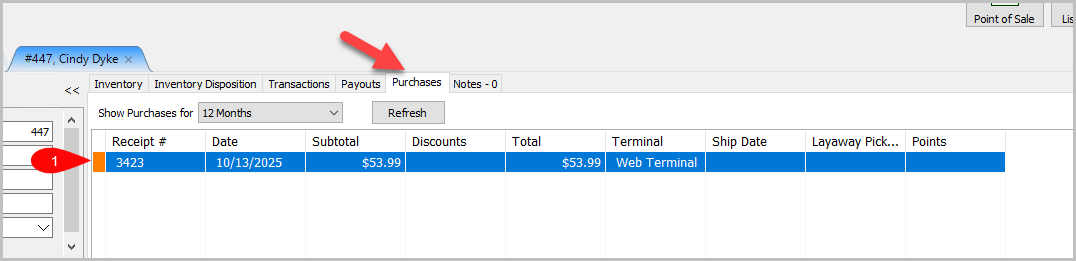
- Then go to the Purchases Tab
Any purchase in orange is a pending web order.


Next Article In Section
Click the following link to move to the next article in this section:
Marking An Order As Complete