Table of Contents
Marketplace Options
Controls the settings for Sales Tax State active marketplaces in Listing Manager, as well as the display color, default template, and the surcharge for each marketplace.

- Sales Tax State - Charges sales tax for online sales within the selected state, does not charge tax for sales outside the selected state.
- Truncate Surcharge Amount : Truncate Surcharge Amount controls whether Liberty rounds the automatically calculated listing price to the nearest dollar when factoring in a Web Surcharge.
This setting defaults to on and can be used to ensure smooth dollar amounts when listing. It will actually use the same price extension as what the item is entered with.
Example: If you have an item priced at 34.99 and you have a 7% web surcharge, the web price is calculated to be 36.99.
- Always assess full web surcharge : Surcharges are assessed as normal, where the percentage is added to the price when listing an item in a given Marketplace.
- Only assess web surcharge on amount that exceeds in-store selling price : This option will assess surcharges on the amount that is over the in-store price (The Price set in Listing Manager minus the Price set in Inventory Manager). This will usually incur a much smaller Web Surcharge than the above surcharge setting.
- Adjust surcharge with sales discount : This will assess surcharges as normal, except that this will assess them after the discounts are applied to the item’s Price, resulting in the surcharge being calculated on the discounted amount.
- Marketplace - The online sales site
- Surcharge - The percentage added to the price when listing an item in a given Marketplace
- Active - Whether Listing Manager is set to use this Marketplace or not
- Color - The color used to identify transactions using this Marketplace
- Edit - Opens the Maintain Marketplace window for the highlighted Marketplace.
Maintain Marketplace
Double-click to Edit any of the following Marketplaces.
This will allow you to change the specific settings for each Marketplace.

- Default Surcharge - Changes the default surcharge percentage set for the selected Marketplace
- Percentage/Flat Rate - Allows surcharge to be applied as flat amounts, rather than percentages.
- Default Template - Drop-down box to select the html template to use for the selected Marketplace
- Synchronize Item Price: Allows you to set whether you want changes made to price in the Inventory Module to update web listings for items. Leaving this option unchecked will allow web listings to be a different price from what is in the inventory module.
- Active - When checked, the Marketplace will be set to Active. When unchecked, the Marketplace is not active.
- Color Panel - Selects the color used to mark transactions for this Marketplace
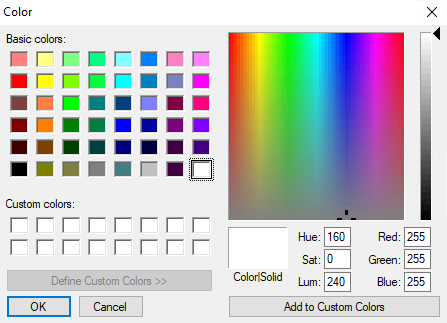
- More Colors… - Opens a color window with options to set custom colors

Next Article In Section
Click the following link to move to the next article in this section:
Storefront Settings