Table of Contents
How To Add Images To An Item Using A Barcode On The Tag Android
- Open the Liberty Photo App on your iDevice and then Sign In.
If you are not familiar with this procedure please visit the following page:
Opening The Liberty Photo App Android - Tap the Barcode icon.
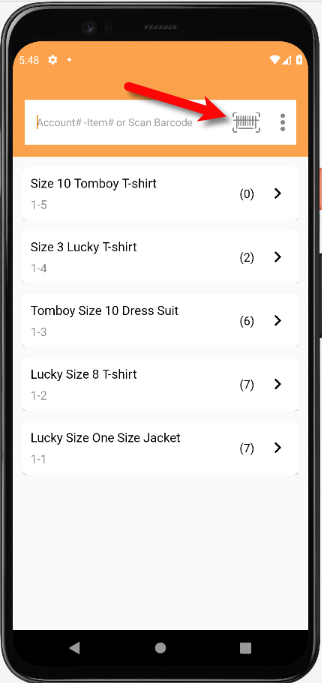
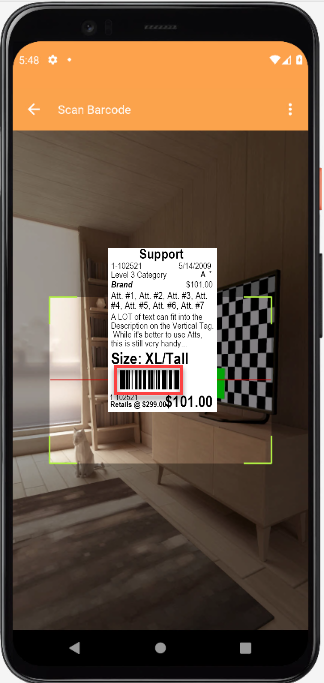
- Place the tag of the item you want to pull up in front of the device’s camera.
The camera will read the barcode of the item and bring you back to the main screen automatically.
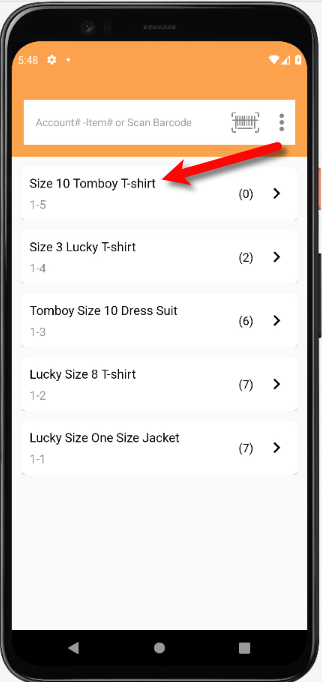
- Tap the item that the barcode brought up.
- You can now take or add a picture, edit existing pictures on the item or delete pictures.
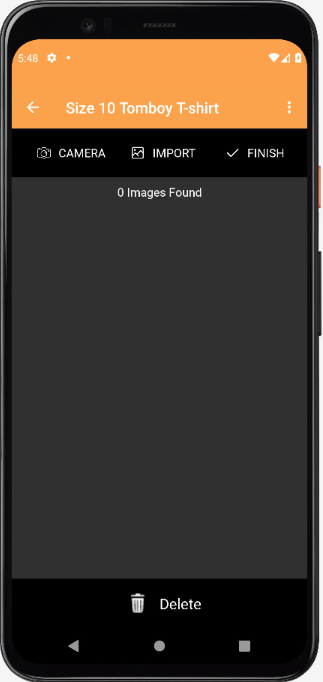
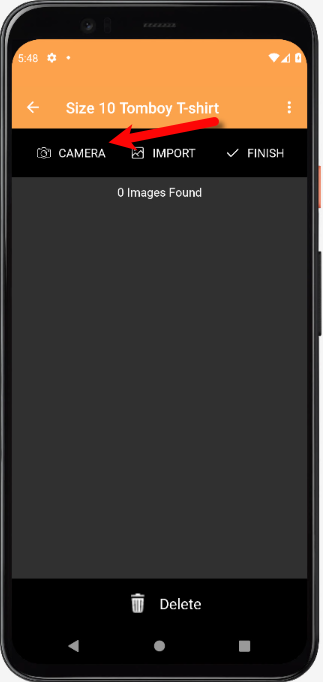
- To take a picture, tap the Camera icon.
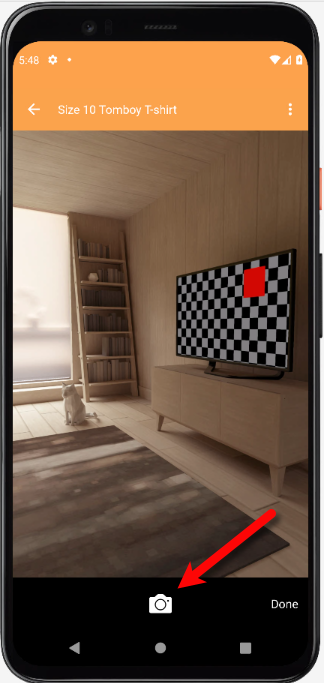
- Tap the Take Picture button when you are ready
- You will have some options you can edit after taking a picture of your item.
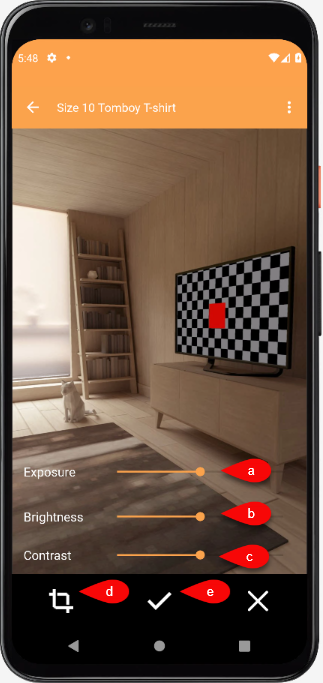
- Exposure Control: This sets the exposure level of the image. Raising the radio bar higher makes the image brighter, while lowering the bar makes the image darker.
- Brightness: Allows you to change the brightness of the image by sliding the bar from left to right.
- Contrast: Allows you to change the contrast of the image by sliding the bar from left to right.
- Crop: Allows you to select what part of the photo you would like to use.
- Tap the Checkmark button when you are finished. You can also tap the X button if you want to retake the image.
- From here you have one of two options.
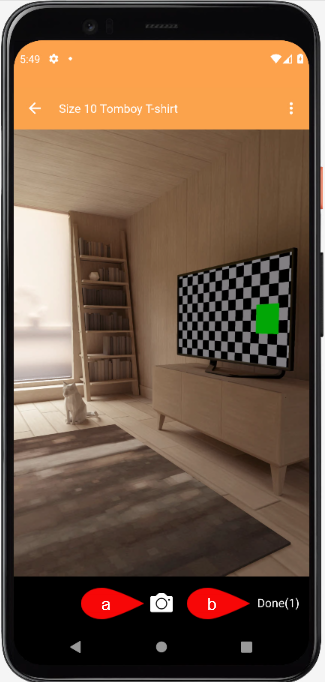
- You can continue to take more pictures.
- You can tap the Done button to move on to the next step.
- You will see the pictures you have taken underneath the Ready to upload section.
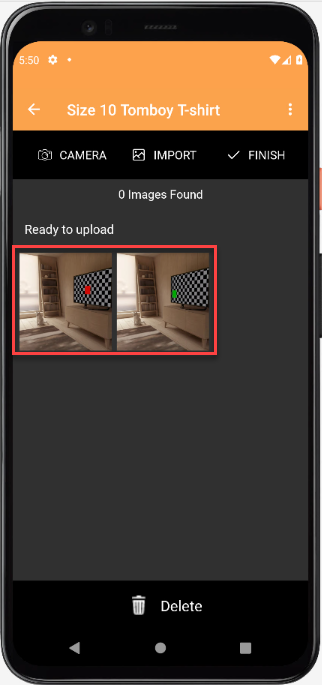
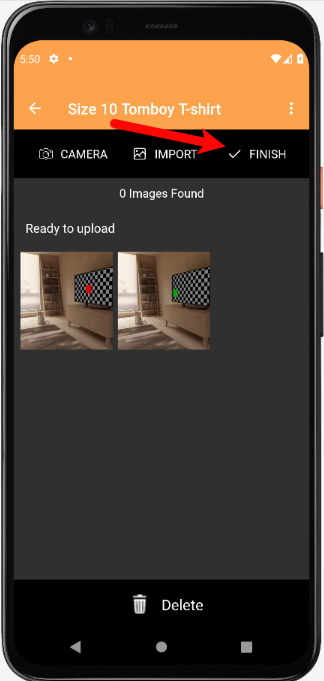
- Tap the Finish button and your pictures will then be uploaded.
- You can now select whether you want to mark the item as a Web Item.


If the item is already marked as Web Item you will not see a prompt to mark the item as Web Item. Your listing will simply be updated with the new images.
This coincides with the Automatic Create New Listing feature in Listing Manager which allows these items to be sent automatically to either Shopify or ShopRW depending on if you have it enabled.
Note: It is possible to create a listing for eBay using this feature but you will be required to edit that listing in Listing Manager before it can be pushed to eBay. This is because there are some options that need to be edited before the item can be sent to eBay.

Next Article In Section
Click the following link to move to the next article in this section:
How To Delete Images From The Liberty Photo App Android
Related Topics
How To Add Images To An Item Using A Barcode On The Tag Android How To Download and Setup The Liberty Photo App for Android How To Use The Liberty Photo App for Android Overview Opening The Liberty Photo App Android How Use The Camera To Add Images To Items By Using Account - Item Number Android How To Delete Images From The Liberty Photo App Android How to Edit A Photo That Is Attached To An Item Android How To Add Images Using the Import Feature (From Local Disk and Other Sources) Android Editing The Settings Within Liberty Photo App Android Placing a Watermark Image On Your Pictures Android Changing Which Server You Want To Connect To Android