Table of Contents
Price Check Feature
The following video chapter contains setup information on this topic:
https://www.youtube.com/watch?v=bm9YPwazle0&t=664s
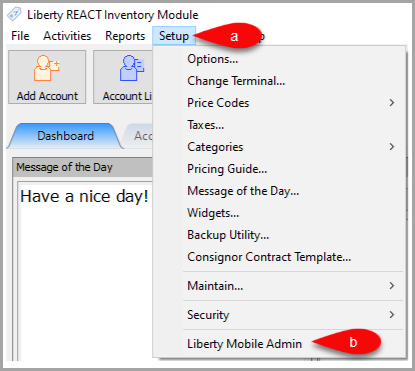
- Open Liberty and then click Setup and then Liberty Mobile Admin.
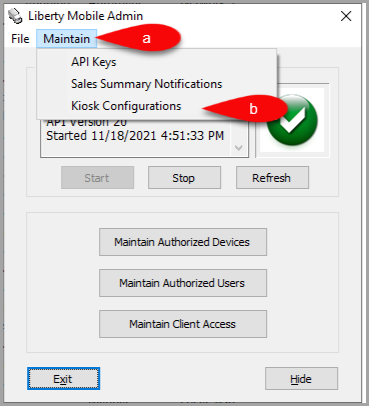
- Click Maintain and then Kiosk Configurations.
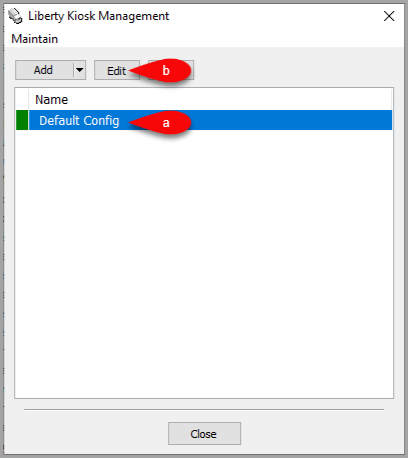
- Select the Configuration you want to edit and then click the Edit button.
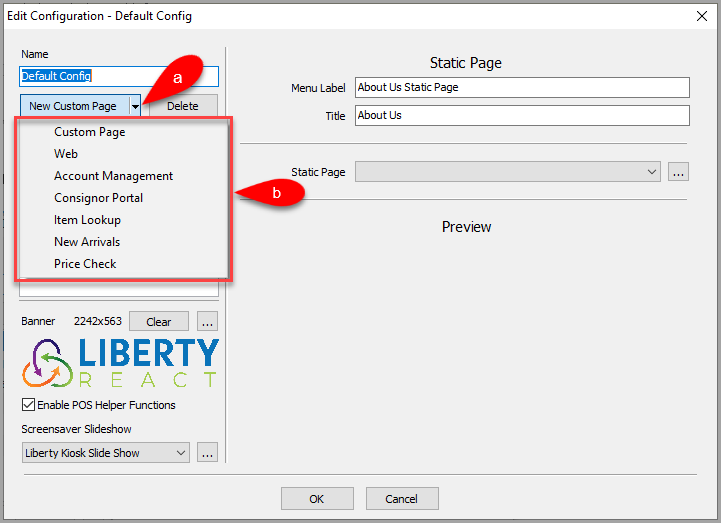
- Click the dropdown for New Custom Page, then select the Price Check option.
- Here are options you can change for the Price Check feature.
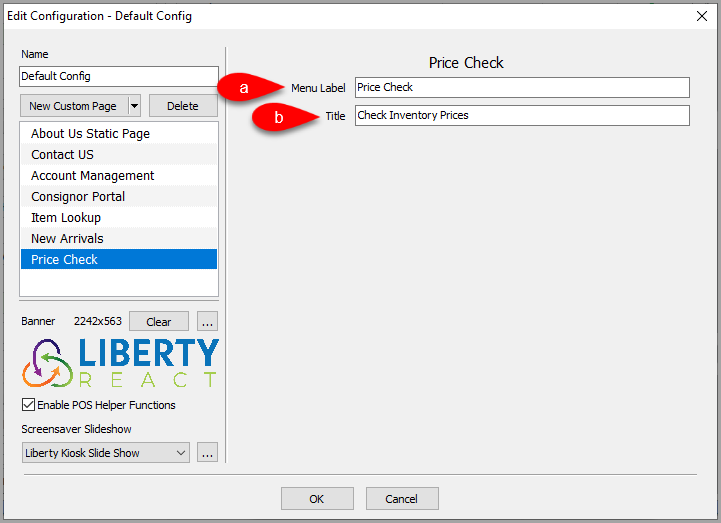
- Menu Label: This is the feature menu label that appears in the Liberty Kiosk App
- Title: Title of the page when shown in the Liberty Kiosk App.
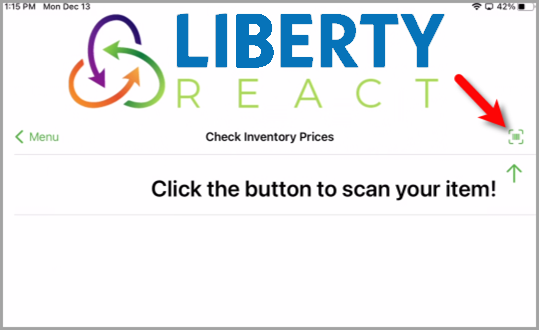
- Example of what the Price Check feature looks like on the Liberty Kiosk app.
- Tap the Barcode Scan icon.
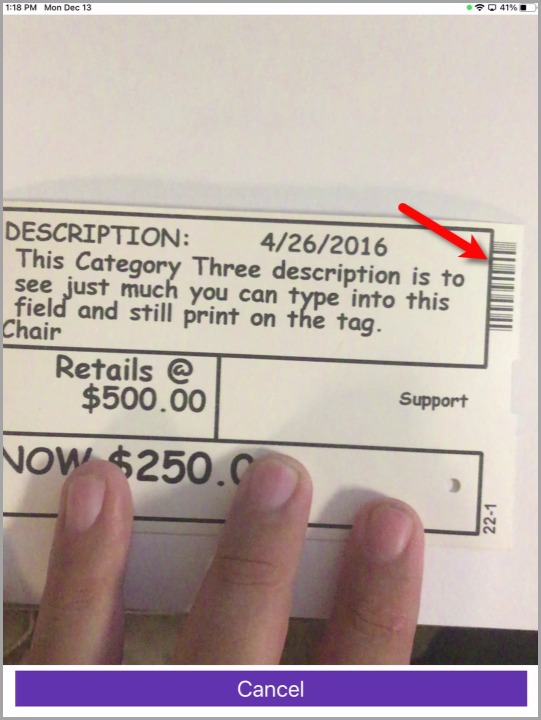
- Point the Camera at the barcode on the tag.
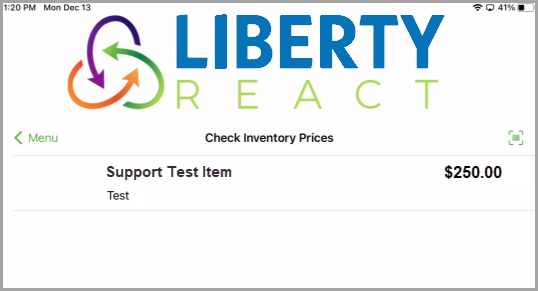
- Your item should come up with the current price on the Liberty Kiosk screen.


Next Article:
If you have already signed up for Resale Rewards, you can now setup the POS Resale Rewards Connect option for the Liberty Kiosk app.
Please click on the following link to continue: POS Resale Rewards Kiosk Connect
Note if you would like to know more about Resale Rewards, please contact Resaleworld at (800)785-4800 for more information.
Next Section Navigation Link
Click the following link to see a list of articles for the next section:
Inventory Drop Off