Table of Contents
Item Entry Windows - Overview
Liberty handles five types of items:
- Consigned : Items that are unique and usually only available as Consigned. These items create a payable transaction when sold based off of the consignment split.
- Purchased Outright : These are items that were purchased from a client. When they are entered into the system, the account immediately receives and outright purchase transaction that is payable. This money is immediately payable by check, cash or store credit through the point of sale.
- Retail : Retail items that are usually available from manufacturers in quantity, e.g. 6 silver plated forks or 10 size 15 neck, 34/35 sleeve long sleeve white dress shirts. These items are referred to as Retail items.
- Trade : An item brought in by a client – usually an individual – that can either be exchanged for cash value or a higher amount is given for the item as a trade value, which the client can later use for store credit purchases. Trade is a temporary state for an item, as the trade must be processed before the item can be sold (Items are set to be Purchased once a trade is processed).
- Store Owned : Items that are property of the store and do not need a payable transaction to be paid out. This allows you to keep track of inventory cost without generating a payable transaction. This is a purchase method that can be changed when utilizing the consigned item entry window.
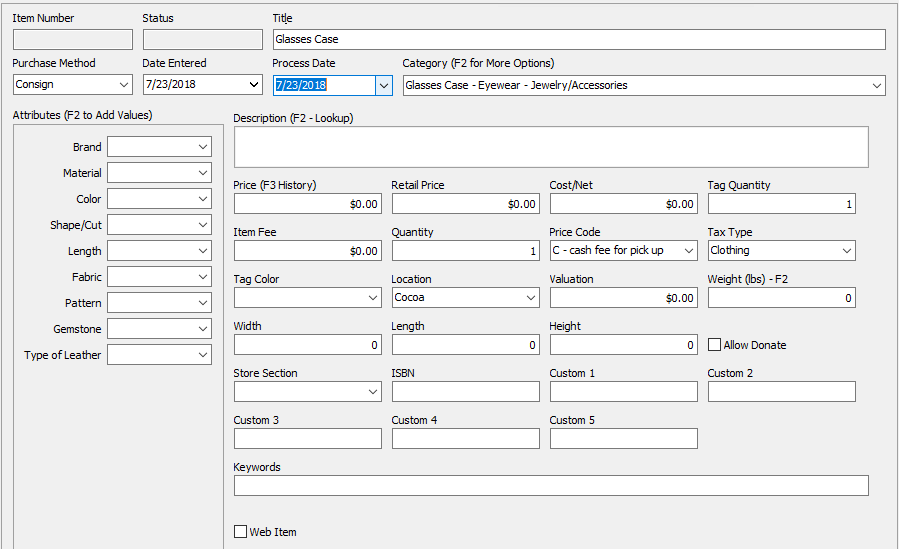
As such, there are three Item Entry Windows: - Consigned Item Entry Window
- Retail Item Entry window.
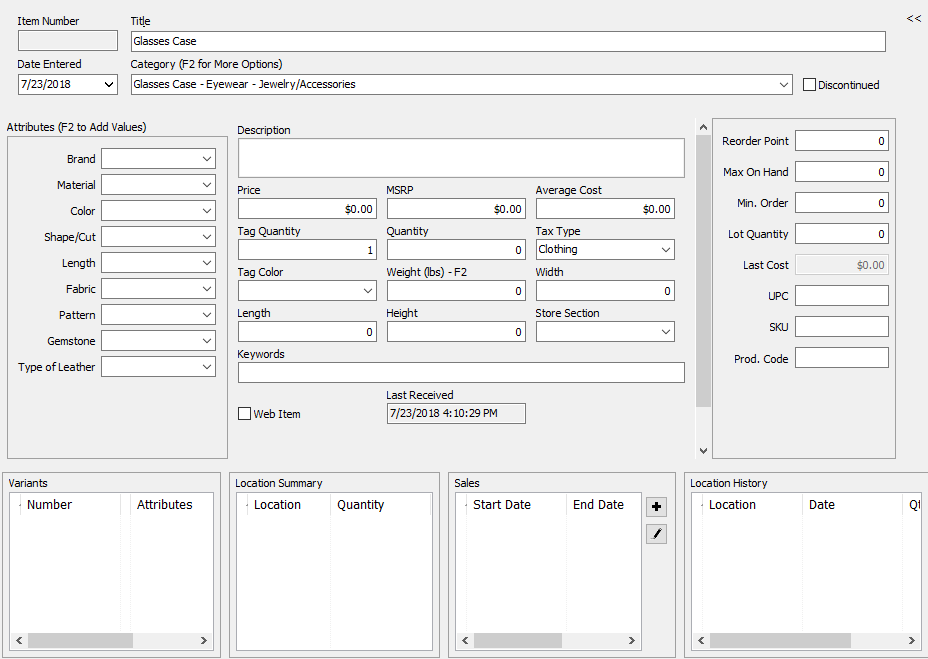


Which window appears depends on the Account Type. When the Account Type is Client or Store Account, then the options will be either Consignment Item Entry, or Trade Item Entry. When the Account Type is Retail Vendor, then only the Retail Item Entry window appears.
Trade Item Entry Window:

Note: The Trade Item Entry window and the Consignment Item Entry window look the same except for 2 very distinct characteristics. In the Buy / Trade Item Entry Window you can not change the Purchase Method. It is defaulted to Pending. Also just above the New Item button it will say in big bold letters Buy / Trade

Note: An account cannot contain both Consigned items and Retail items although you can put more than one quantity of a Consigned item. Having more than one quantity in an account other than retail mainly means you cannot restock to that item if you receive more (items must be added as new inventory).
Tip: For maximum speed and efficiency Liberty has been designed to make adding inventory Mouseless. This means that when entering inventory it is not necessary to use the mouse. As you enter items into Liberty, take time to discover how fast you really can enter inventory as a result of this sophisticated design approach. Most importantly, watch how Liberty Auto Fills as you type information. Most of the time it is only necessary to type two or three characters instead of an entire category, attribute, brand or other word/phrase.
Next Article In Section
Click the following link to move to the next article in this section:
Adjust Item Quantity
Related Topics
Item Entry Windows - Overview Training Mode Inventory Overview Retail Item Entry Window Adjust Item Quantity Changing Form Of Acquisition To Consigned On An Existing Item How To Use Change Item Details Changing Form Of Acquisition To Purchased On An Existing Item Change Item Location For Inventory Module