Table of Contents
Find an Item from within an Account
This routine is particularly useful when an account contains a large number of items. There are two ways to find items:
- By Item Number
- By Date Received
To Find An Item
- In Liberty Inventory, Lookup the account.

Double click the account you want to open.

The account details will open.
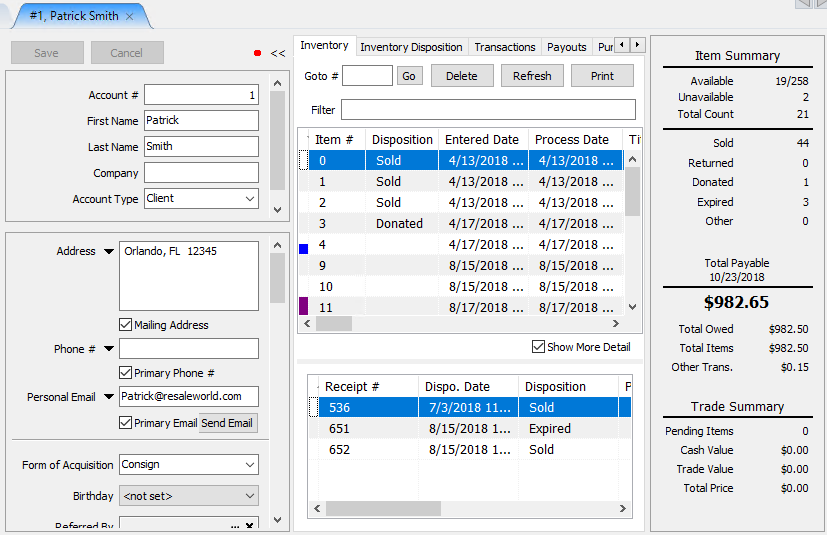
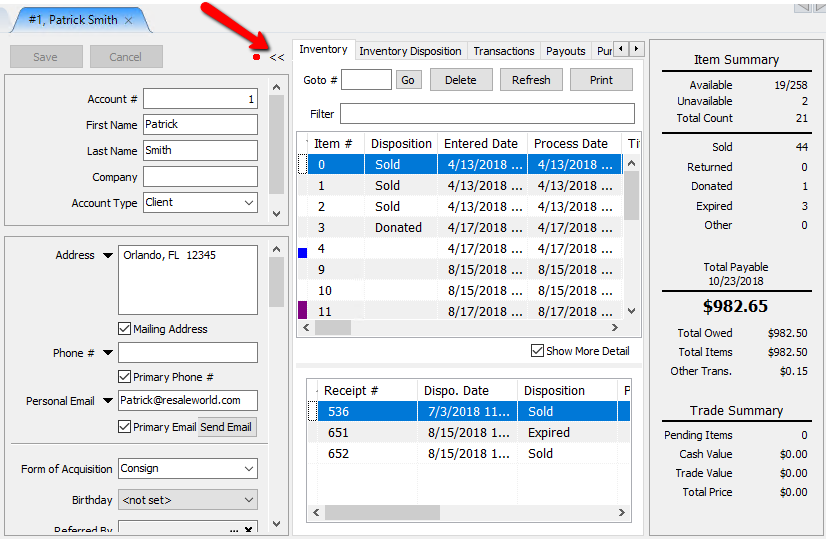
You can hide the account details to get a better look at the inventory by clicking on the double arrows next to the inventory tab.
At the top of the inventory tab there are a few options we can use to find items in an account.
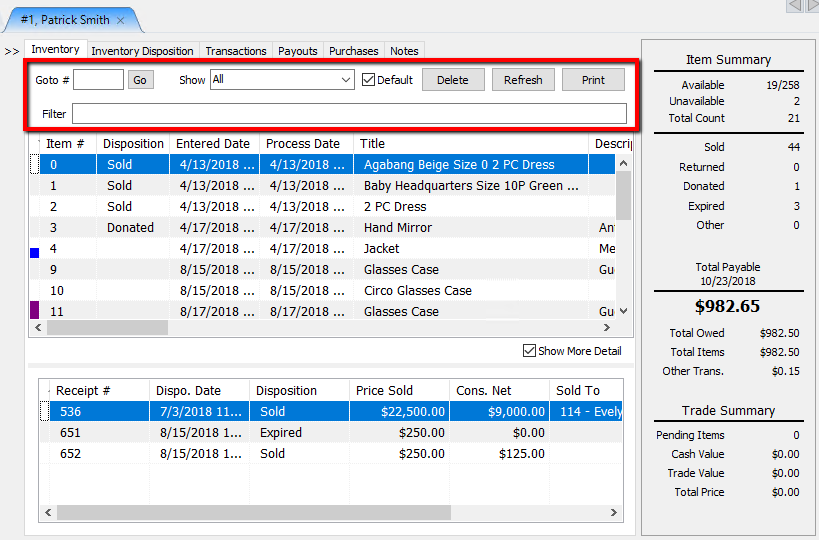
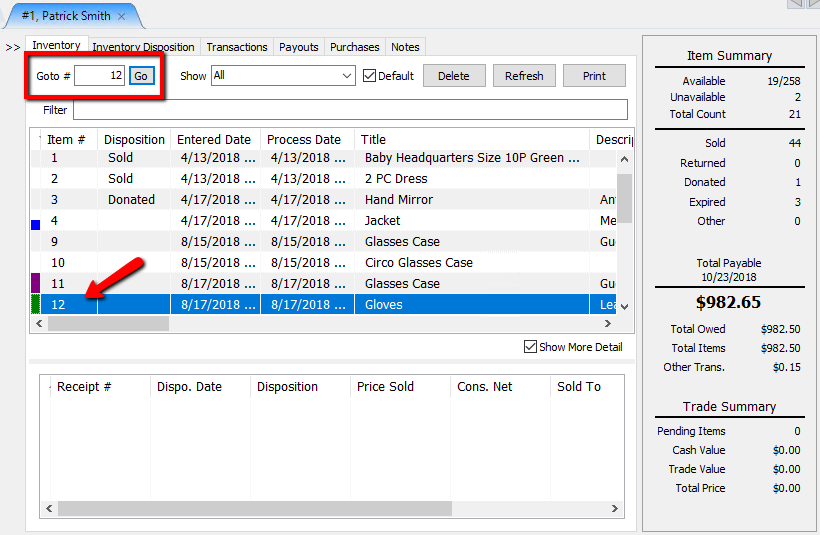
- Goto # : If you know the item number, you can enter the number in this field then select the Go button. This will take you to that item.
- Show : Select the Show dropdown to filter out items.
Example: If you only want to see all the Unavailable items, select Unavailable.
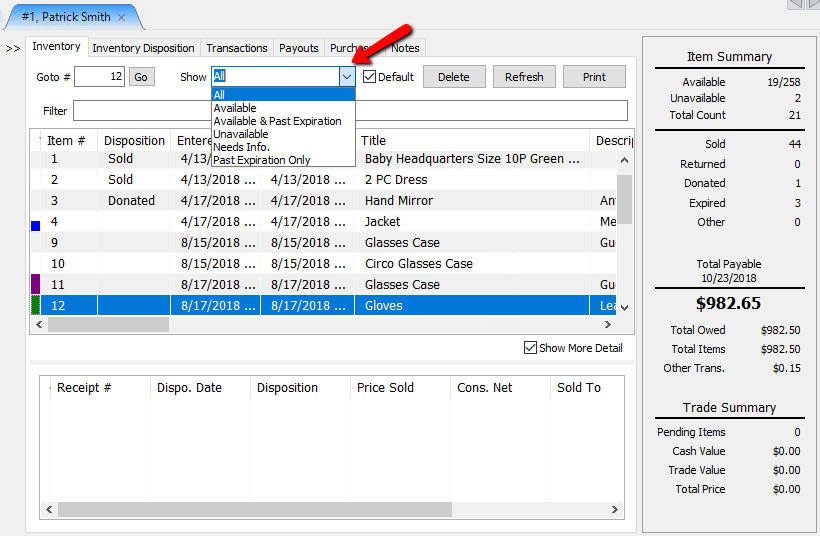
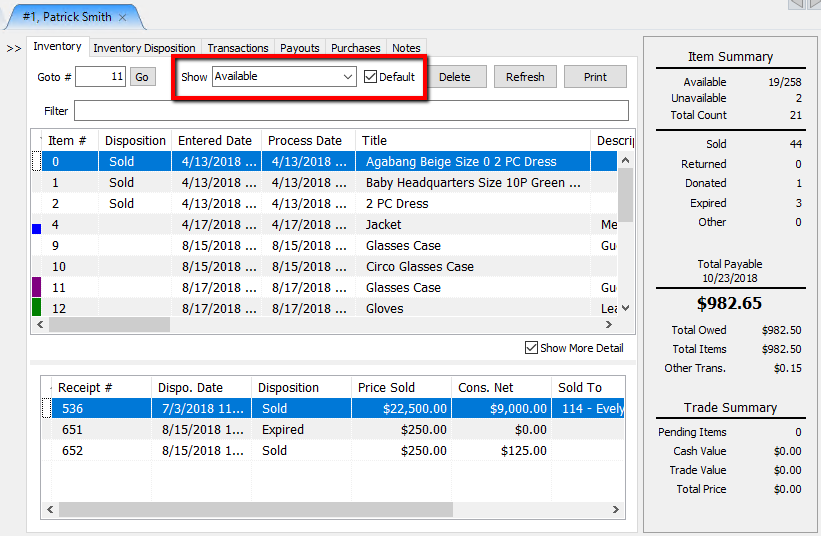
- Default (Check Box) : Use this check box to make the Show filter the default look when you go to an inventory tab.
Example: You can set the default to only show available items.
- Filter : Use the Filter field to search for items by specific criteria. You can search for item number, description, title…etc.


Example: you could search for all items with the term “Gucci”.

Next Article In Section
Click the following link to move to the next article in this section:
Find an Item (in any account) Using Item Lookup
Related Topics
Find an Item from within an Account Find an Item (in any account) Using Item Lookup Finding Items with a Status of Needs Info Using the Wishlist Wishlist Cross-Reference report Looking for Wishlist Matches While Adding Items Wishlist Overview Adding A Consignment Drop-Off Adding Items To A Consignment Drop-Off Dropoff List View Editing A Consignment Drop-Off