Table of Contents
How to do a Liberty Backup
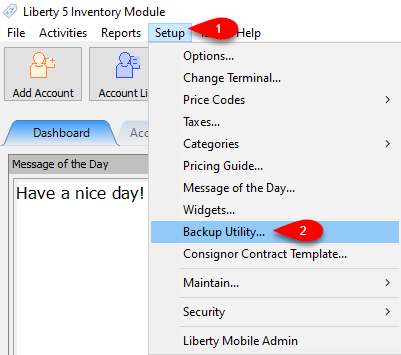
Inventory Module > Setup > Backup Utility...
It is critically important that you back up Liberty files daily. Doing so is the only way to protect against losing data in the event of computer failure, theft, etc.
We recommend you use the Liberty backup routine every single day. We also recommend performing an extra backup once a week and storing the backup media off-site. We further recommend archiving a backup once a month and storing it in a safe deposit box or other extremely safe place. To summarize the Recommended Backup Strategy:
Recommended Backup Strategy
- Backup every single day.
- Perform one extra back per week and store the backup off-site.
- Backup one extra time per month and store in a safe deposit box or other, ultra safe location.
To Set Up Liberty Backup:
- Open the Liberty Inventory Module and then click Setup and then Backup Utility…
- Plug your USB storage device into the computer.
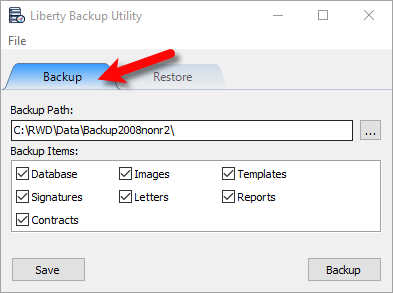
- Select the Backup tab.
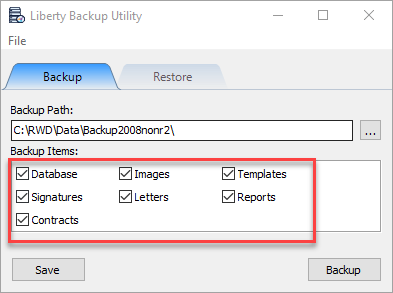
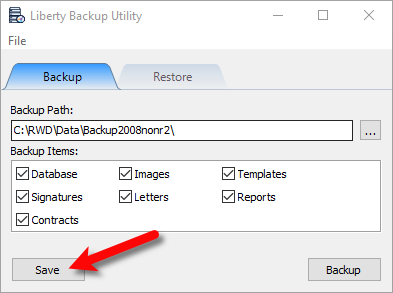
- Under Backup Items, please ensure that the Database check-box is checked.
Take a moment to look at and check-mark the additional options seen below if they apply to your store.
- Click the Browse (…) button.
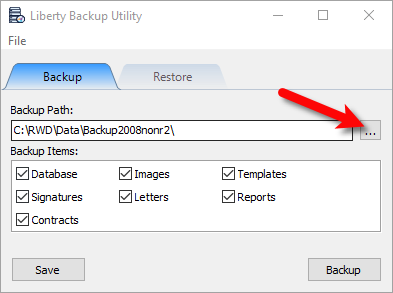
- Select the Drive that you want to backup to, then click the OK button.
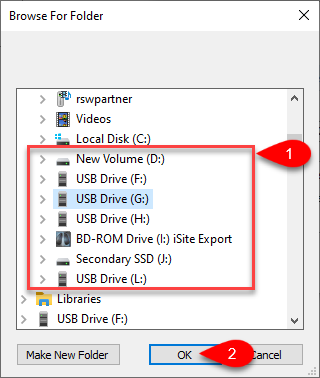
Info: Resaleworld Recommends that you do not save your backups to your local disk drive. This is so that if something should happen to your server computer, your backups are not destroyed or damaged as well.
Note: Please review the following recommended choices before making your drive selection.- Resaleworld Extended Support: With the Resaleworld Extended Support service, we can take backups of your software every day at 2:00AM in the morning and store them at a datacenter location.
- USB Thumb Drive: You can purchase these in our online store. USB Thumb Drives (also called Flash Drives) are so common these days that they can be found almost anywhere. USB Thumb Drives are assigned a letter, typically E, F or G. To determine your drive's letter, connect it to your computer, open your My Computer/Computer window and make note of the letter Windows has assigned to your USB Thumb Drive. It is important to verify your drive letter on a regular basis. Windows always assigns the “next available” letter, so if a new device was connected, it will be assigned the letter your USB Thumb Drive was previously assigned.
- External Hard Drive: These are large removable storage devices that plug into your computer via USB. They contain a large amount of space for redundant backups. It is important that you copy/archive your backups to another location in addition to the external hard drive. This is to ensure that should the external hard drive fail, you will be able to still recover your data. To determine your external hard drive’s drive letter, go to the My Computer / Computer window. You will see the drive letter that is associated with your External Hard Drive, make sure to enter it into the backup utility’s Backup Path.
- Click the Save button to save your settings and backup location.
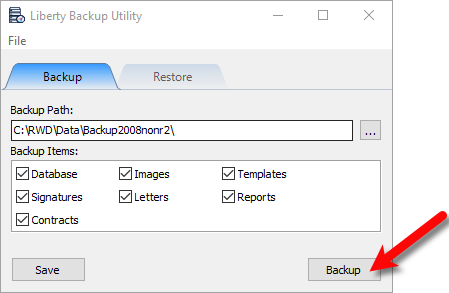
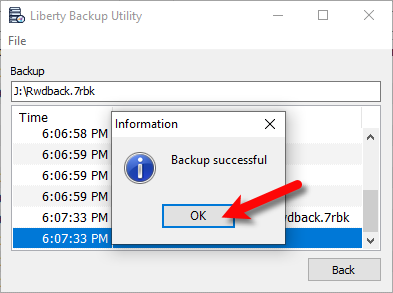
- Click the Backup button to perform the backup.
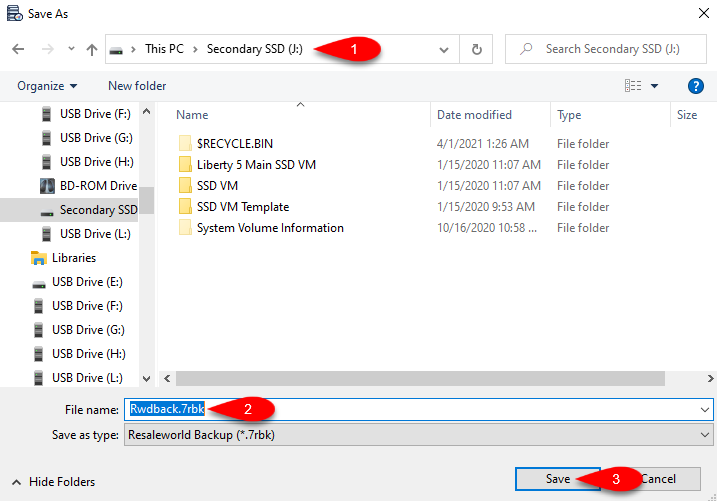
- Ensure that the path is correct and click the Save button.
- The end process will have a Backup successful will pop up.


What is Backed Up?
When ran the Backup Utility creates one file called RWDBack.7rbk
Depending on what you checkmark within the utility, this backup can contain the following contents:
- .bak of your .mdf and .ldf database files
- Images that you attach to items for item recognition or web services
- Ebay templates and ReCommerce/Shopify item default template.
- Receipt signatures captures by Liberty through integrated credit card and topaz devices
- Letters written in the word processor
- Favorited reports and reports security settings
- A copy of your RWD.cfg file that contains a good majority of your settings that are not stored in the Database.
Next Article In Section
Click the following link to move to the next article in this section:
Automatic Backups
Related Topics
How to do a Liberty Backup Important Backup information - Please Read What Is Backing Up? Automatic Backups How To Restore From Backup Online Backup to an Off-Site Storage Location Using Third Party Backup Software What Causes the Need to Backup Live Chat Support Managed Antivirus and Anti-Malware Online Backup to an Off-Site Storage Location